Invoicing for Mac, iPad & iPhone

Send the invoice. See who has paid.Bills – Invoice Maker

Bill a client for a week of work, send the invoice as a PDF before you leave the office and see at a glance what has been paid, what is still outstanding and what is overdue. Customers, items and a template for each of your companies, in sync through iCloud.


Download on the Mac App Store Download on the App Store
Free on the App StoremacOS 26 or later · iPadOS & iOS 26 or lateriCloud sync between Mac, iPad and iPhone
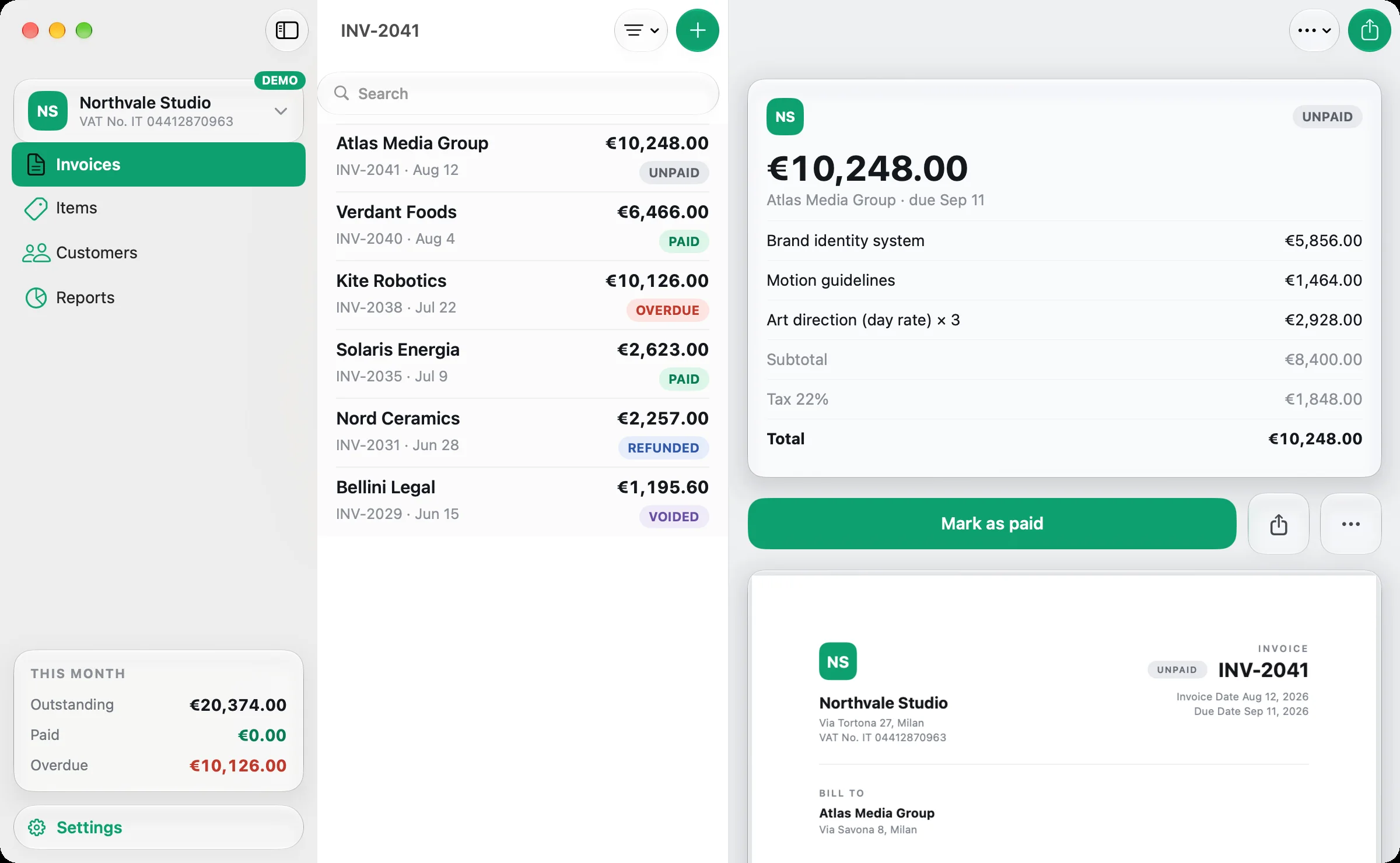
Bills on Mac: the invoice list of Northvale Studio and an unpaid invoice of €10,248 with its lines, tax, total and the Mark as paid button
InvoicesPick a customer, add your items and send the PDF: Bills works out subtotal, tax and total.
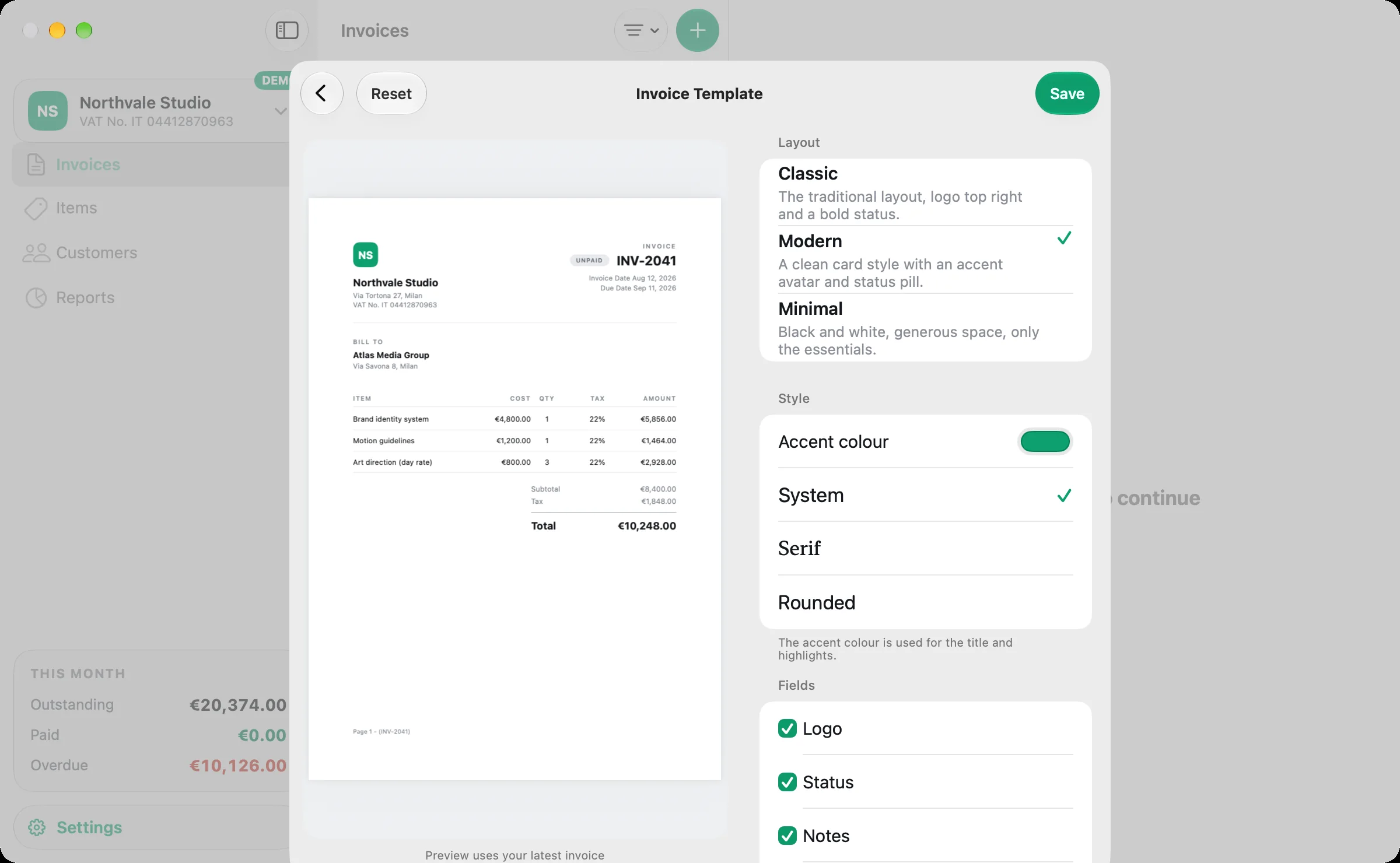
TemplatesClassic, Modern or Minimal, with your logo, colour, font and your own labels.
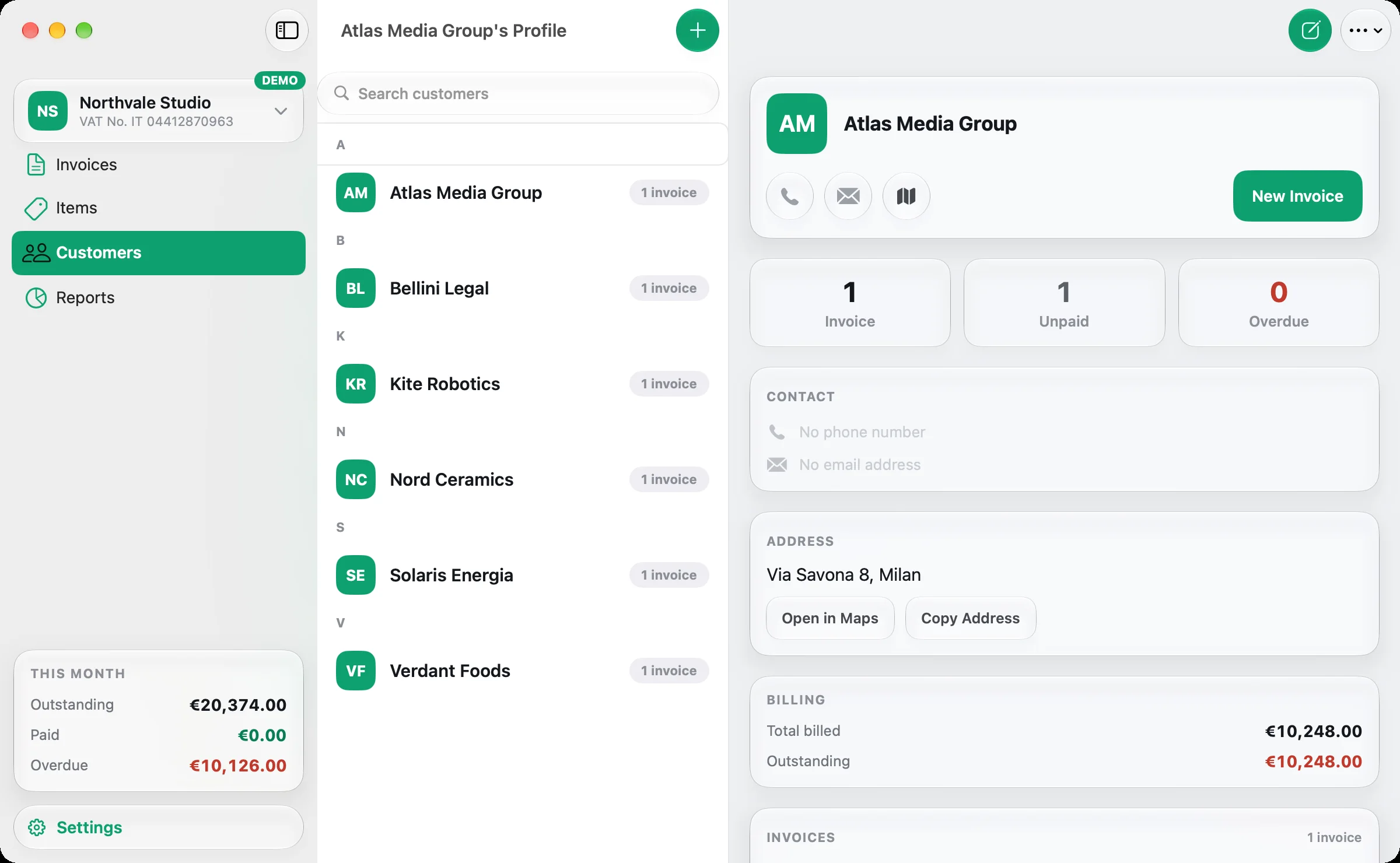
CustomersContact details, address, every invoice and the balance still owed.
ItemsA price list with tax rates and photos, ready to add to the next invoice.
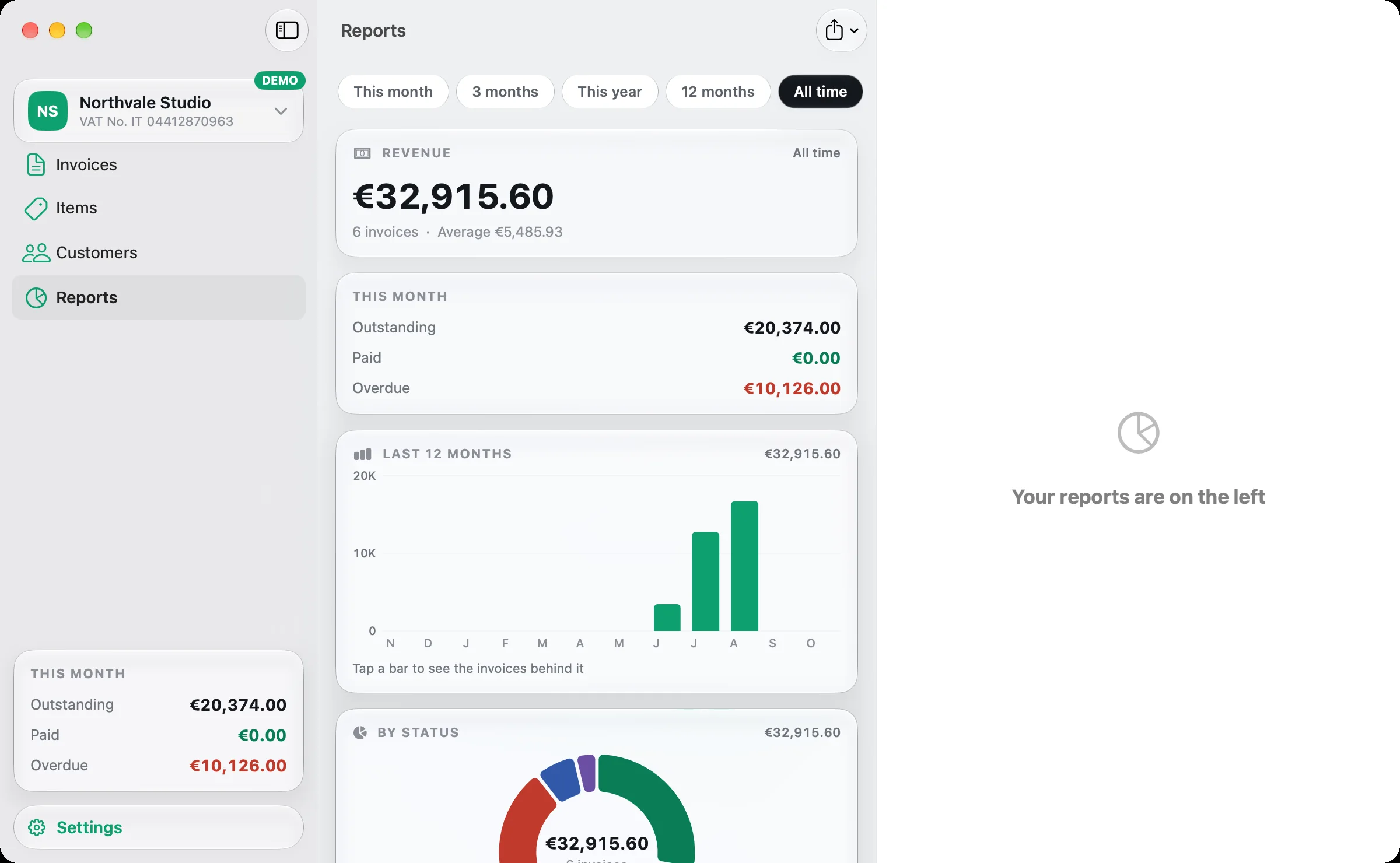
ReportsRevenue, outstanding and overdue amounts, by month, customer, item and tax rate.
For freelancers and small businesses

Get paid for the work you have finished.

You have delivered the job; now the client needs an invoice. Open Bills, pick the customer, add what you did and send the PDF. When the payment arrives, mark it as paid; when it doesn't, Bills shows it as overdue.

Bills on Mac: an unpaid invoice with three lines, tax at 22% and the PDF preview below
Invoices

Bill a client in a few taps.

  • Pick a customer, add items and set the due date: subtotal, tax and total are worked out for you.
  • Numbering per company with your own prefix.
  • Unpaid, paid, overdue, refunded and voided: search by customer, number or amount and filter by status.
  • Send the PDF by email, share it, print it or save it to Files.
Your template

Put your brand on every invoice.

Choose the Classic, Modern or Minimal layout, then set the accent colour, the typography and your logo. Show or hide fields and rename any label; the PDF preview follows every change.

Bills on Mac: the Invoice Template sheet with the Modern layout selected, the accent colour and the field switches beside the PDF preview
Bills on Mac: the profile of Atlas Media Group with one unpaid invoice, the address and the billing totals
Customers & items

Know what each customer owes.

Every customer has a profile with call, email and map shortcuts, every invoice sent to them and the outstanding and overdue amounts. Keep your services and products as items with a price, a tax rate and a photo.

Reports

See this month's takings at a glance.

  • Revenue over the last 12 months, by status, by customer and by item.
  • Tax summaries per rate, ready for your accountant.
  • Tap a bar or a figure to see the invoices behind it.
  • Export the report as CSV or PDF.
Bills on Mac: Reports with all-time revenue, this month's outstanding and overdue amounts, the 12-month chart and the breakdown by status
More than one business

Run several companies from one app.

A design studio and a consultancy, or a business in two countries: each company keeps its own books, and you switch between them with one tap.

Per companyCustomers, items, currency, locale, invoice numbering and template.
In synciCloud keeps your invoices the same on iPhone, iPad and Mac.
Demo modeExplore the app with sample companies without touching your own data.
SupportQuestions or ideas? Write to us from Settings ▸ Support.
iPad & iPhone

The same invoices, wherever you are.

A three-column layout with multiple windows and keyboard shortcuts on iPad; on iPhone, a tab for each section. One download covers Mac, iPad and iPhone.

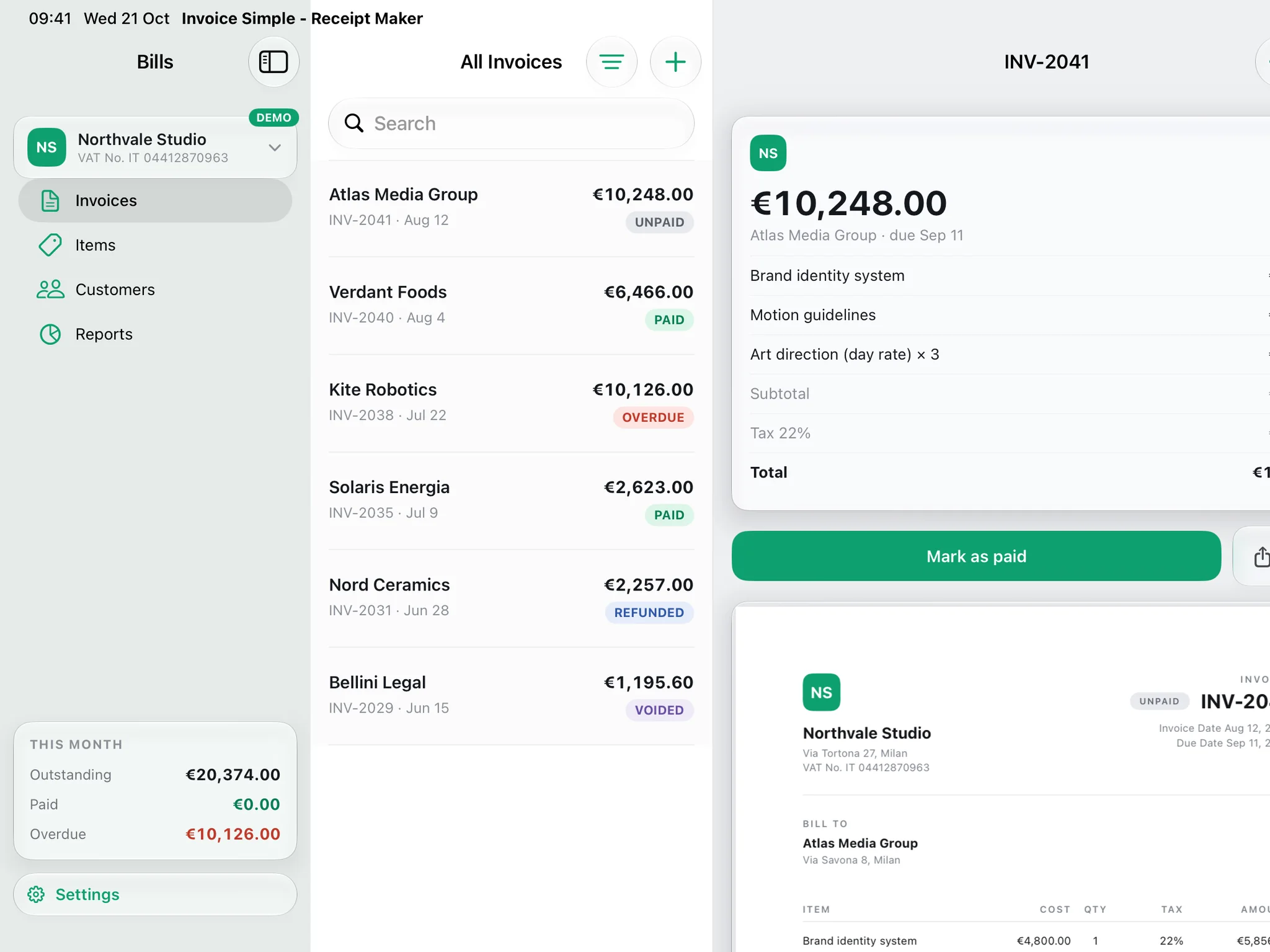
Bills on iPad in landscape: the sidebar, the invoice list and an unpaid invoice
iPad: three columns
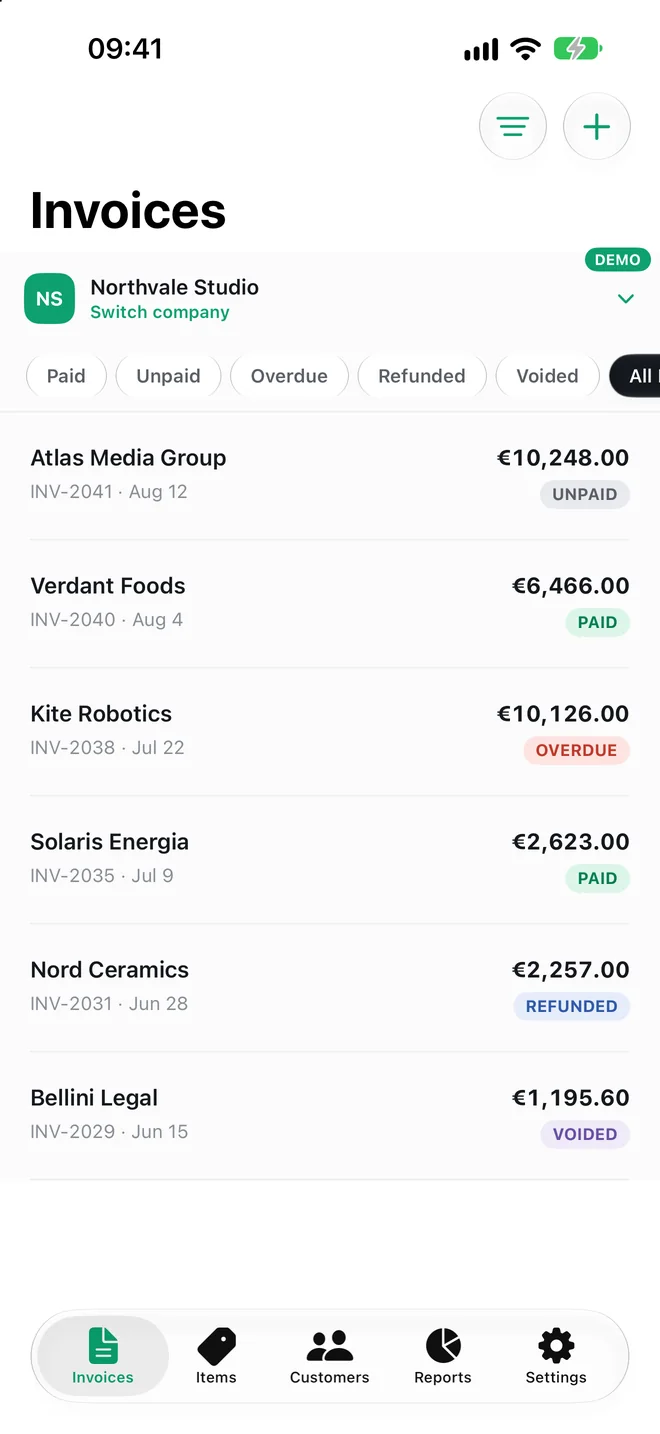
Bills on iPhone: the invoice list with the status filters
Every invoice and its status
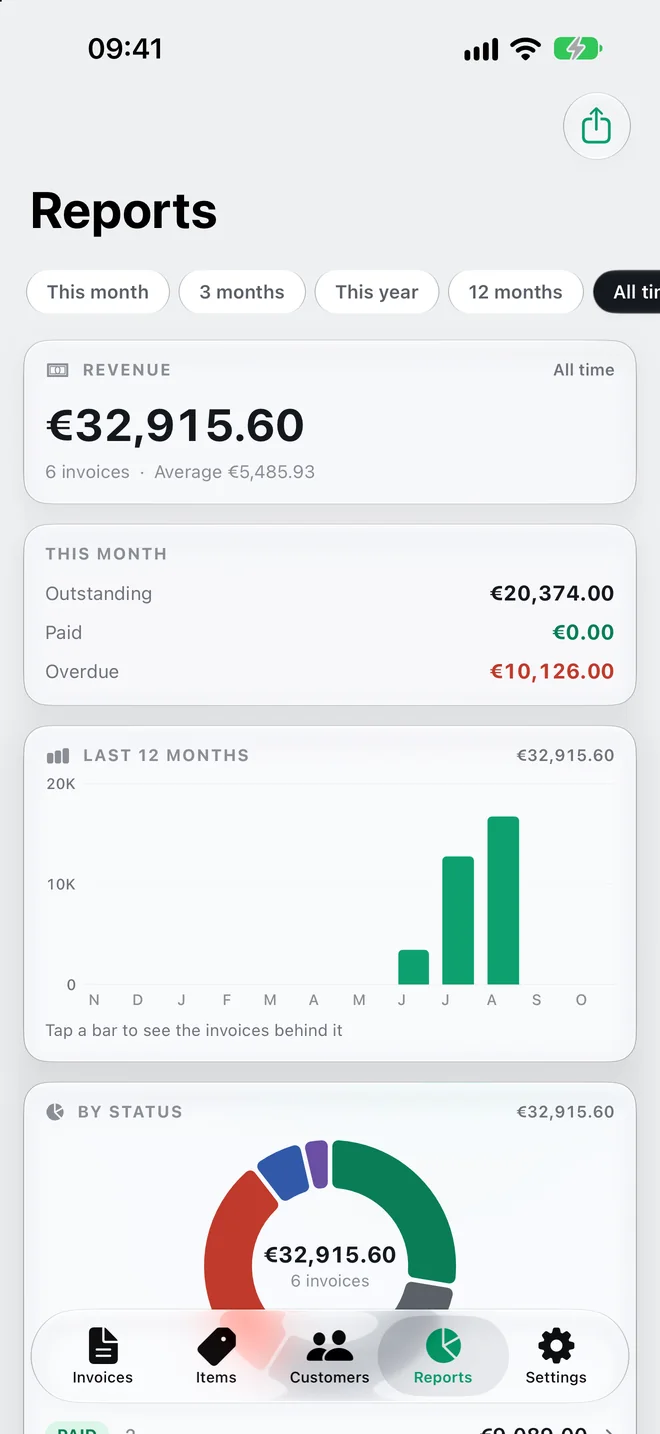
Bills on iPhone: Reports with revenue and the 12-month chart
Reports on the go

Choose an invoicing task.

Start with the job in front of you.

Bill a client

Pick the customer and your items; payment terms set the due date for you.

Learn more →

Chase a late payment

Unpaid invoices past their due date show up as overdue; filter them to see whom to call.

Learn more →

Put your brand on the PDF

Choose a layout, then add your logo, colour, font and your own labels.

Learn more →

Know what a customer owes

Open a profile to see every invoice and the balance still outstanding.

Learn more →

Check the month's takings

Revenue, outstanding and overdue amounts, and the tax collected per rate.

Learn more →

Run more than one business

Each company has its own customers, items, currency and invoice numbers.

Learn more →

Get Bills for Mac, iPad and iPhone

Free on the App Store. One download covers Mac, iPad and iPhone, with iCloud sync between them.

Download on the Mac App Store Download on the App Store
macOS 26 or lateriPadOS & iOS 26 or later
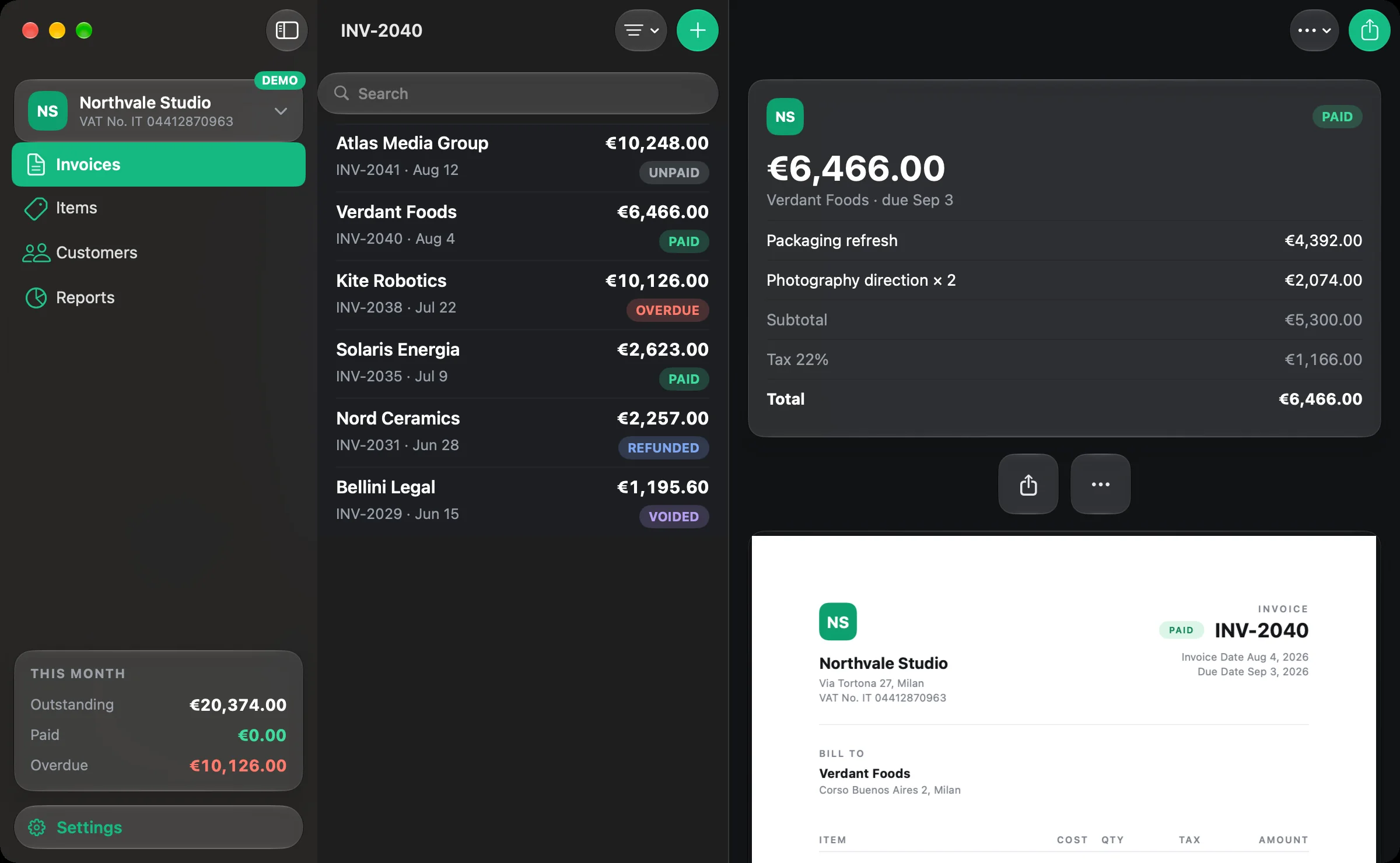
Bills on Mac in dark appearance: a paid invoice of €6,466 with the PDF preview