Android · Phone, tablet and Googlebook

Retouch a photo on your Googlebook or your phone.

Brighten an underexposed shot, remove a distraction or develop a raw photo on a Googlebook, a tablet or a phone, in layered documents that keep every change editable.

Get it on Google PlaySoon on Google Play
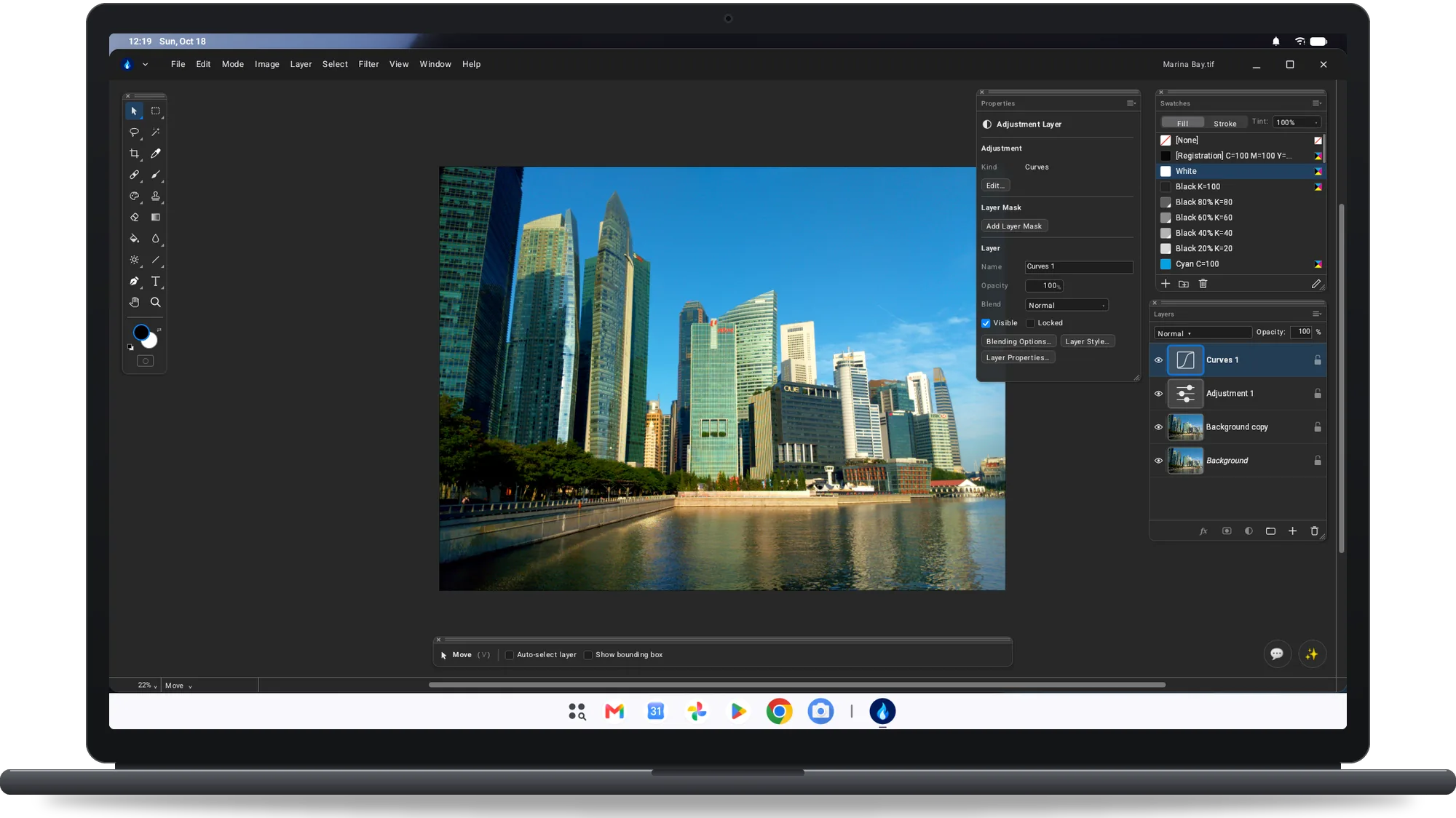
Flare on a Googlebook: a city skyline photo with the Layers and Properties palettes
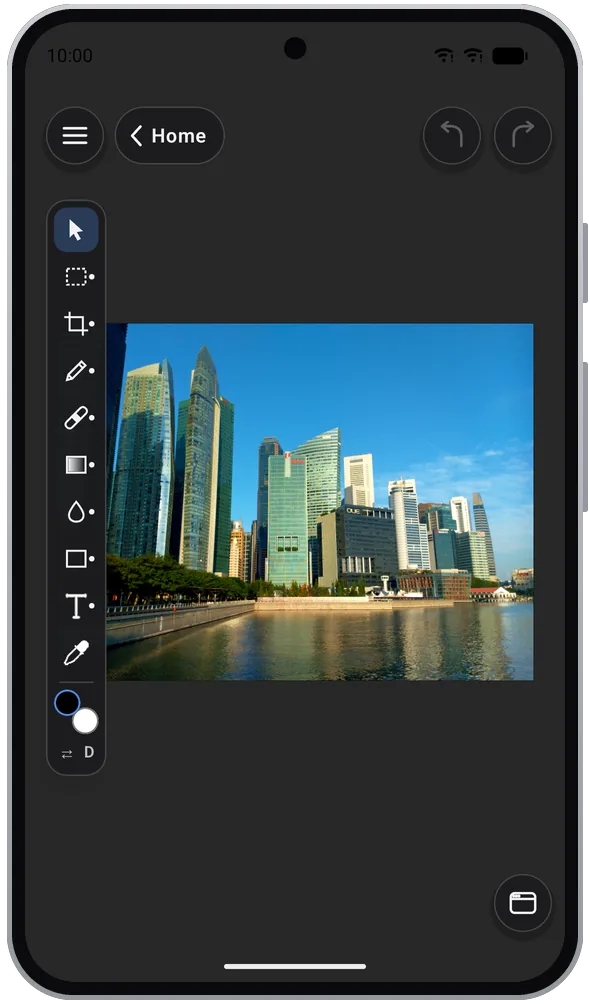
Flare on an Android phone: a skyline photo with the tool strip
Phone, tablet and GooglebookAndroid desktop windows on Googlebook: floating palettes and workspaces, several windows at once and the desktop keyboard shortcuts. A compact layout on phones.
Requires Android 8.0 or laterFree on Google Play. Layered TIFF documents in RGB, CMYK, Lab, Grayscale, Indexed or Bitmap, 8 or 16 bits per channel.
No ads, no accountNo in-app purchases. Background removal and subject selection run on the device: your pictures never leave it.
On Googlebook

Layers, adjustments and filters in desktop windows.

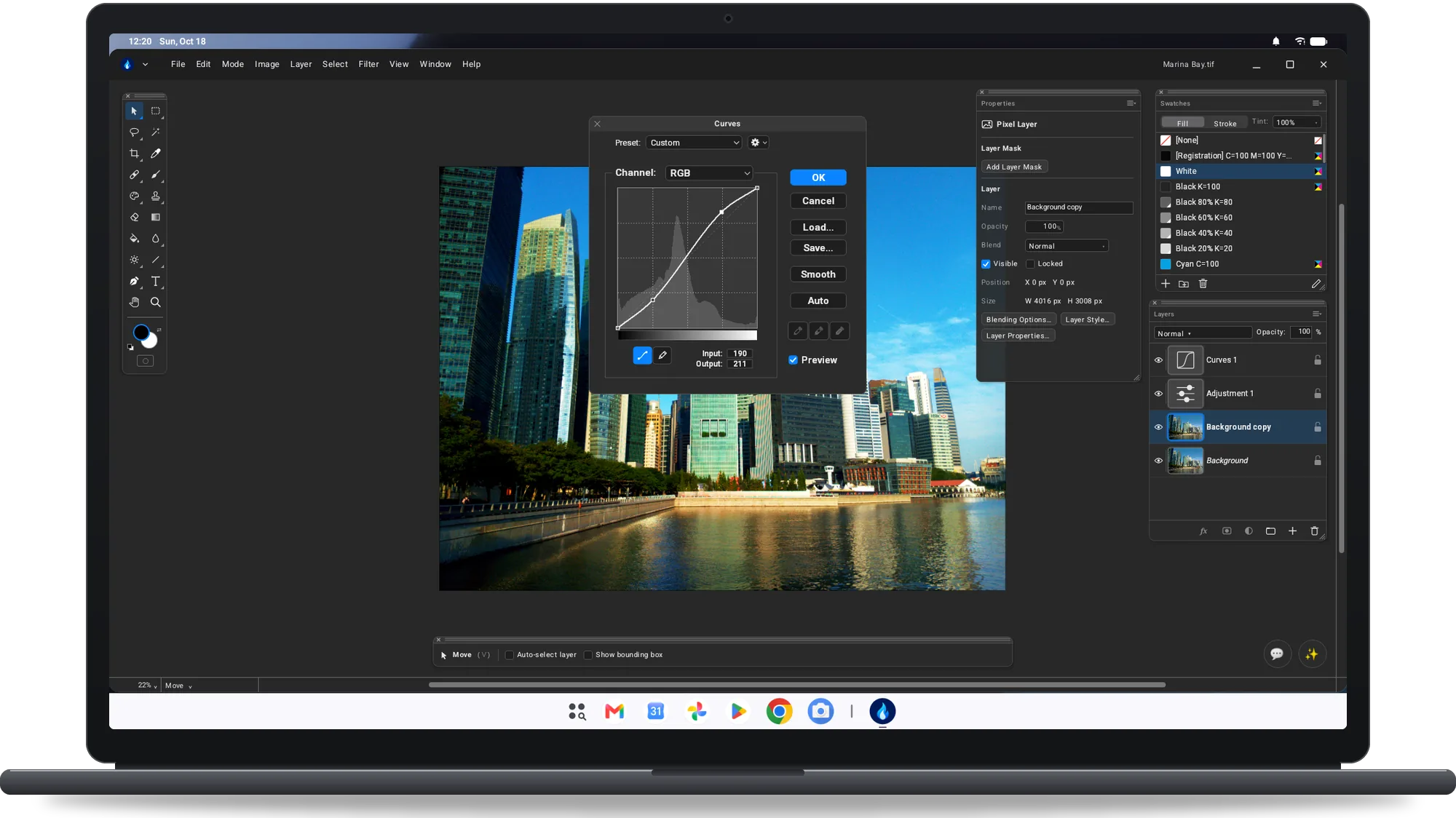
Flare on a Googlebook: the Curves dialog over a skyline photo
Adjusting the tones with Curves
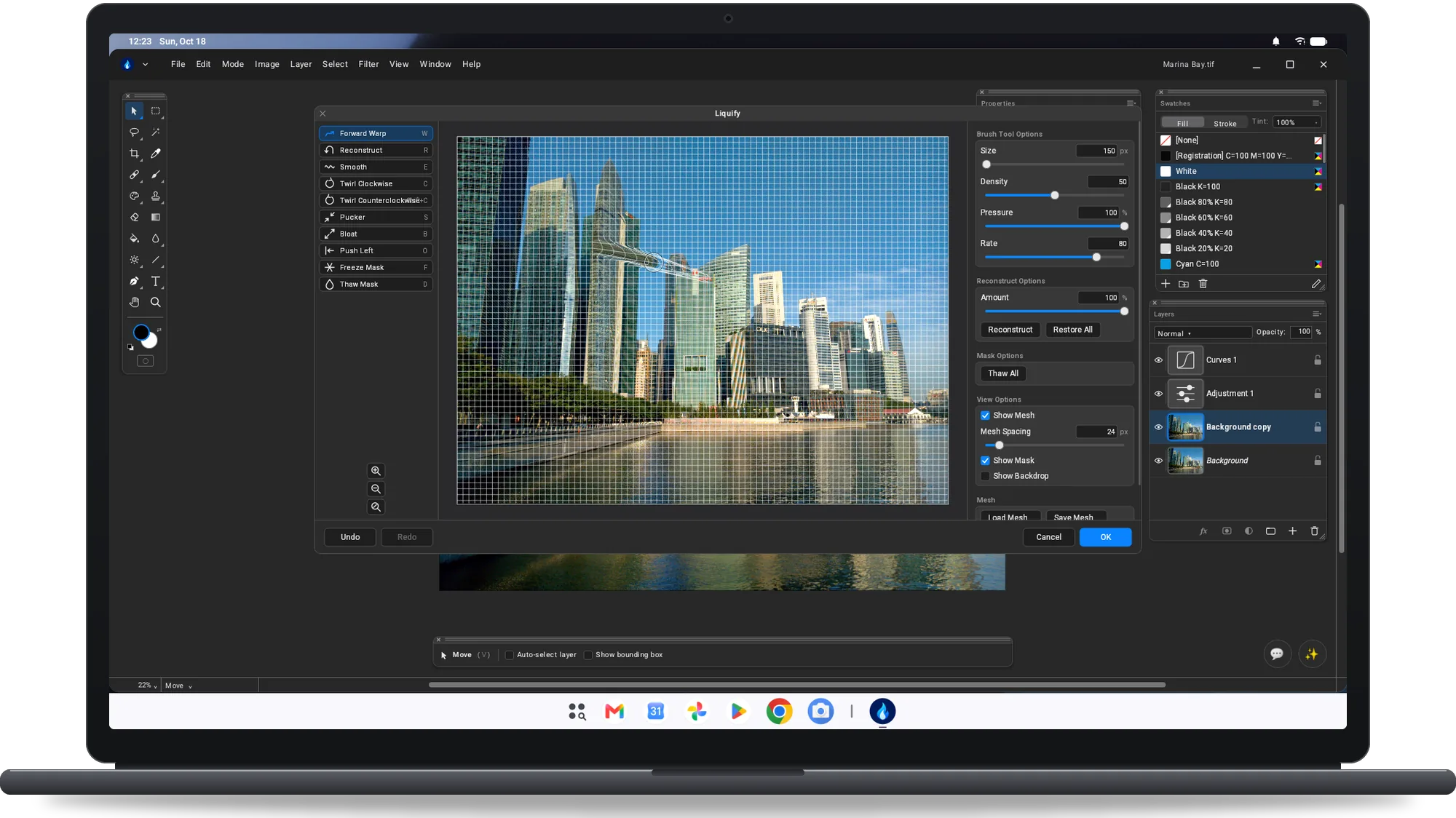
Flare on a Googlebook: the Liquify window with its mesh over the photo
Reshaping a building with Liquify
On a phone

The same photo, wherever you took it.

Flare on an Android phone: a skyline photo with the tool strip
The canvas and the tools on a phone
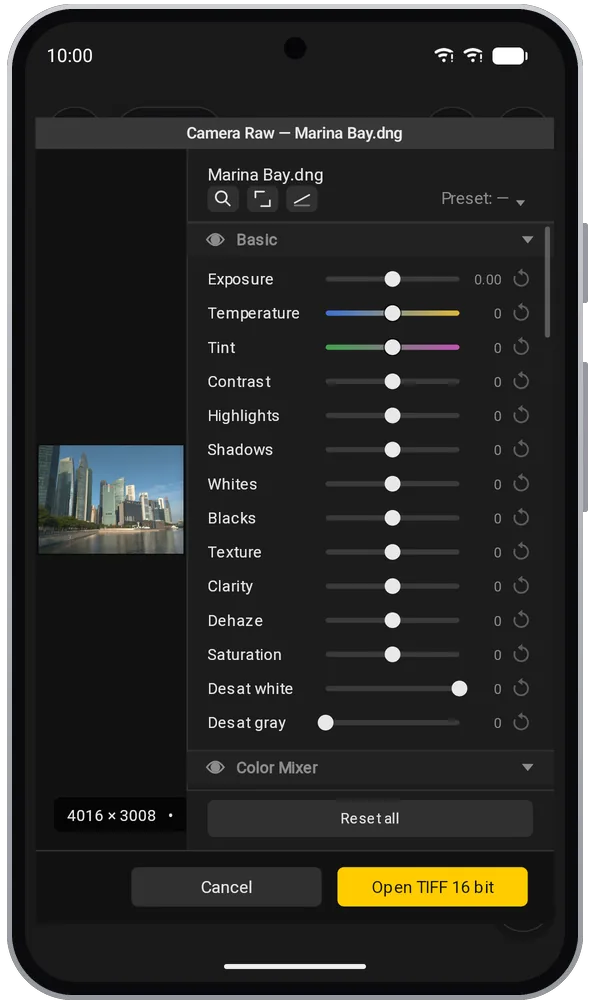
Camera Raw on an Android phone with the Basic sliders for a raw photo
Developing a raw photo in Camera Raw
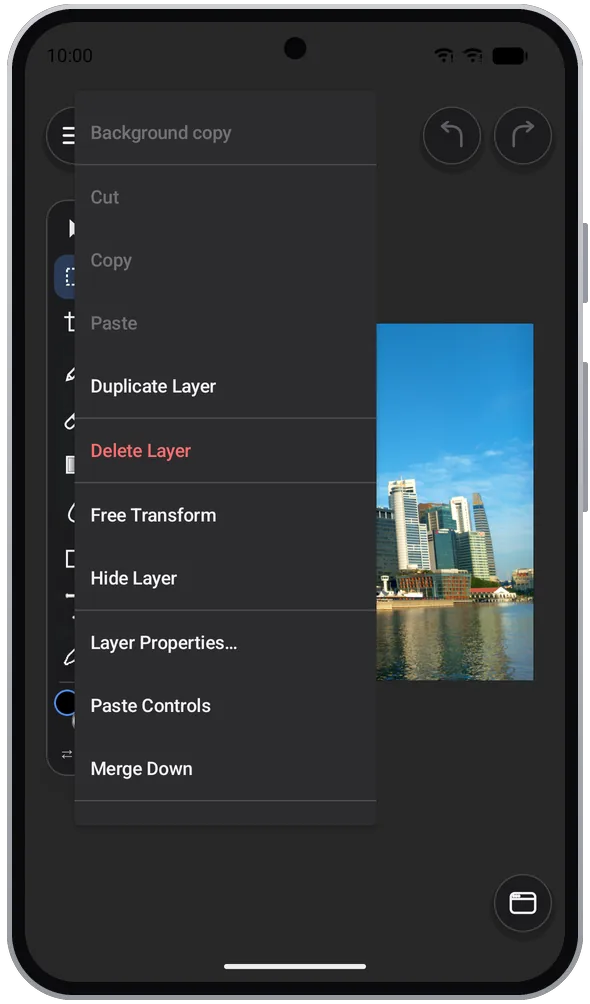
Flare on an Android phone: the layer menu opened with a long press
Layer commands from a long press
What you get

Feature list

Correct a holiday photo, prepare a product shot for a shop or put a logo on a poster photo.

Fix light and colour

Levels, Curves, Hue/Saturation, Color Balance and Selective Color, as commands or as adjustment layers you can change later.

Select the area to correct

Marquee, lasso, magic wand, colour range and subject selection on the device, with refine edge.

Remove a distracting detail

Clone stamp, brush and eraser to paint out a mark, a sign or a passer-by.

Cut out a product

Remove Background, Select Subject and Depth Map run on the device; each model is downloaded once and checked.

Develop a raw photo

Camera Raw develops raw photographs and brings them into the document at 16 bit.

Combine a photo, logo and text

Layers, groups, masks, blend modes, layer styles and smart objects keep every part separate and editable.

Hand over the right file

Save a layered TIFF, open PSD and PSB, export PNG, JPEG, WebP, JPEG XL and TIFF.

Ask how to do it

The AI Console answers on the device with Gemini Nano where supported, or with your own Claude or Gemini key.

Get Flare for Android

Free on Google Play for phones, tablets and Googlebook. No ads, no account, no in-app purchases. Requires Android 8.0 or later.

Get it on Google PlaySoon on Google Play