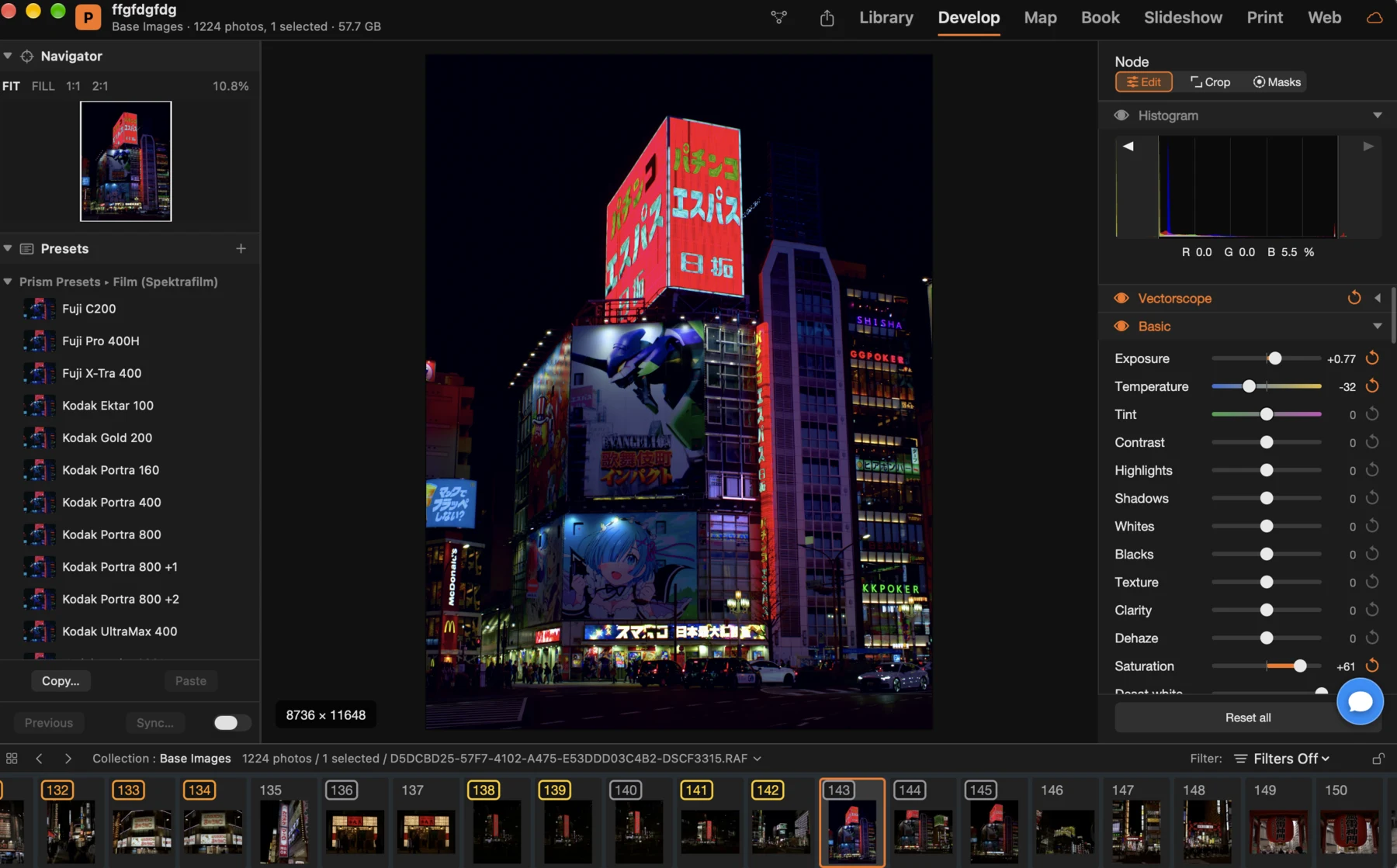
Prism develops each photograph as a graph: every node is a complete RAW development with its own masks, and you connect the nodes in series, in parallel, in layers or by channel, reorder them, bypass them and compare them at any time. The original never changes. Keep your photos in a catalogue, shoot tethered, then lay out a book, run a slideshow, print or publish a web gallery — on your PC, with no account.
Prism for Windows has the modules, the catalogue and the developments of Prism, in a dark window with Windows menus and shortcuts.
Import from memory cards, cameras and folders, copy or add in place, rename on the way in and apply a development, keywords and metadata as the photos arrive. Disks that are not connected stay in the catalogue as offline, ready when you plug them in again; an external disk is recognised on both a Mac and a PC.
Each node of the graph is a complete RAW development: exposure, colour, tone curves, HSL mixer, film and print simulation, lens corrections, crop.
Connect a camera over USB, see its settings in the bar, trigger the shutter and watch the photos land in the catalogue with the development you chose. Version 26.6 build 2 talks to cameras through Windows; network cameras, Live View and autofocus come with a later update.
The same catalogues and the same commands. These are the differences.
Version 26.6, build 2.
Version 26.6 (build 2), 17 November 2026. One signed installer for x64 and ARM64: double-click it and App Installer puts the right build in the Start menu. No account needed.
Installer Prism-26.6.msixbundle · 355.48 MB (372,742,788 bytes)
SHA-256 44D402DD623ADAA08BE6821A2FA3102221924A09A40405261609D63ABEA141D8
No installation: unzip it anywhere and run prism.exe. Needs the Windows App Runtime 1.8, installed automatically on first run if missing. Updates itself.
x64 175.84 MB (184,382,851 bytes) · SHA-256 1A997DD6C811574DBEDC37BC89B6107ACDA133436CCDC3094A6BA252A1C7856A
ARM64 174.60 MB (183,077,744 bytes) · SHA-256 33C29964E756716BC998145F3BC6F6DC5F492DA8091585A09629C63E683DBDDA
The same app with the standard Windows menu bar, for PCs where you would rather not add the Windows App Runtime. Unzip and run; it updates itself on its own line.
x64 175.57 MB (184,099,739 bytes) · SHA-256 1AF24BDACBBFF8582CE70E9639772593CEEF50EC7DB13A57BC8CE2C135F4448B
ARM64 174.34 MB (182,803,599 bytes) · SHA-256 B1F115CE4F481B5DE9A67A612C26AF6F4F53F08589E1742E10FA99A180EF3B9B
Signed by Rainbowfactory Ltd (Azure Trusted Signing). Before you start: the differences of the Windows edition and the privacy policy. This is the first Windows release: work on a copy of your catalogue and tell us what breaks.