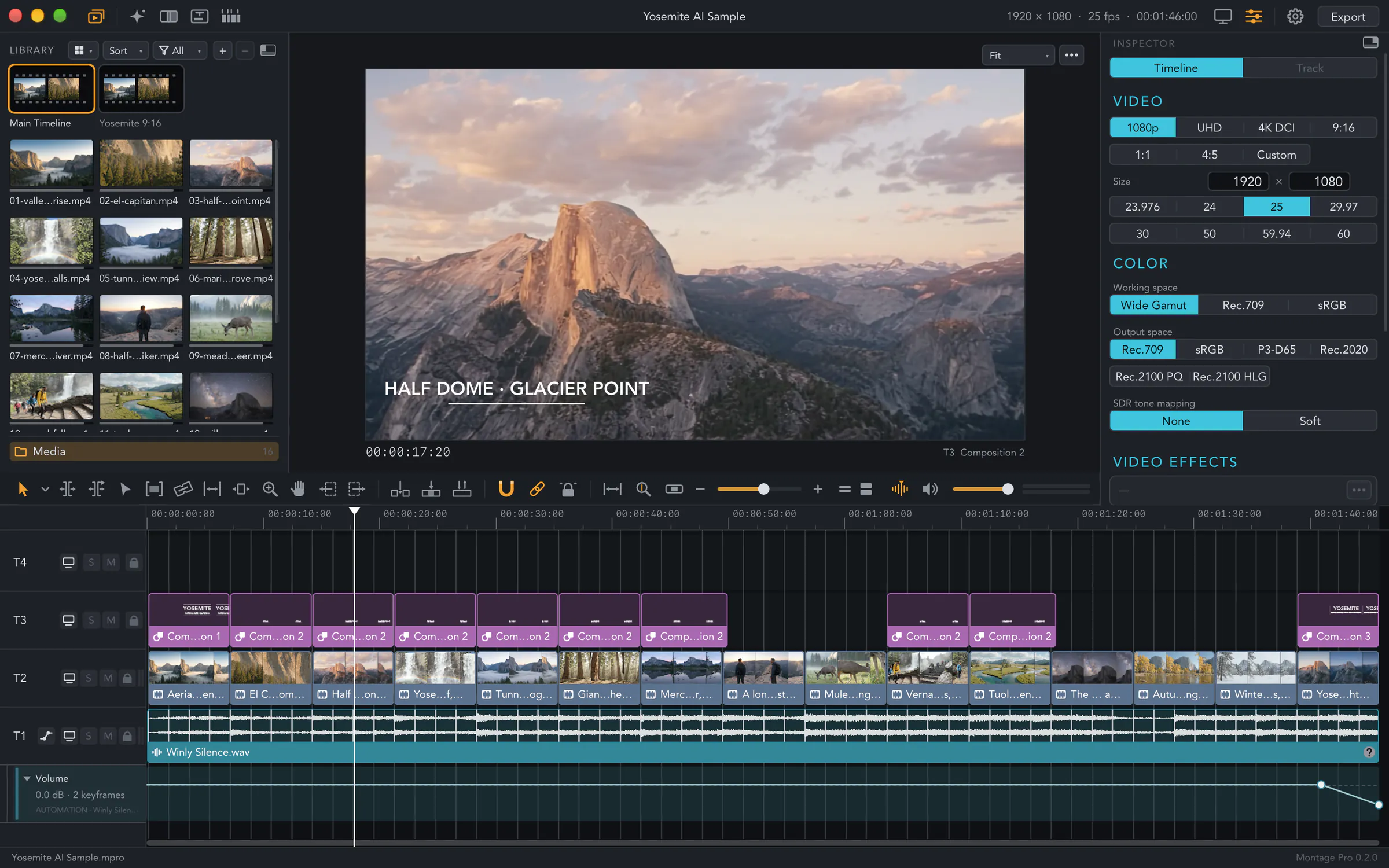
Turn a day of travel clips into a film cut to the beat of a song, steady a shot you filmed while walking and subtitle an interview without the sound leaving your Mac. Edit on as many tracks as the film needs, add titles, effects and colour, then export it to share.
Signed and notarized: open the disk image and drag Montage Pro to your Applications folder. Subtitles are made on your Mac, so the sound of your film never leaves it.
A travel film starts as a folder of clips, a song and an idea for the opening title. Lay them out on one timeline, with as many video, sound, title, effect and subtitle tracks as the film needs.
Trim with ripple, roll, slip and slide while the viewer shows both sides of the cut, insert and overwrite from the keyboard, and undo any step. Or let the beat of the music place the cuts for you.
Put the clips of the trip and a song on the timeline. Montage Pro finds the beats in the music and lays your clips on them, or makes each clip a set number of beats long.
Changed your mind about the song? Swap it for another and keep every cut. Then join the shots with a dissolve, a dip or a zoom.
See everything it does →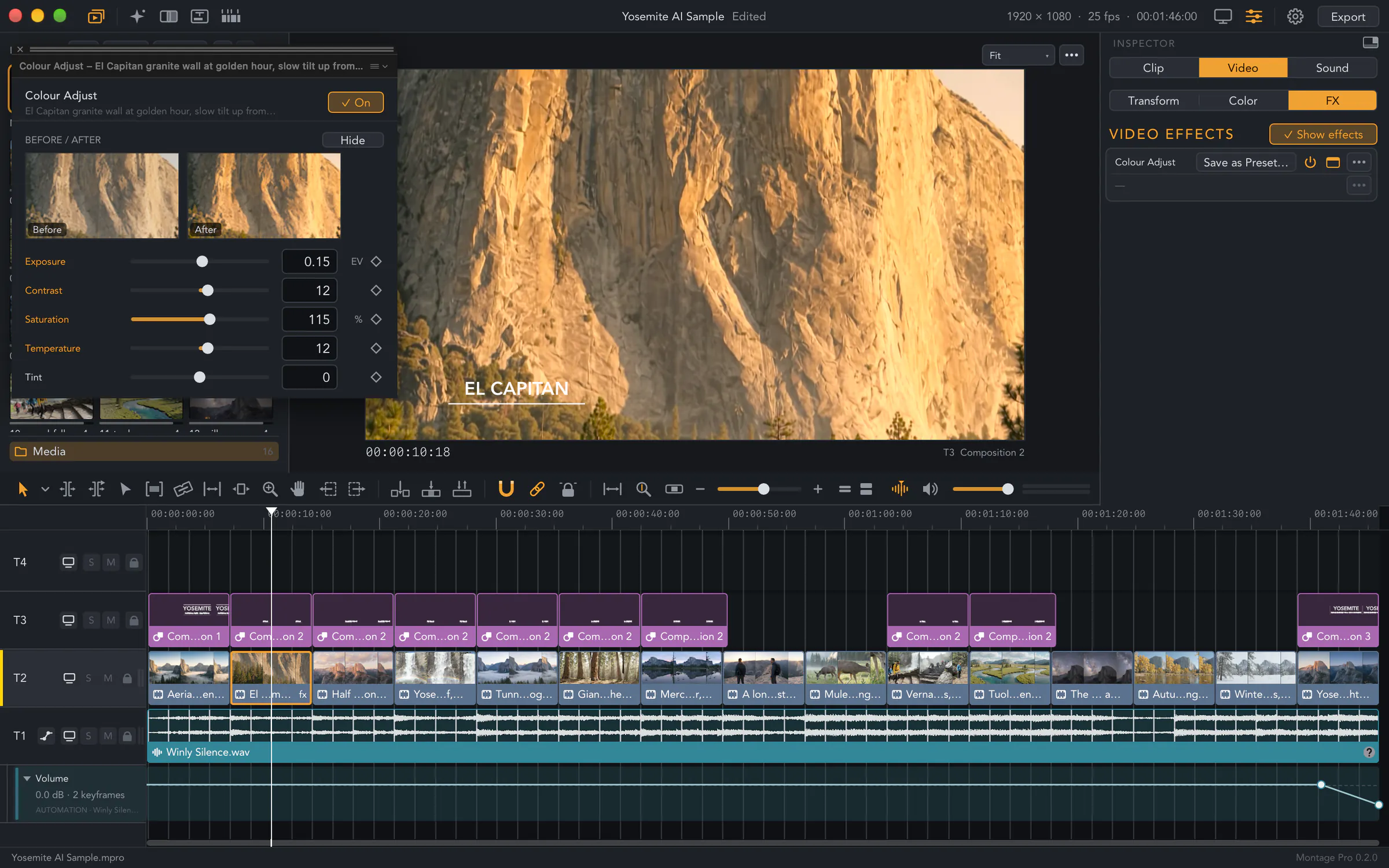
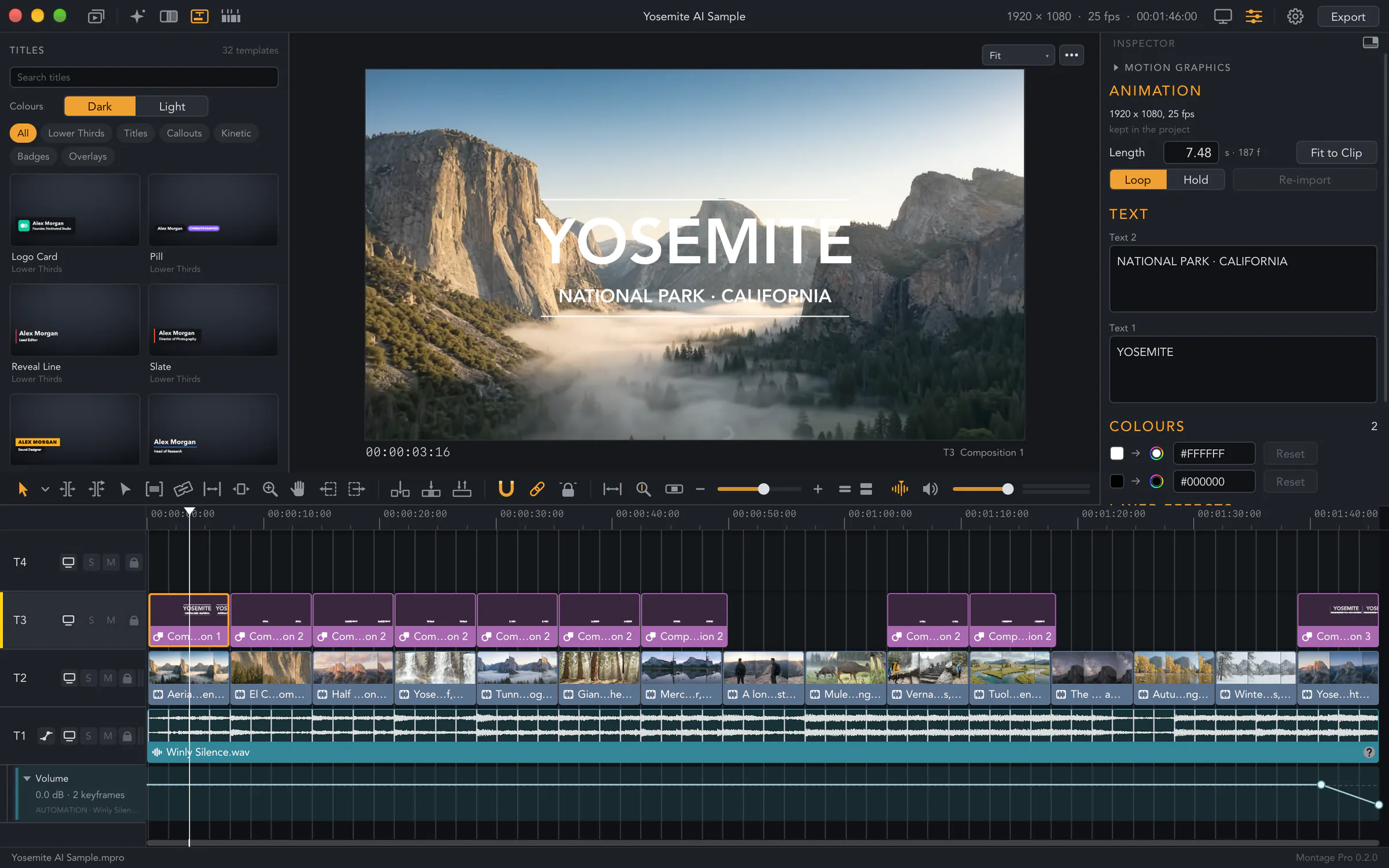
Pick one of the 32 ready-made titles, lower thirds, callouts and badges in the Titles browser and put it over the first shot. Type its words, choose its colours and set the length of its animation in the inspector.
Want a title of your own? Build it in the Motion Editor, with layers, keyframes, text on a path, 3D cameras and motion blur.
A walk through a market, filmed by hand, shakes on a big screen. Montage Pro steadies it with the gyro data your camera recorded with the video, or from the picture itself when there is none.
Montage Pro turns what people say into subtitles right on your Mac, without the sound leaving it. Export them as SRT or WebVTT, ready for the place where the interview will play.
Choose the task: assemble the edit, add titles and colour, balance the sound, then export the film for the screen it will play on.
Put video, sound, titles, effects and subtitles on as many tracks as the film needs. Insert and overwrite from the keyboard, and undo any step.
Ripple, roll, slip and slide with both sides of the cut in the viewer, then join the shots with a dissolve, a dip or a zoom.
Start from a ready-made title or build your own in the Motion Editor, with layers, keyframes, text on a path, 3D cameras and motion blur. Animation files from your design tools play as clips.
Effects cut the speaker out of the background right on your Mac. Add blurs, glows, colour looks and lens effects from Montage Pro’s own set.
Work with log footage from the main camera makers, LUTs, colour wheels and curves, and deliver the film in Rec.709, P3 or HDR.
Mix every track with fades, Montage Pro’s own audio effects and the Audio Units already on your Mac.
Export the whole timeline, a range or every clip as its own movie, in ProRes, HEVC or H.264.
The OpenFX plug-ins on your Mac appear in the Effects browser and run in processes of their own, so a plug-in that crashes never takes Montage Pro with it.
An AI assistant that speaks MCP can read and edit your project, and each change it makes is one undo step.
Montage Pro is a direct download for Mac, signed and notarized, and it updates itself: once a day it looks for a new version, and Check for Updates… in the Montage Pro menu looks at once.
Cut it to the beat, steady the shaky shots, add the subtitles and export the film to share.
The direct download requires macOS 14 or later on Apple silicon; Montage Pro checks for a new version once a day, and Check for Updates… in the Montage Pro menu checks at once. Share feedback through Discord.