iPadOS & iOS · Universal purchase

Cut a film to the beat on your iPad.

Lay the clips on the timeline, let the cuts snap to the music and add subtitles transcribed on the device. Montage opens and saves the .mpro projects of Montage Pro on the Mac, synced through iCloud Drive, so a film started on one is finished on the other.

Download on the App Store
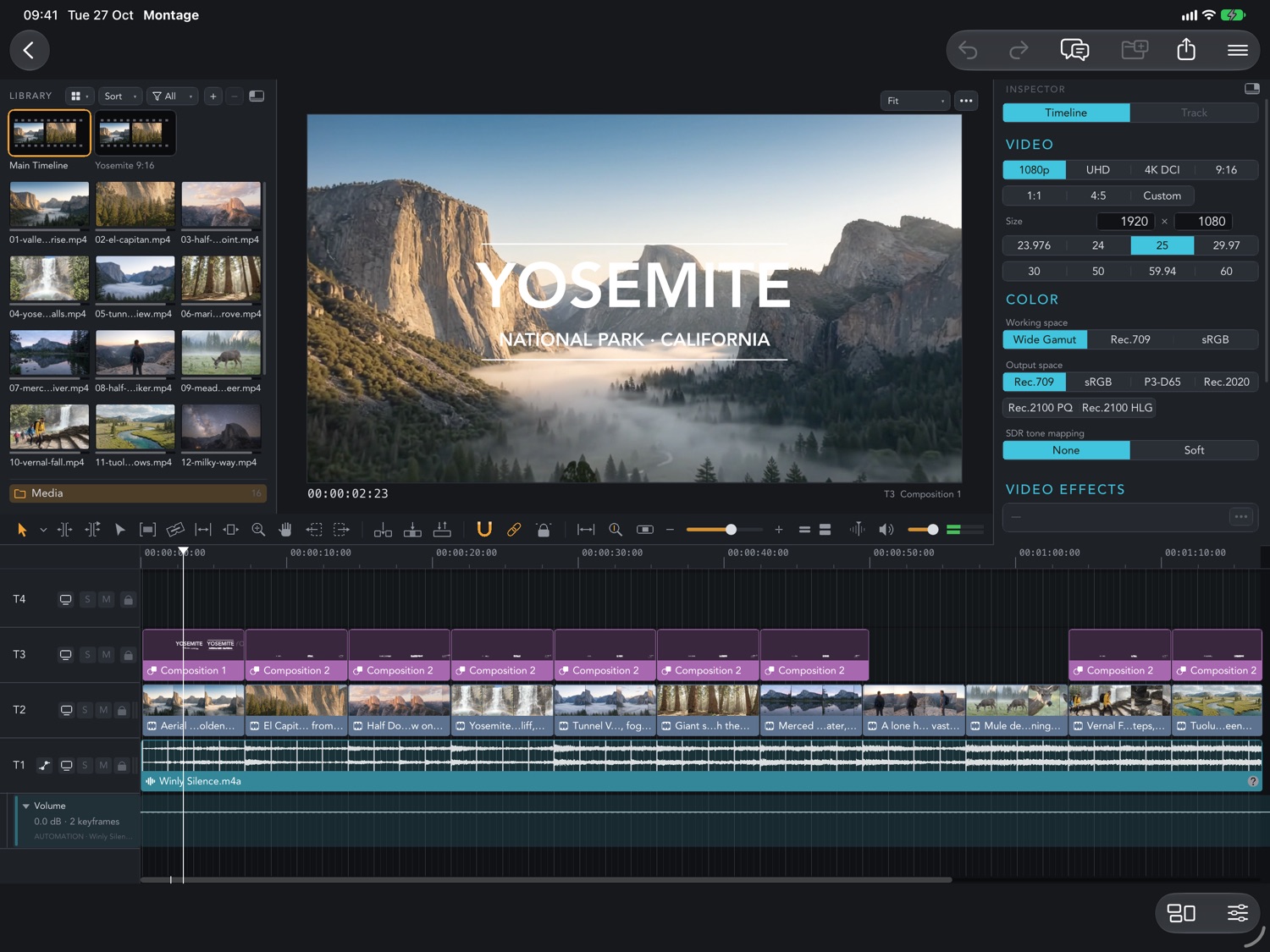
Montage on iPad: the Yosemite film on a timeline of titles, clips and music, with the library on the left and the inspector on the right
Requires iOS 18.0 or lateriPhone, iPhone Duo and iPad. Current App Store version 27.0.
Universal purchaseSame App Store listing as Montage Pro for Mac.
FreeFree on the App Store.
On iPad

Palettes as floating cards.

The Montage editor on iPad with the media library, the viewer, the inspector and the timeline
Timeline, library and inspector
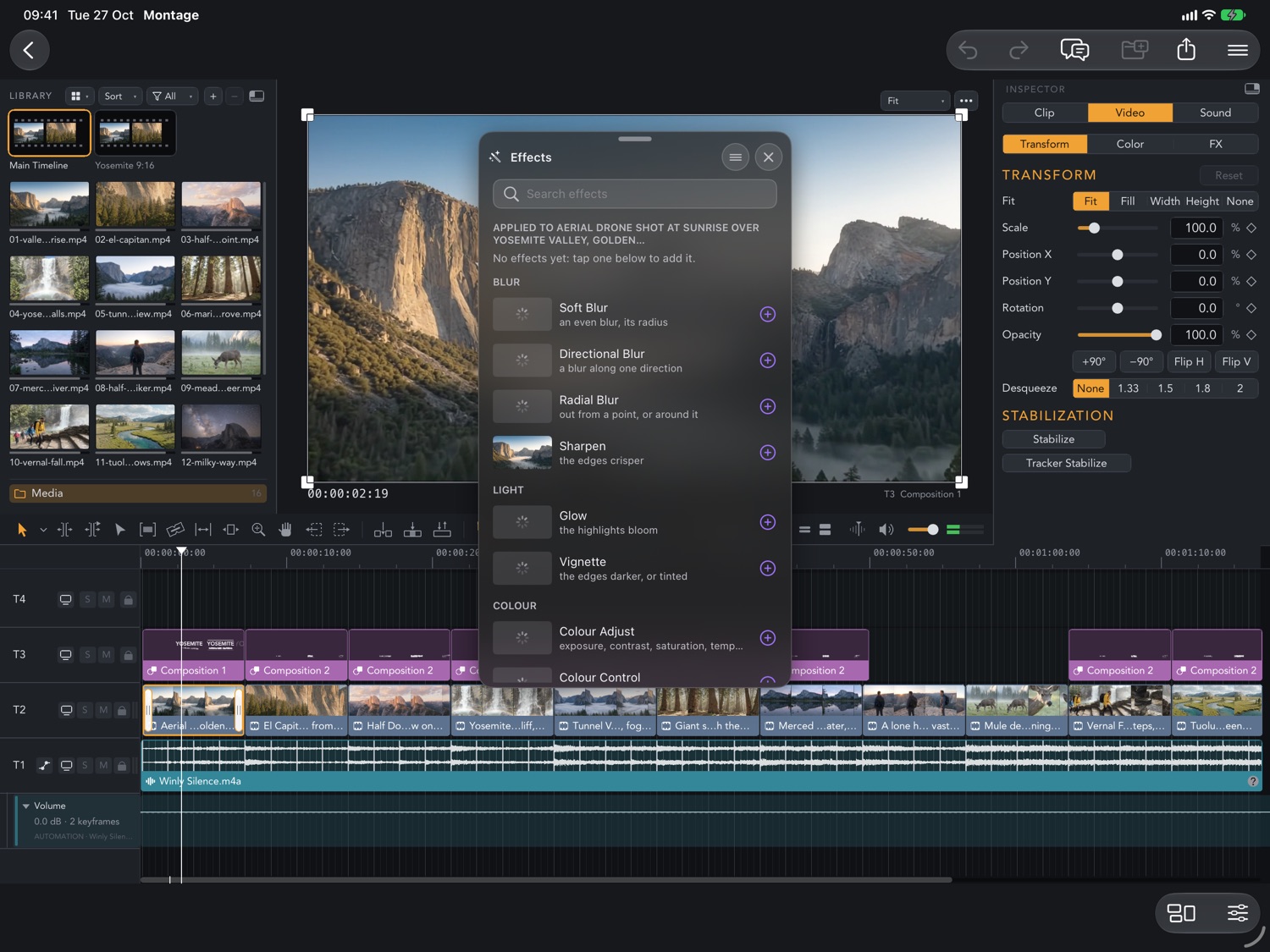
The Effects browser floating over the viewer with blur, light and colour effects
Effects for the selected clip
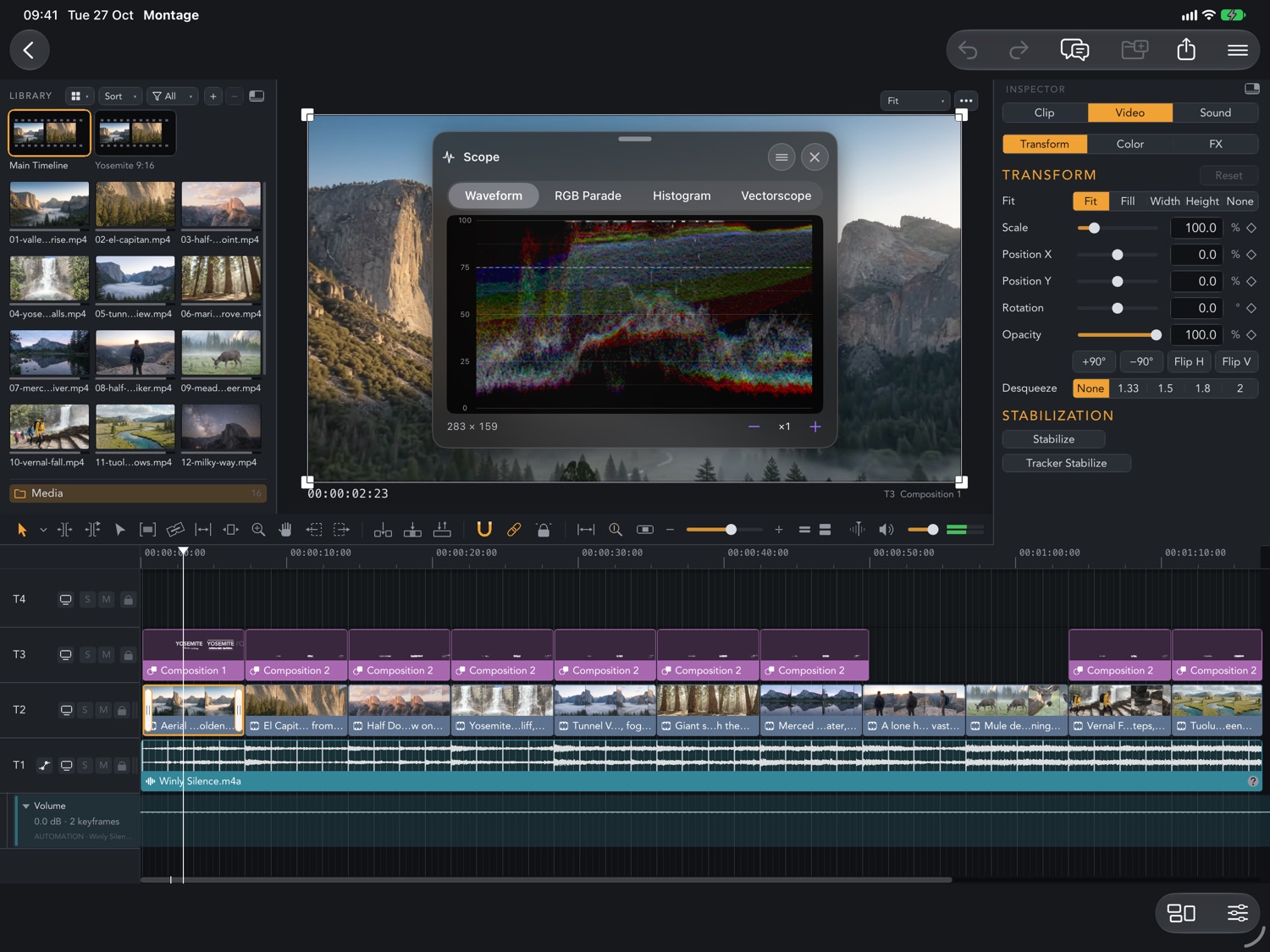
The Scope card on iPad showing the waveform of the frame in the viewer
Waveform scope
On iPhone

A compact editor on iPhone.

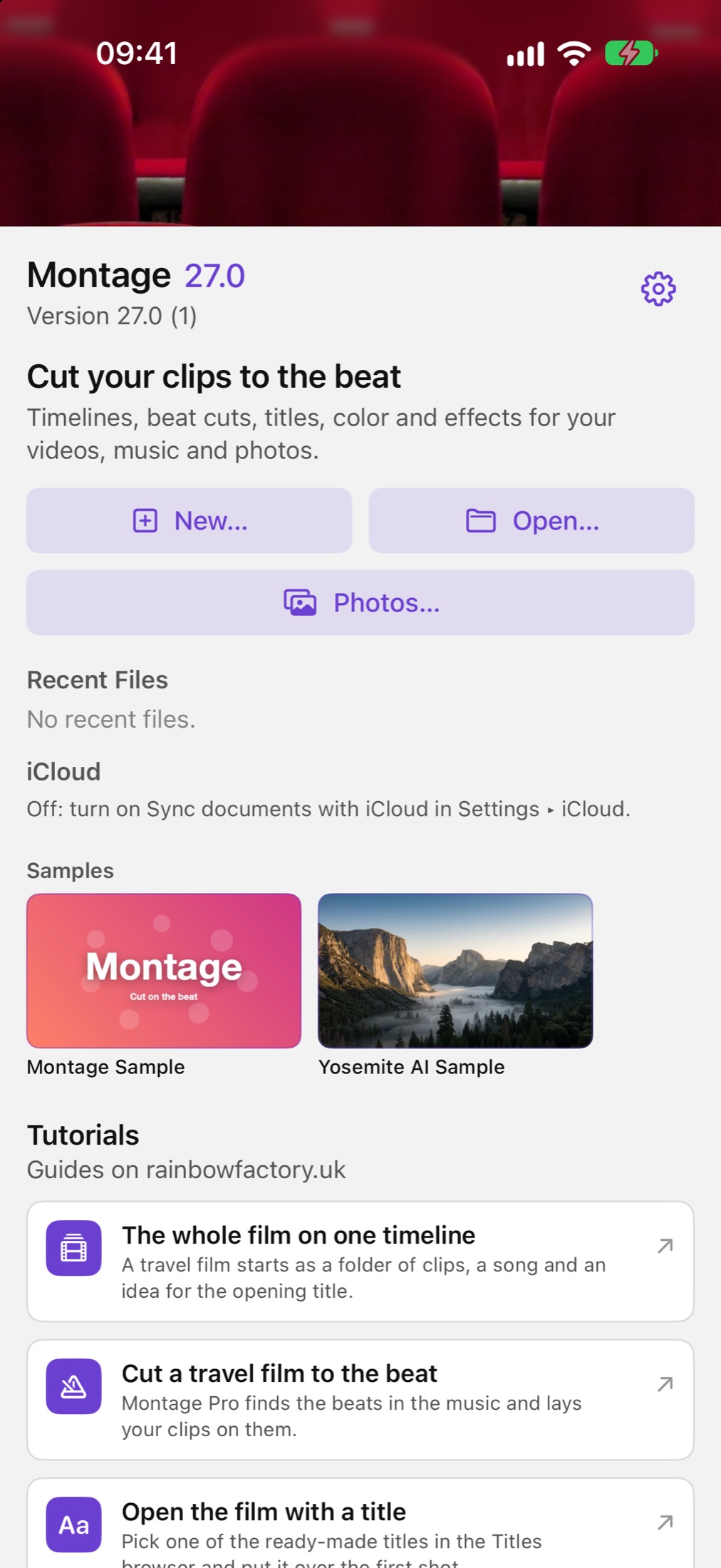
The Montage home screen on iPhone with New, Open, Photos, the samples and the tutorials
Samples and tutorials
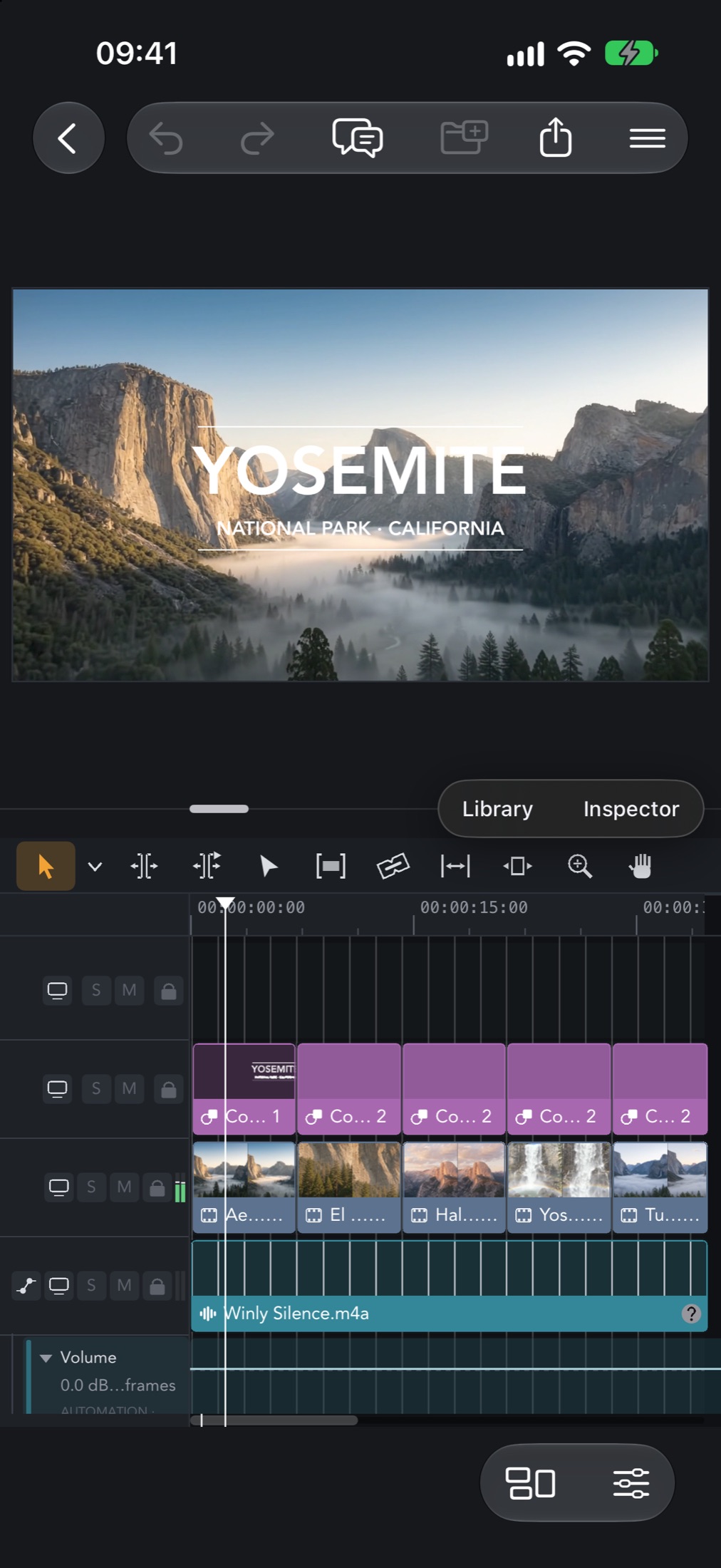
The Yosemite title in the viewer above the timeline tracks on iPhone
Viewer and timeline
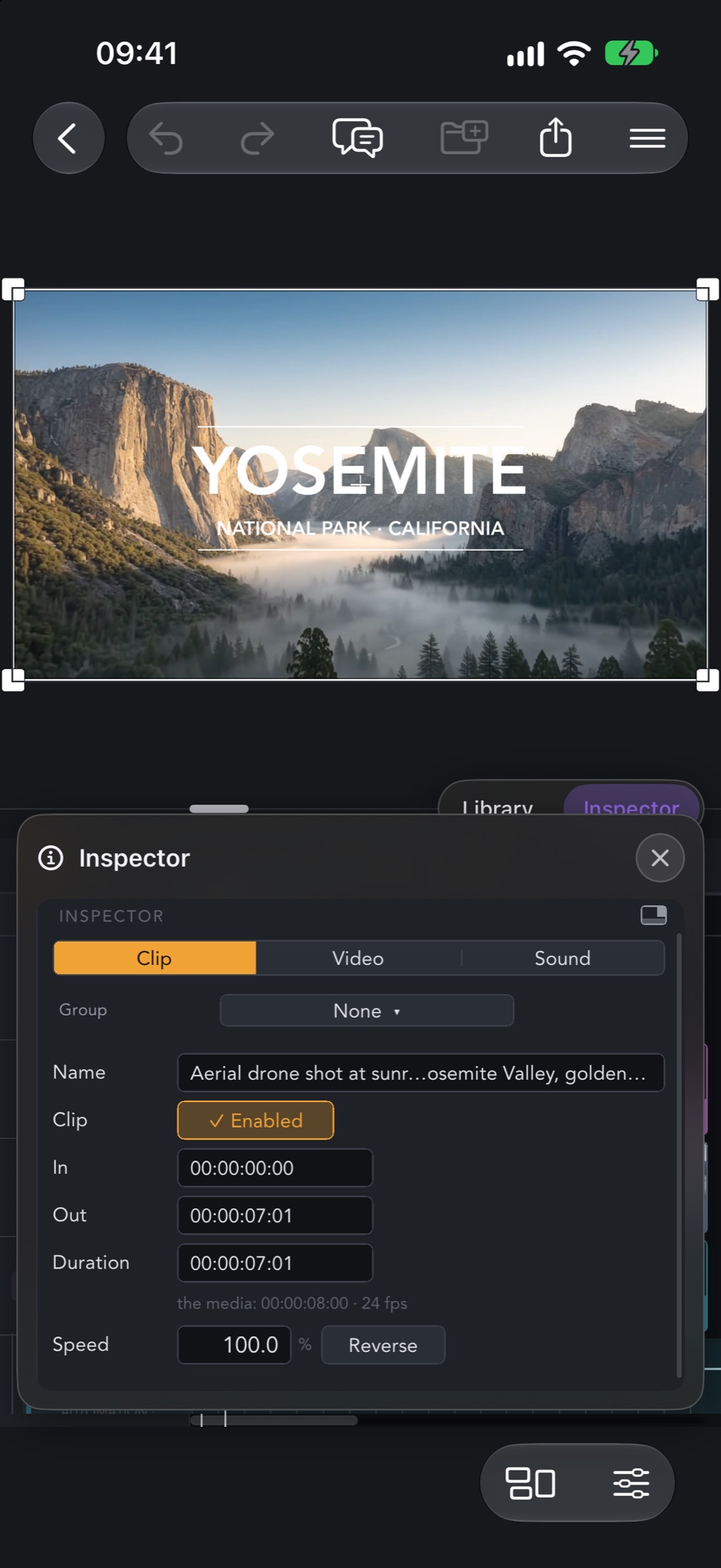
The clip inspector on iPhone with the in and out points, the duration and the speed
In, out and speed of a clip
What you get

From the clips to the finished film

Lay out the edit, give it a rhythm, colour and words, then send it out.

Cut to the beat

Montage finds the beats of the music and the cuts snap to them.

Learn more →

Shape the edit

Trim, split, ripple and slip clips on tracks of video, stills, titles and audio, with markers where you need them.

Learn more →

Add subtitles

Turn speech into subtitles, transcribed on the device.

Learn more →

Grade the colour

Apply a LUT, your own .cube files too, grade the colour and check it on the scopes.

Learn more →

Steady a shaky clip

Stabilise a handheld clip and reframe it.

Learn more →

Score the film

Add free music and sound effects from open libraries, each with its licence.

Learn more →

Export the film

Save the movie to Files or to your photo library.

Learn more →

Continue on the Mac

Projects in iCloud Drive stay in sync with Montage Pro on the Mac.

Learn more →

Get Montage for iPad & iPhone

Requires iOS 18.0 or later.

Download on the App Store