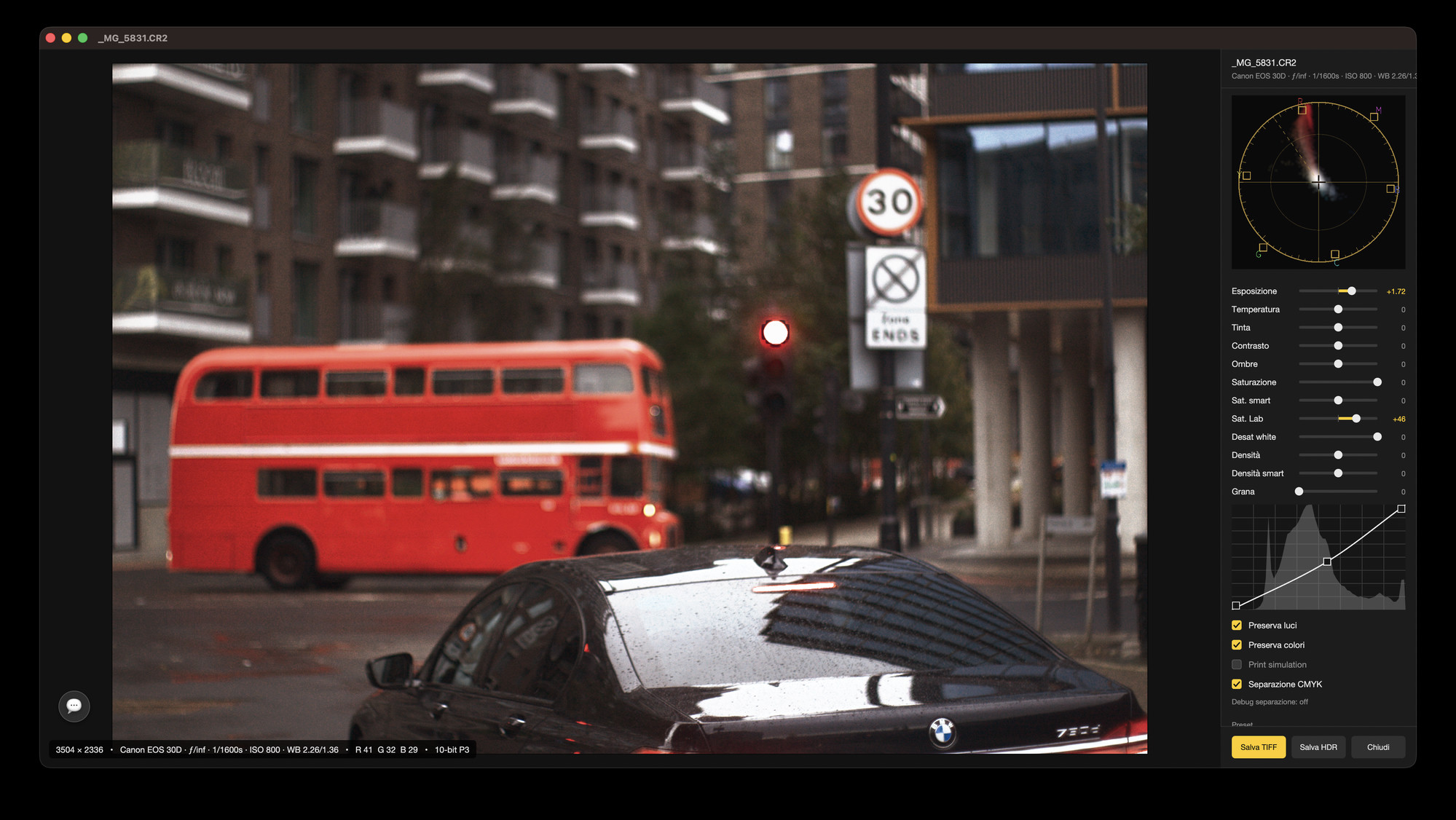

Find the right PDF in a project folder, preview a logo or locate a photo when you cannot remember its name. Browse your files with previews and AI search, then develop camera RAW photos when the job needs it.
Find files by name, details or recognised content. Analysis stays on your Mac. Optional Apple Intelligence search interpretation requires macOS 26 or later and an eligible Mac.
A brochure project includes a brief, several logo versions and a photo shoot. Browse them together where they already live on your Mac.
Look for a recognised subject, words visible in an image or a file’s date and type. Search indexed files on your Mac, then inspect the matches to find the one you remember.
Preview a report, inspect a logo version or look at a camera file before opening another app. Check the contents of supported files while browsing their folder.
Choose the file task first: find an asset, check its contents or select the photographs you want to finish and share.
Find a brief, logo or photo in a project folder, preview it and open the right file for editing.
Check report pages, logo versions and camera files before opening an editor or sending a file.
Find a photo by its subject, look for words in an image or explore visually similar files.
Invite someone to review a photo folder or contribute supported edits through iCloud.
Brighten a portrait, balance an indoor colour cast and carry adjustments across a RAW shoot.
Refine a portrait’s contrast or give a travel series a consistent colour treatment.
Compare film-inspired looks, add grain and give portraits or travel photos a consistent finish.
Publish trip, event or portfolio photos as a public gallery people can browse from one link.
Export a TIFF for retouching or an HDR image for compatible viewing, while keeping the RAW edit.
A brochure folder contains the brief, logo versions and photographs. Preview them together, find the right asset and open the file in its editor.
If the selected file is a camera RAW photo, correct its light and colour in Lighthouse. Share the chosen photos through an invited folder or a public gallery.
Explore all features →
Open the folder you already use for the project. Find the documents and images, inspect a preview and continue with the file you need.
Keep your originals and their settings files together when moving a project. For help or feedback, use Help ▸ Send Feedback… inside the app.
Find the right document, choose the best photos and prepare the files for the next step.
Mac App Store release coming soon. The direct download requires macOS 14 or later on Apple silicon; use Check for Updates… to stay current. Share feedback through Discord or Help ▸ Send Feedback… inside the app.