Hover and selection overlay
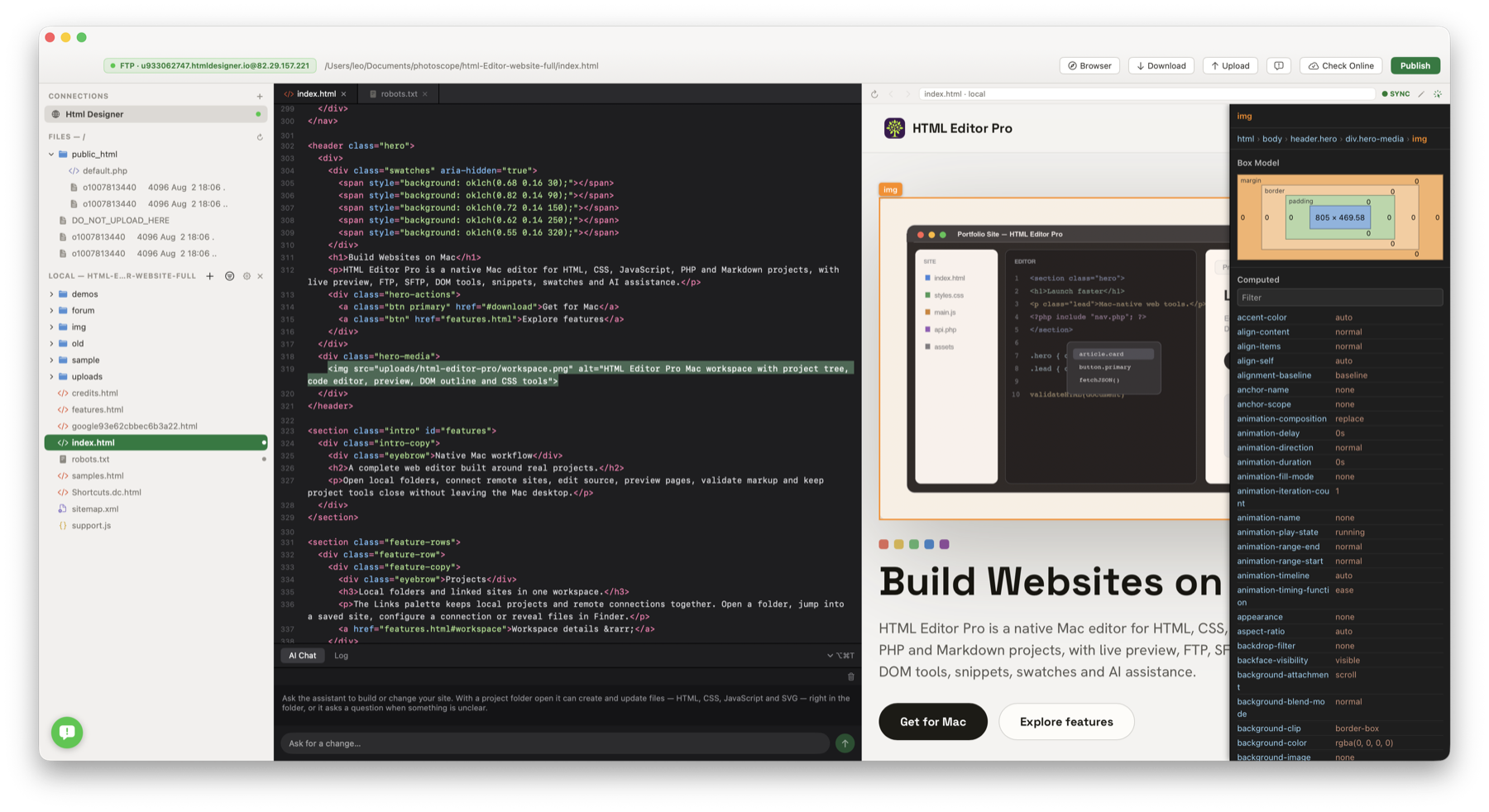
Inspect mode highlights the element under the pointer and keeps a persistent selection after click.
The Mac preview has a built-in inspector. It is separate from normal browsing, so links still work when Inspect is off.
Inspect mode highlights the element under the pointer and keeps a persistent selection after click.
The side panel shows a compact selector and a clickable path of tags from the page root to the selected element.
Margin, border, padding and content dimensions are shown in a box model panel.
Computed CSS properties are listed with a filter field that searches names and values.
Click an element and the editor reveals the matching source.
The system Web Inspector is still available through Inspect Element for a deeper look.
With Edit Text on, double-click a rendered text element, edit it in place and commit on Enter or blur.
Visual text edits are written to the HTML source and can be undone in the editor.
Before jumping to the source or writing a change, the app checks that the element matches the source, and only commits visual edits when the source element contains plain text rather than nested markup.