Code, Split, Preview
Use editor-only, preview-only or split mode from the View menu.
The app includes a local preview of your project folder, Code, Split and Preview layouts and a PHP preview that uploads temporary preview files to your own server.
Use editor-only, preview-only or split mode from the View menu.
Place source and live view side by side or stacked, with Live View on Top when needed.
Project files are previewed on your Mac without uploading them.
The preview refreshes without flicker while typing, and can be forced from Refresh Live View.
PHP previews upload into a temporary folder on your configured server.
Preview navigation includes reload, back, forward and opening the page in your browser.
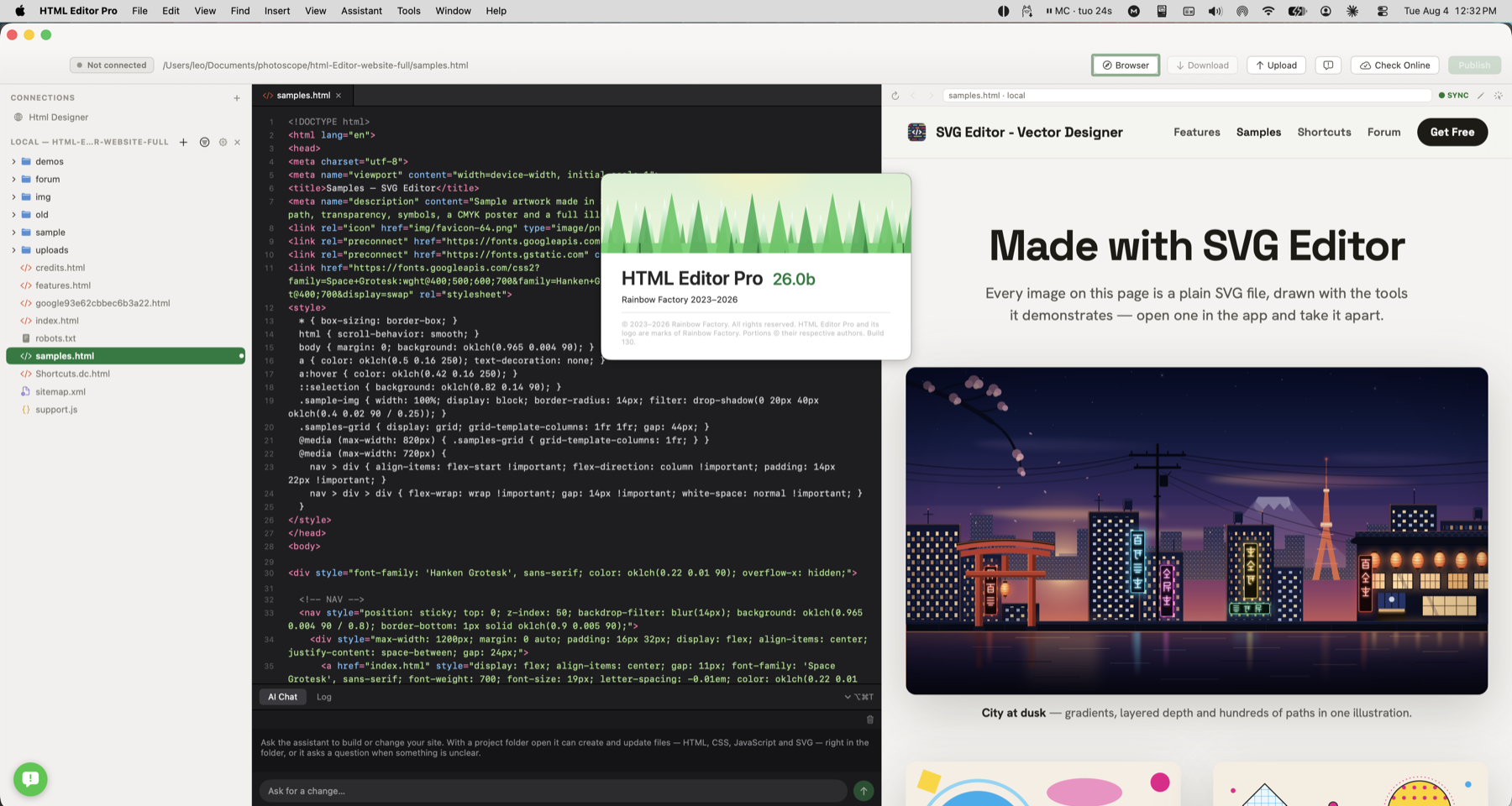
Static files are previewed from the local project. PHP pages can be previewed through FTP, FTPS or SFTP so you see the page as your server produces it.