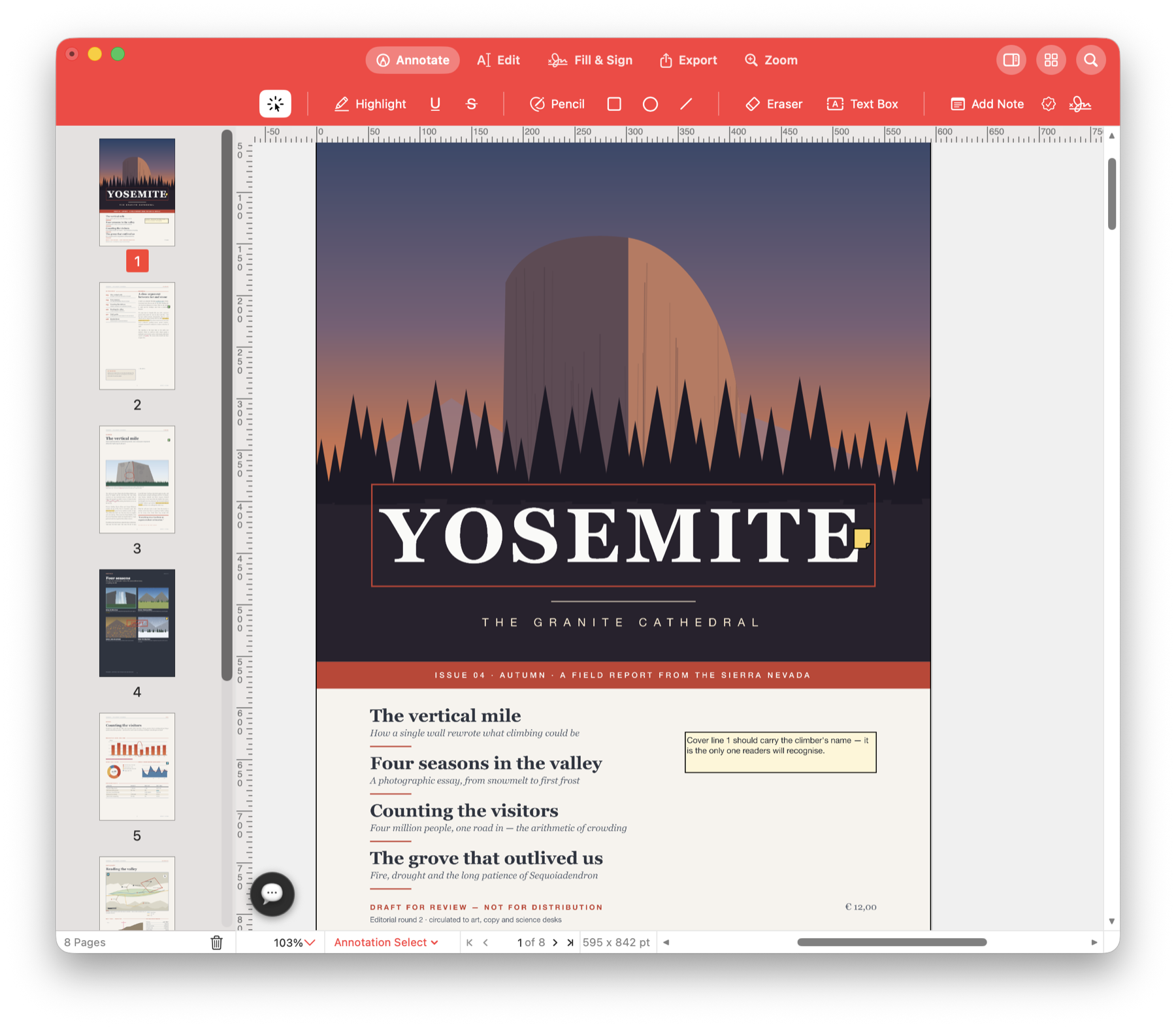
Review drafts and mark corrections.
Proofread a report, comment on a contract or send feedback on a brochure. Highlight the words to change, write your suggestion beside them and return one PDF with your comments on the right pages.
Send a draft back with clear corrections.
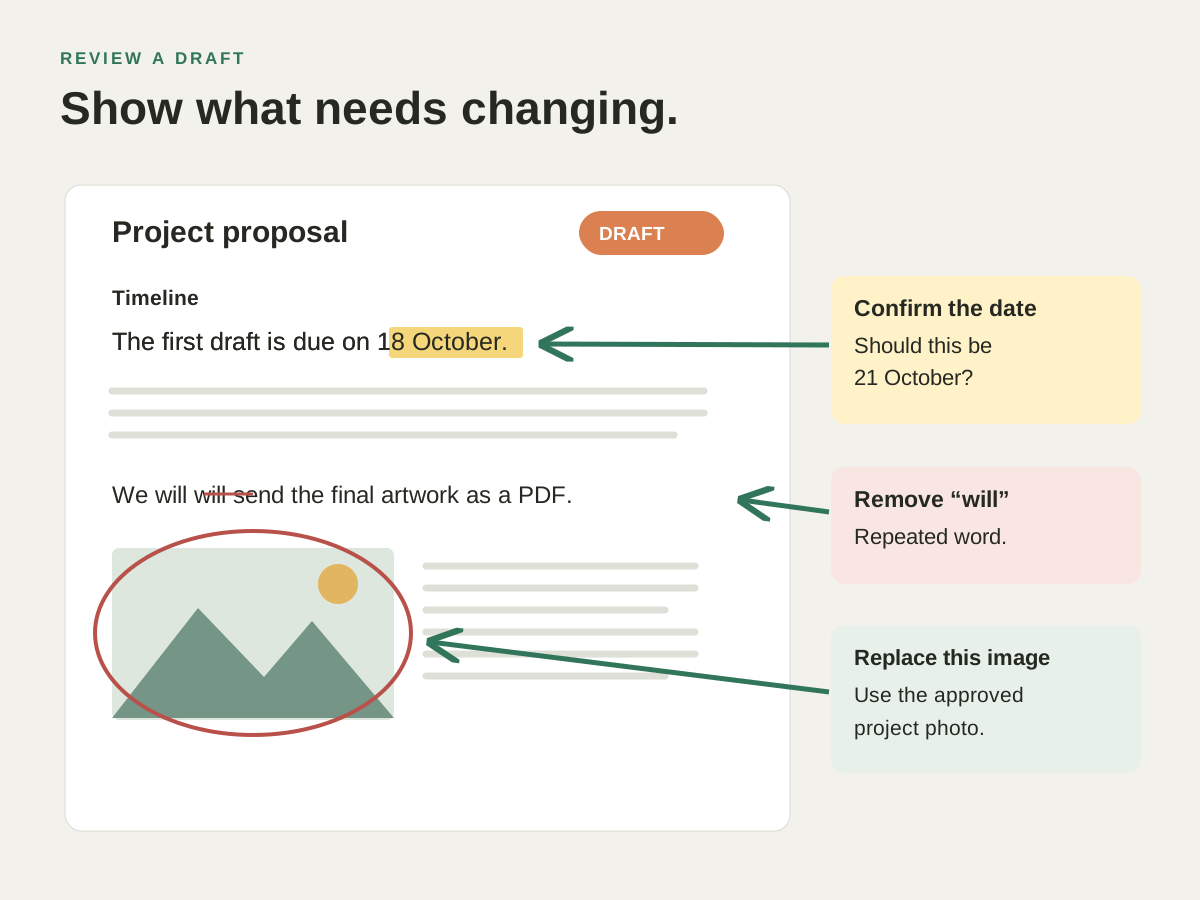
A colleague sends a proposal for review. Mark a typo, question a figure and circle the image that needs replacing. Save the annotated PDF so they can see each correction in context.
Use it for your next document.
Proofread a report
Strike through a repeated sentence, highlight a spelling mistake and add a note with the replacement wording. Keep your suggestions beside the text you are reviewing.
Comment on a contract or proposal
Highlight a clause you want to discuss and leave a note explaining your question. Use the comment list to return to each point before sending your feedback.
Review a brochure or page proof
Circle a misplaced logo, draw an arrow to the photo that needs moving and add a Draft or Approved stamp. Check your marks page by page before returning the file.
Try it with your own PDF.
- Open the draft
Open the PDF you received and choose Annotate. - Mark the corrections
Highlight a passage, strike out unwanted wording or add a note describing the change. - Return the reviewed copy
Check the comments by page, save the PDF and send it back to the author.
Questions about this task.
Can I remove my review marks later?
Yes. Annotations can be selected, edited or erased while the underlying page content remains in place.
Can I format a text box?
Yes. Choose its font, size and colour in the Text palette, then reopen the box to revise the wording.
Review your next draft.
Open the PDF, mark what needs changing and return it with clear comments.

Choose the direct Mac download with automatic updates, or install through the Mac App Store.