Lighthouse on a Googlebook: the Photos folder in the grid with star ratings and colour labels, the Favorites and file-type filters at the left and the exposure and date of Beach Otaru in the Inspector
Lighthouse on an Android phone: the Photos folder in the grid with star ratings and colour labels

Sort the photos in your folders on your Googlebook, without importing them.

Add a folder once with the system’s folder picker and every photo in it shows up, RAW files, videos and PDFs included, without moving or copying anything. Rate and label with a single key, find a photo by the words written in it, develop a RAW with four colour wheels and save a JPEG next to the original. Stars, labels and edits go into an XMP sidecar next to the photo, in the same format as Lighthouse on the desktop. No account, no ads.

Get it on Google PlaySoon on Google Play
On Googlebook

Menu bar, keyboard shortcuts and the whole grid, in a window you can resize.

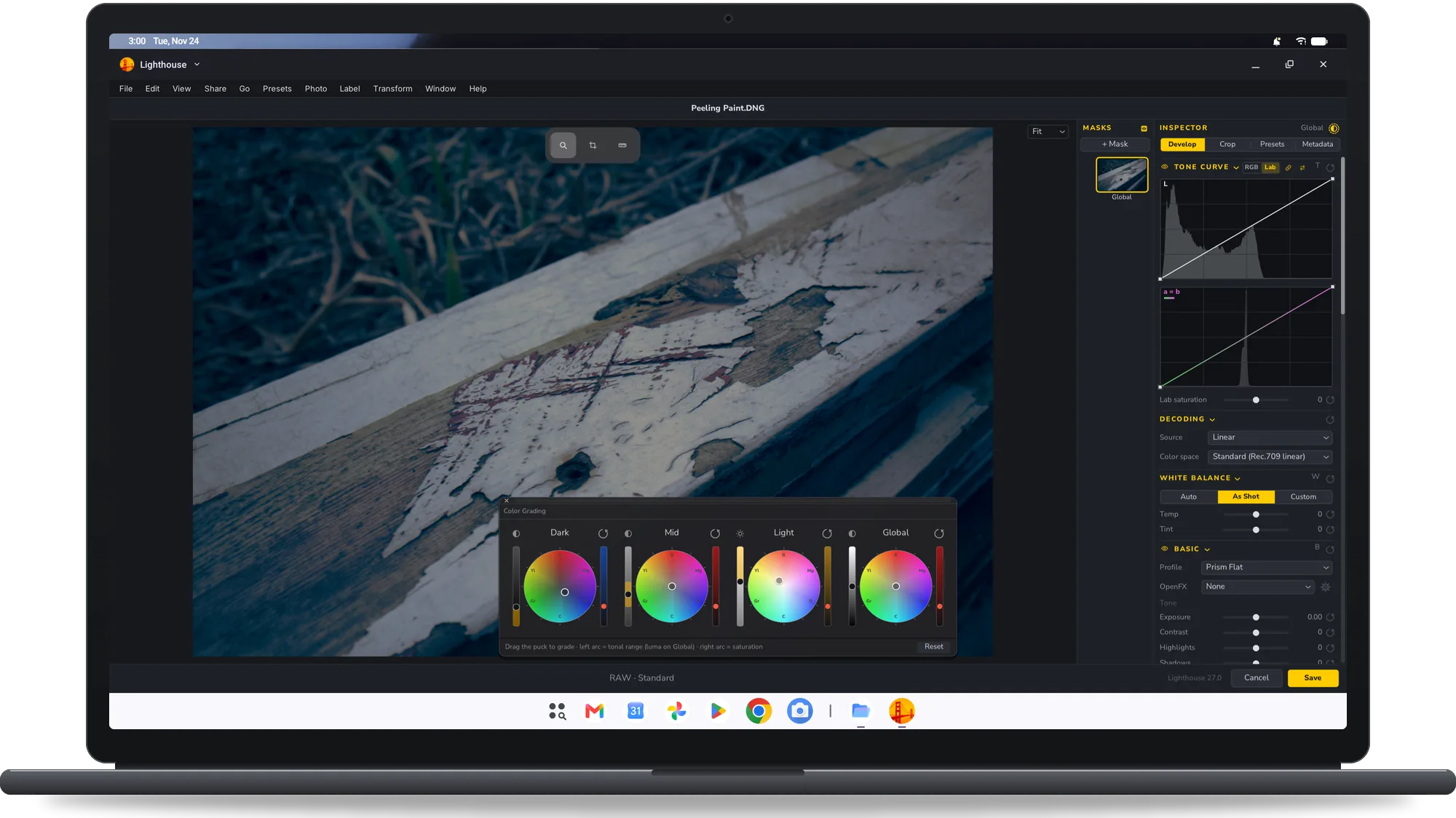
Lighthouse on a Googlebook: Peeling Paint, a RAW photo, in the RAW editor with the four Color Grading wheels, Dark, Mid, Light and Global, and the tone curves in the Inspector

Grade a RAW with four colour wheels.

Set the white balance with Auto, then push the darks, the mids, the lights or the whole photo. The RAW is developed on the device.
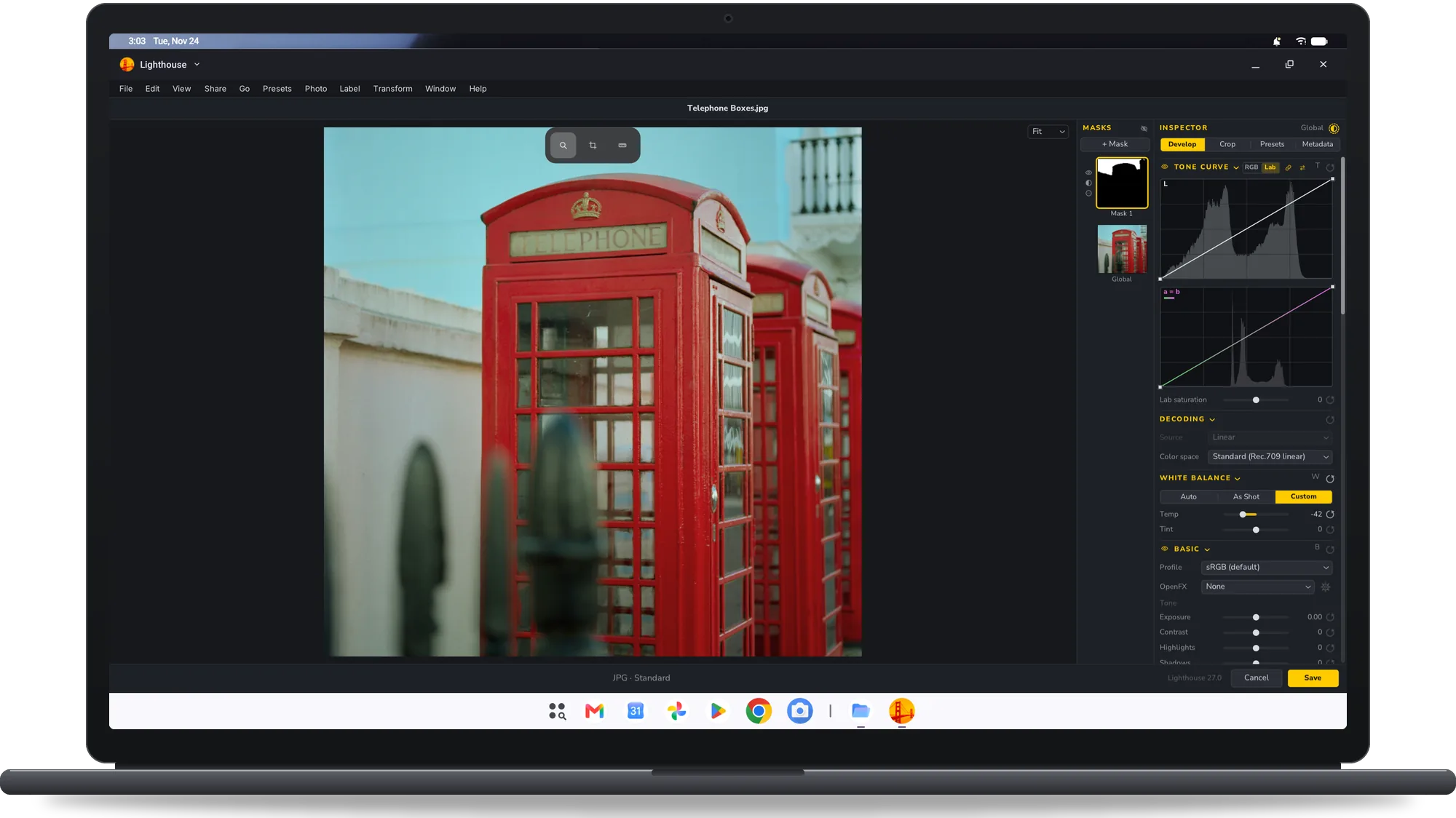
Lighthouse on a Googlebook: Telephone Boxes in the RAW editor with a Select Sky mask in the Masks column and the tone curves in the Inspector

Adjust the sky and nothing else.

Select Sky draws the mask on the device. Its model is downloaded the first time you ask for it, and only after you agree.
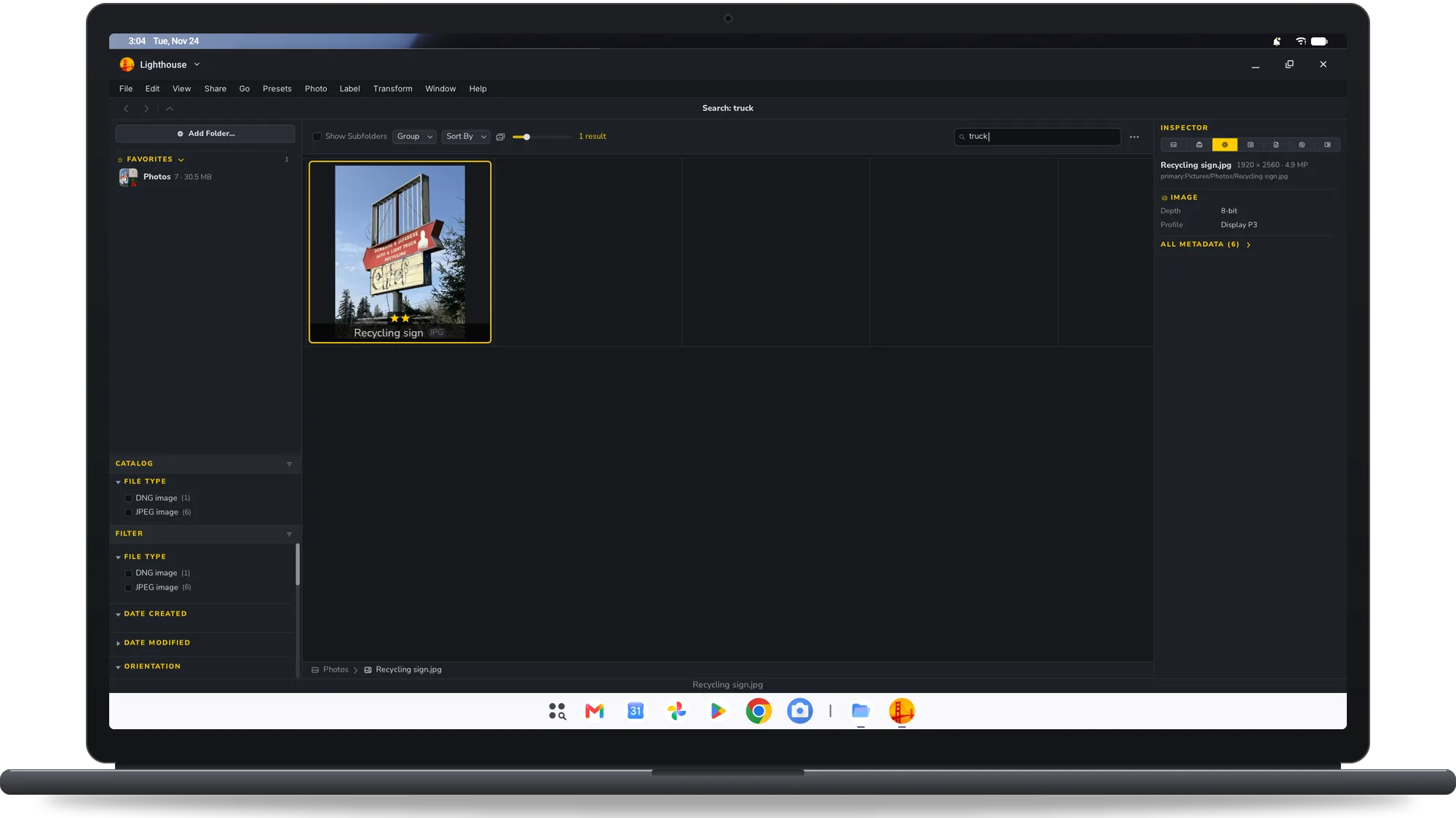
Lighthouse on a Googlebook: a search for “truck” finds one photo, the Recycling sign, with its file details in the Inspector

Find a photo by a word written in it.

Lighthouse reads the Latin-script text inside your photos on the device, so a word on a sign is enough to find the picture.