PDF Editor Pro on a Googlebook: the YOSEMITE cover of The Granite Cathedral sample filling the screen, GRANITE highlighted and the subtitle line selected with handles in Edit mode
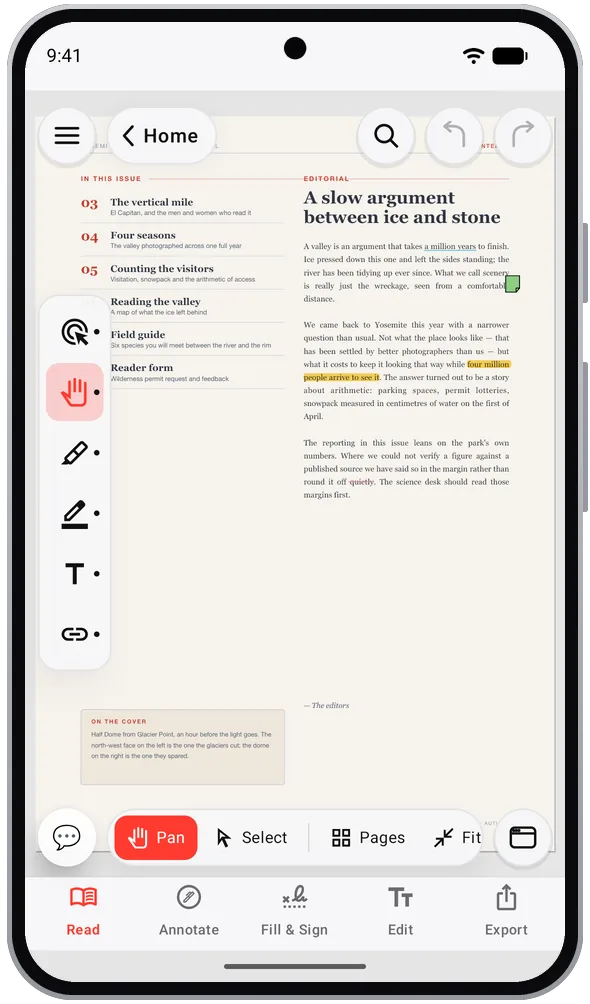
PDF Editor Pro on an Android phone: a magazine draft open in reading mode

Fill, sign and correct a PDF on your Googlebook or phone.

Fill in a tax form, sign a contract, correct a name on an invoice or redact a report before it goes out, on a Googlebook, a tablet or a phone. PDF Editor Pro edits the PDF itself.

Get it on Google Play
On Googlebook

The whole document, in a desktop window.

PDF Editor Pro on a Googlebook: the permit form of the sample filled in, name, email, party size, entry date and nights, a checkbox and a radio button set

Fill a form with Tab.

Tab moves from field to field of the permit form: name, email, party size, dates and nights, then the boxes and radio buttons.

PDF Editor Pro on a Googlebook: Edit Text on the cover line with the word AUTUMN selected in the edit box

Correct a word in the text.

Edit Text opens the line in place: select the word, type the new one and the layout holds.

PDF Editor Pro on a Googlebook: the Annotate toolbar with every tool, GRANITE highlighted and an ellipse around CATHEDRAL selected

Mark up a page.

Highlight, ellipse, notes and the other annotation tools from the Annotate toolbar, each one an object you can move.