
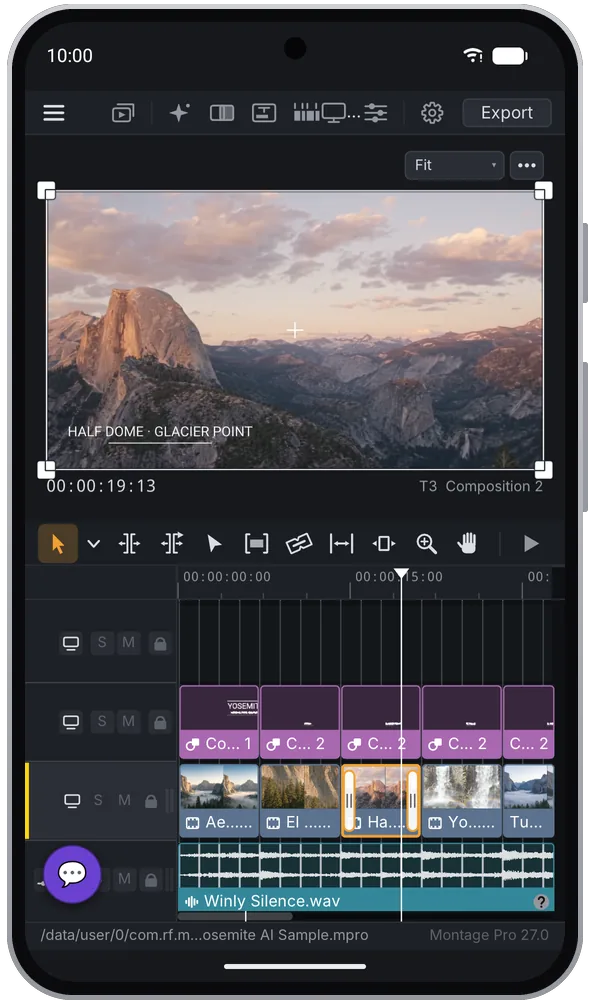
Lay your clips on a real timeline, let the beats of the song set the cuts, add titles and subtitles, grade the colour and export the film to share. Montage Pro opens with a sample project to explore: Yosemite, fifteen clips cut on the beat of a song, with titles and lower thirds, in a 16:9 and a 9:16 timeline. Free, no ads, no account.
 Google Play version 27.2.1
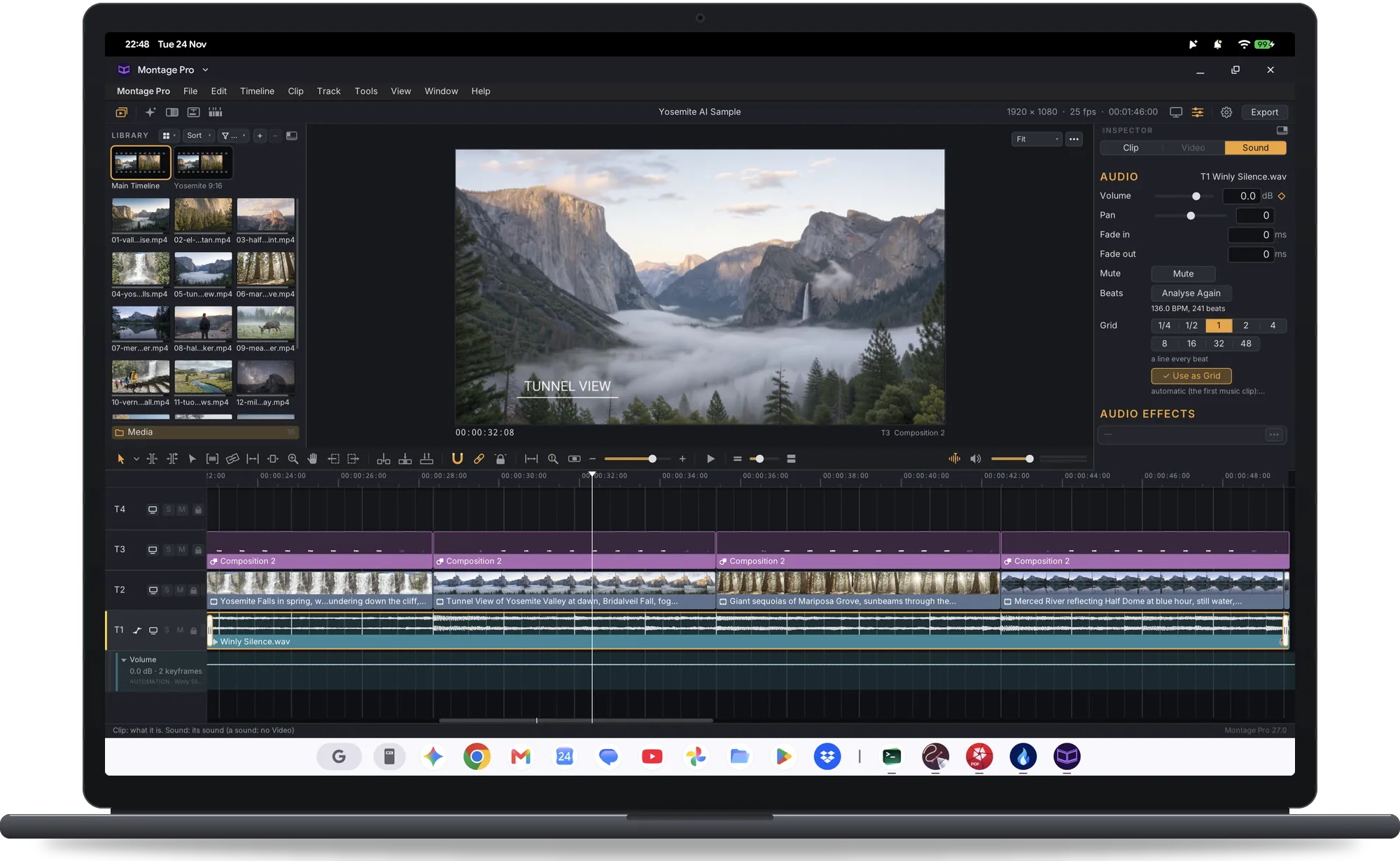
Analyse Again finds the beats of the song in the Sound inspector and the cuts snap to them.
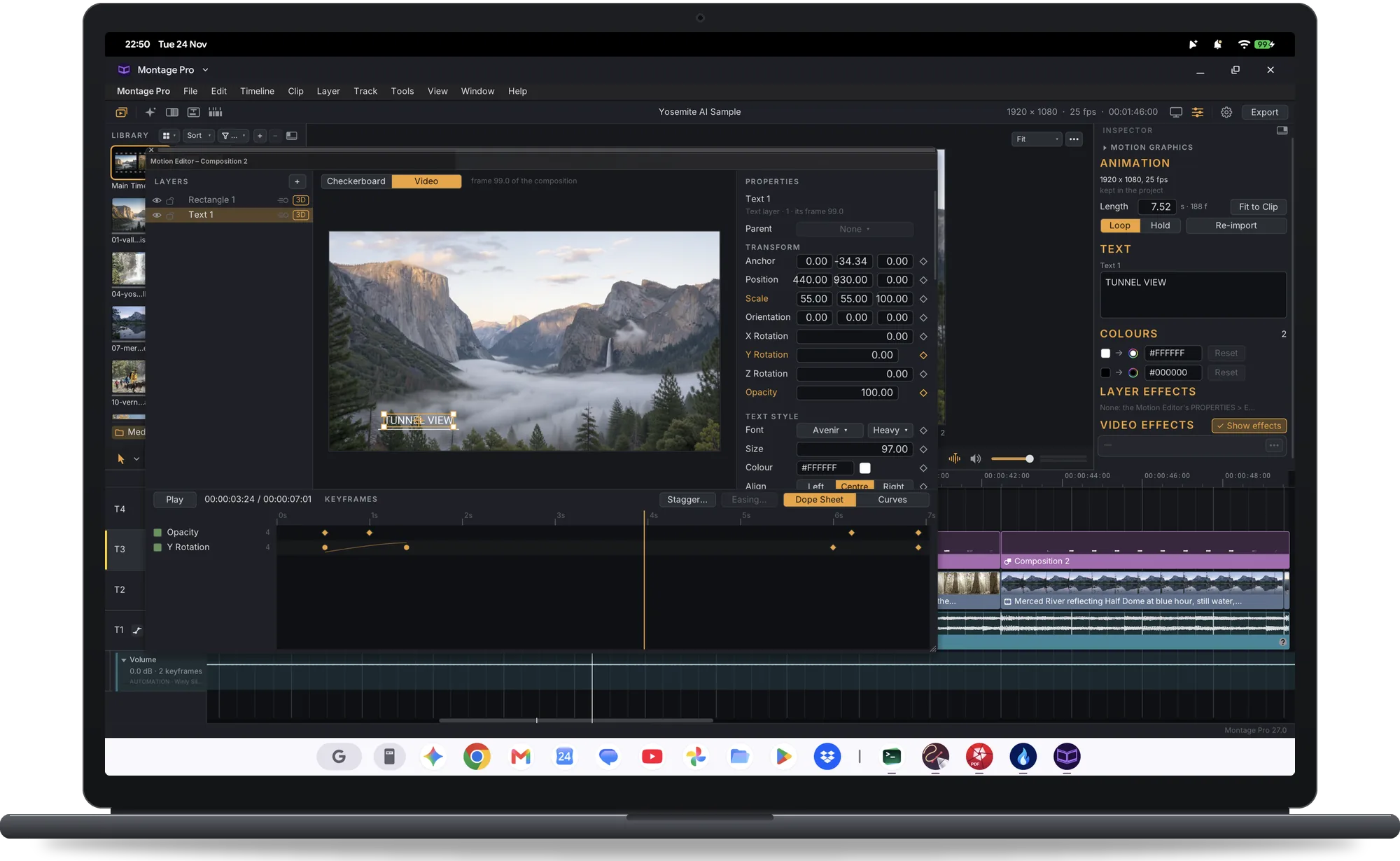
The Motion Editor keyframes the title’s position and opacity on the Curves view, with the viewer showing the frame.
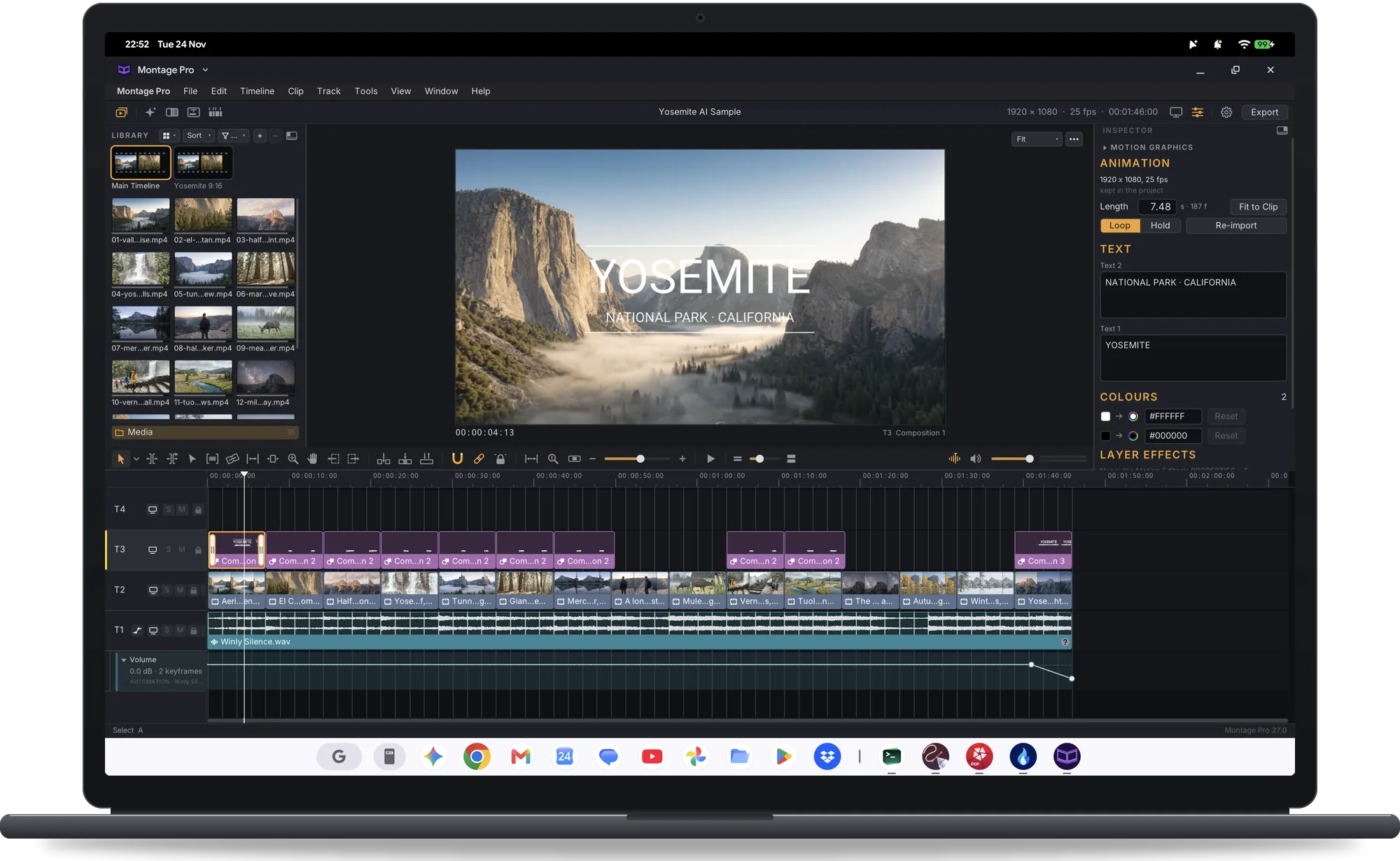
The YOSEMITE title in the viewer, its text, font and colours in the Motion Graphics inspector.