Choose the photo you want to improve.
Take a passer-by out of the holiday shot, paint a watercolour over a sketch, develop a raw on the sofa: Flare for iPad & iPhone, task by task.
All features
Pick the task in front of you.
New marks the main additions of the latest versions.
Retouch
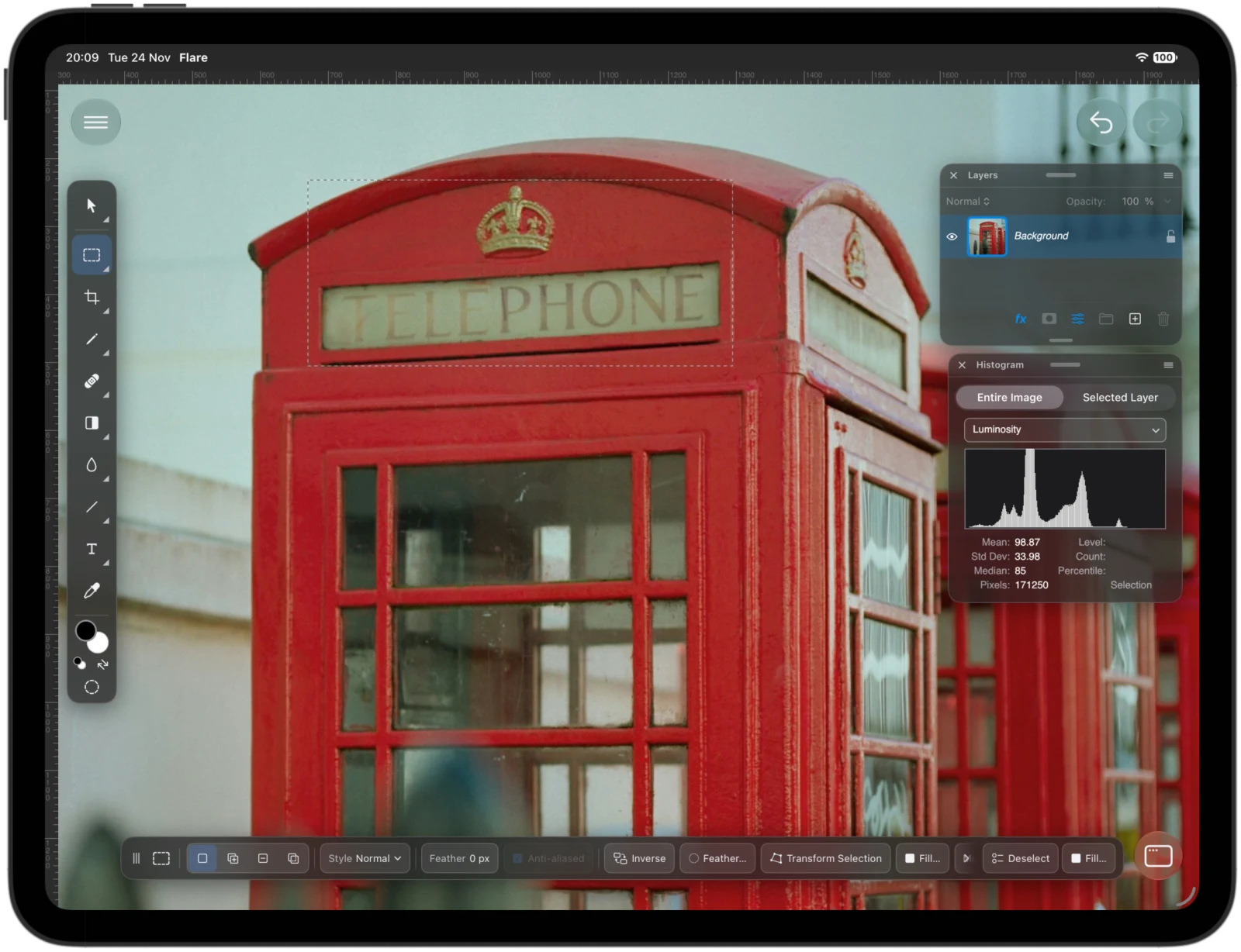 Retouch a photo on the iPadThe photo fills the screen; Layers and the histogram float beside it.
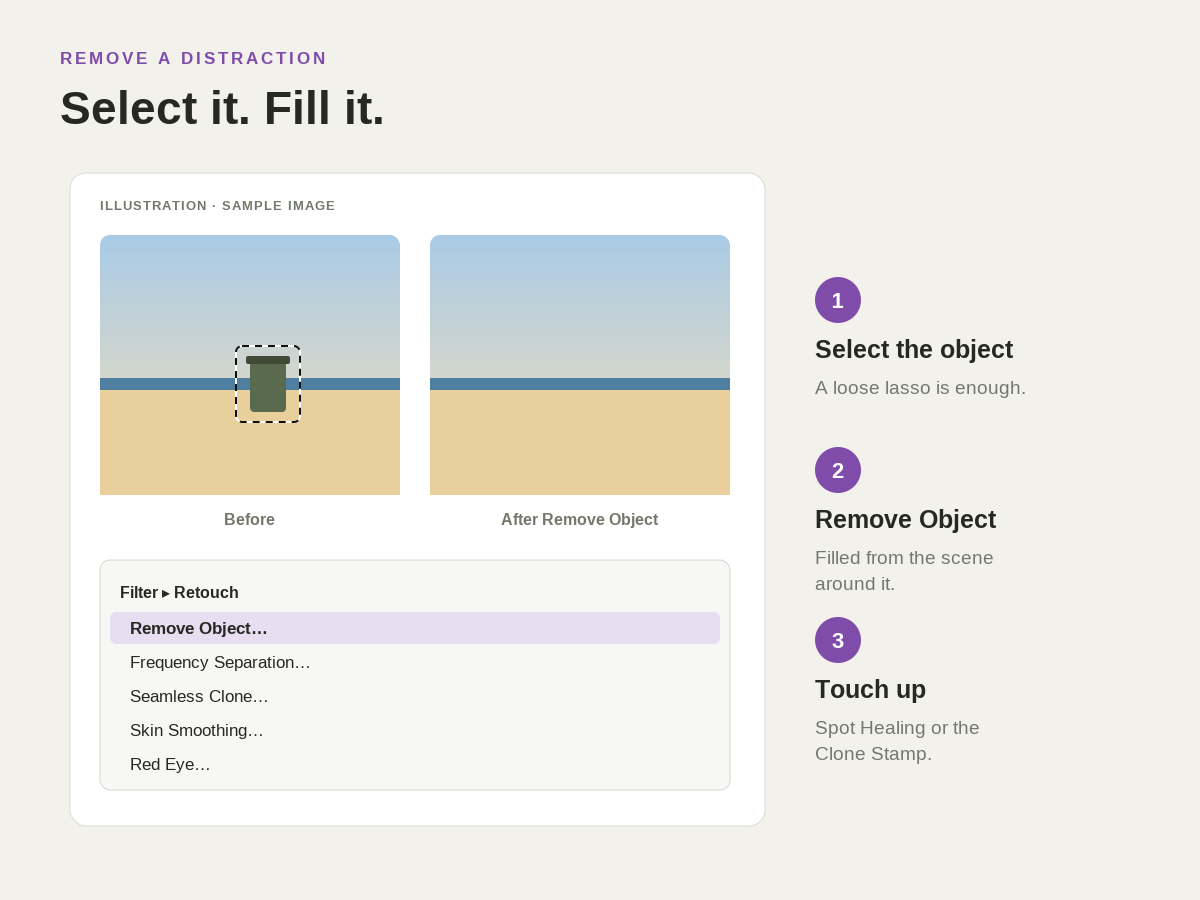 Remove a distractionSelect it, then Remove Object fills it from the scene around it.
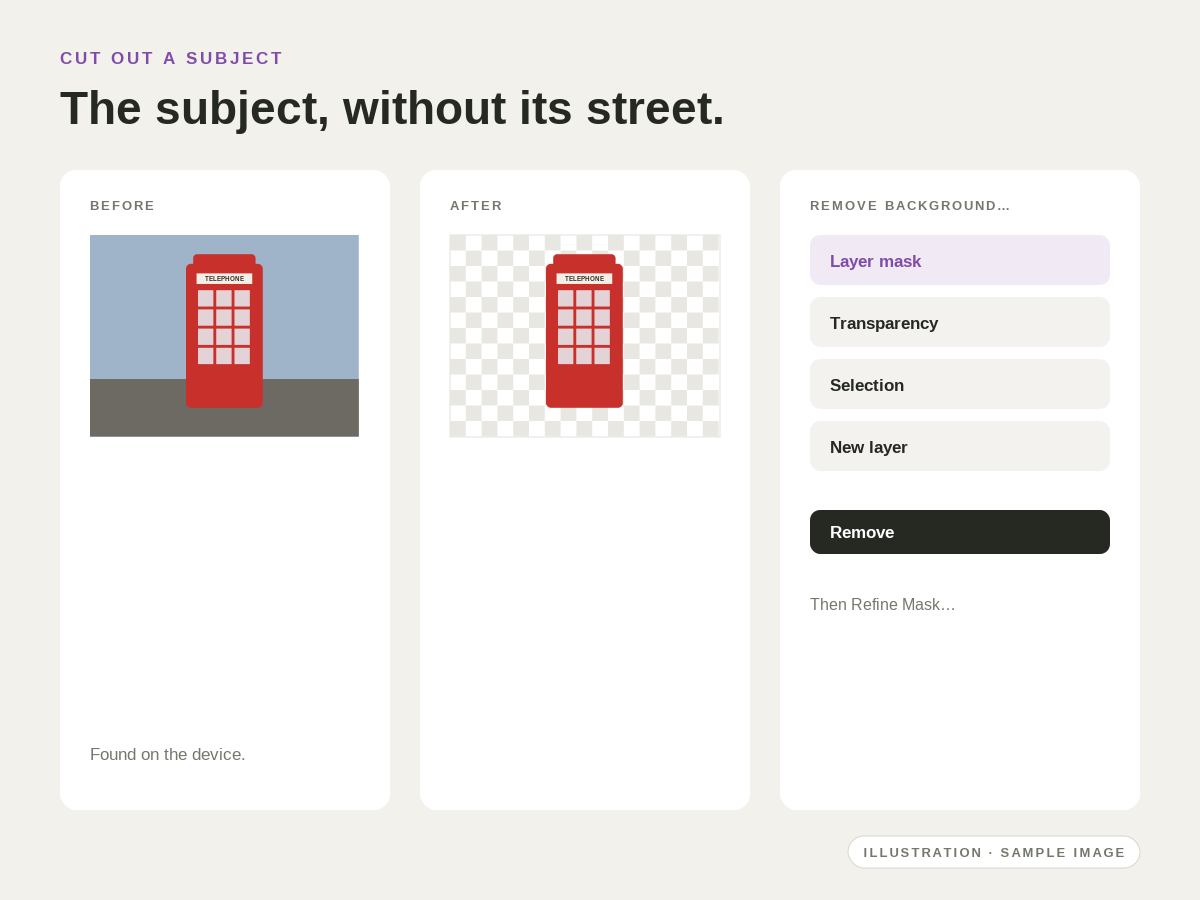 Cut out a subjectRemove Background as a mask, transparency, selection or new layer.
Light & colour
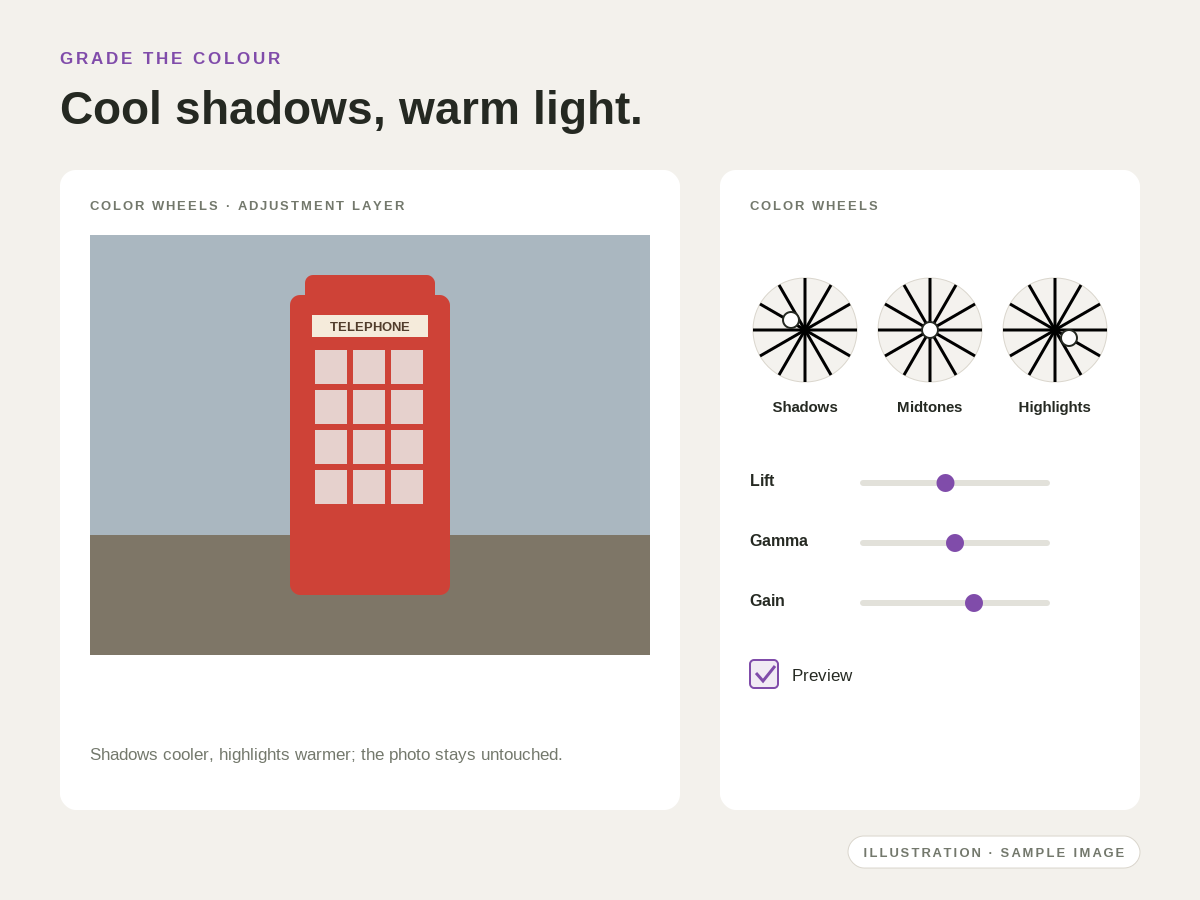 Grade the colourColor Wheels as an adjustment layer: the photo stays untouched.
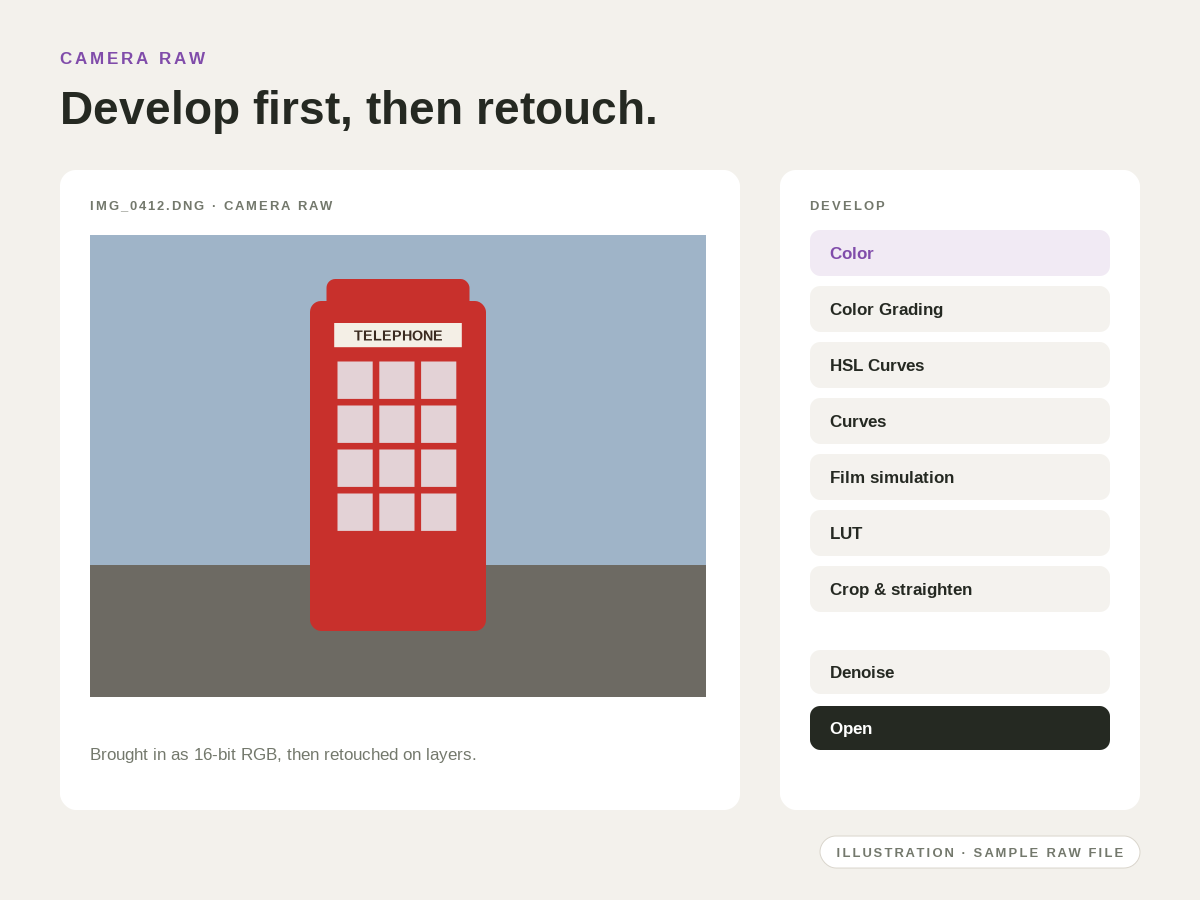 Develop a raw photoCamera Raw develops it, then it opens as a 16-bit layer.
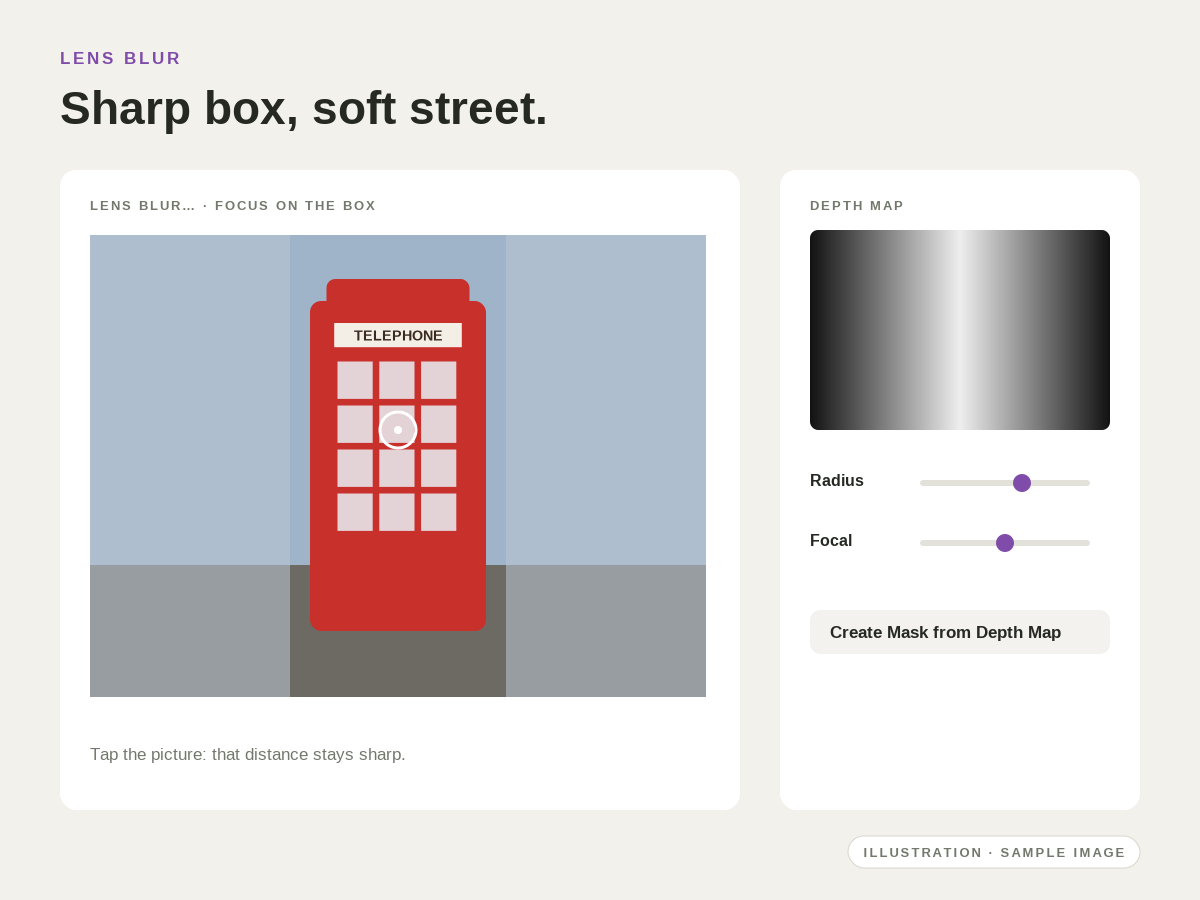 Blur the backgroundLens Blur follows the depth map; tap to set the focus.
Paint
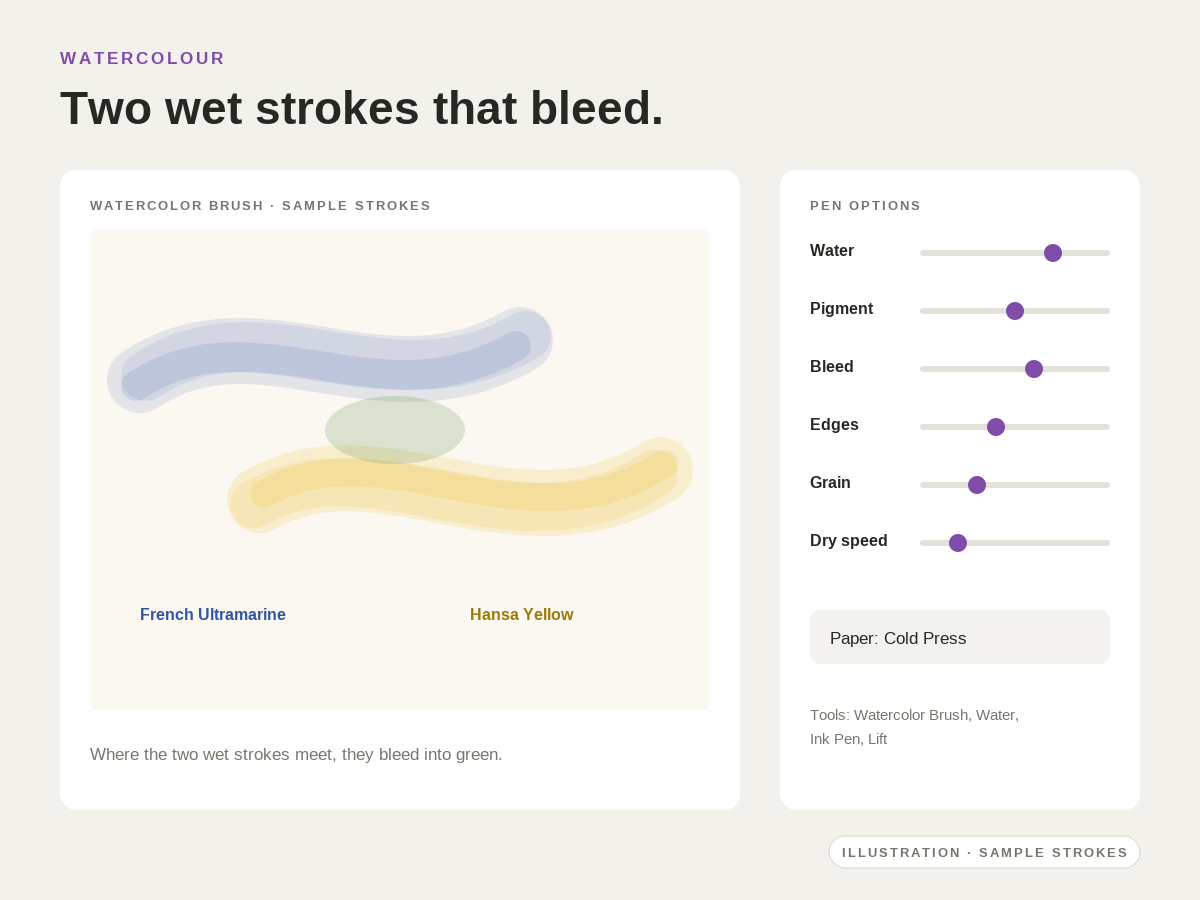 Paint in watercolour NewWet strokes that bleed, with fifteen pigments and ten papers.
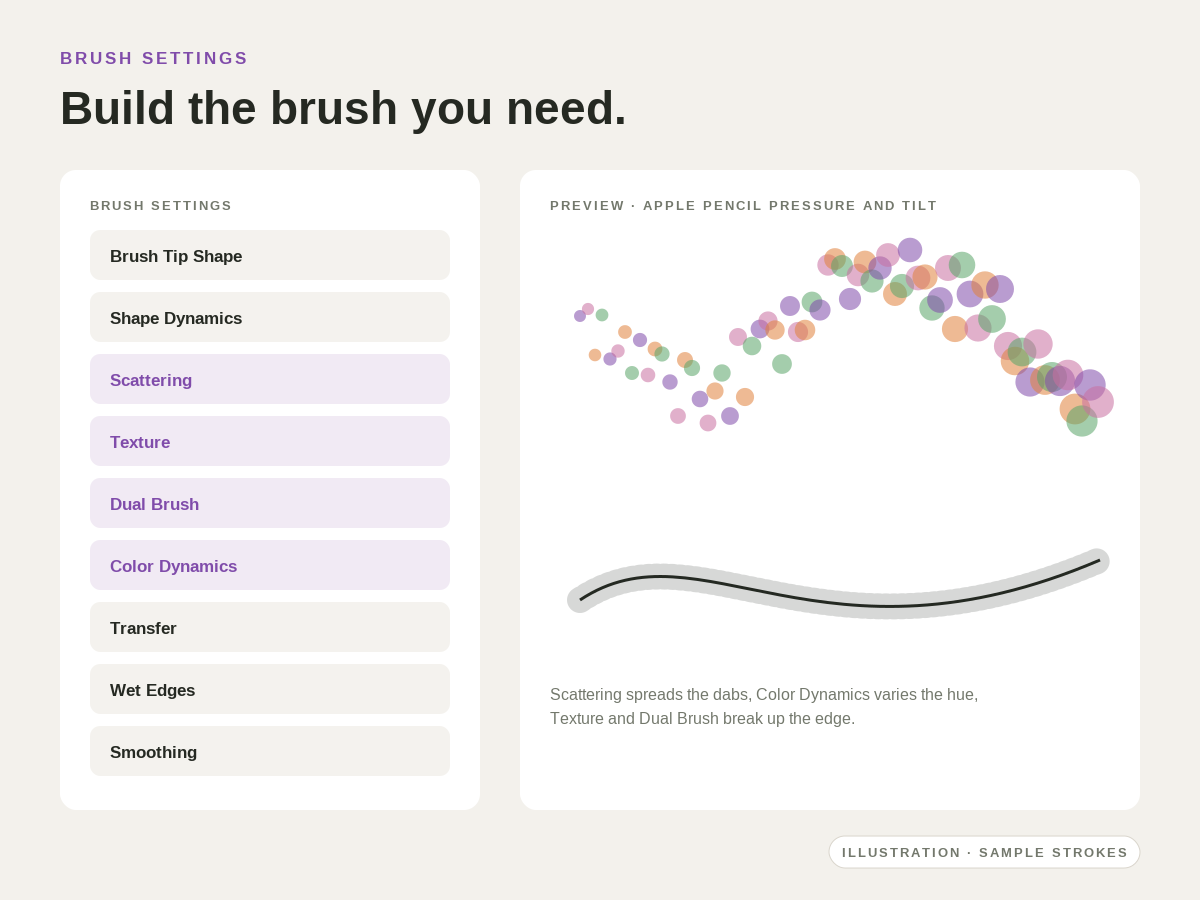 Build your own brush NewScattering, Texture, Dual Brush and Color Dynamics for any brush.
Compose & save
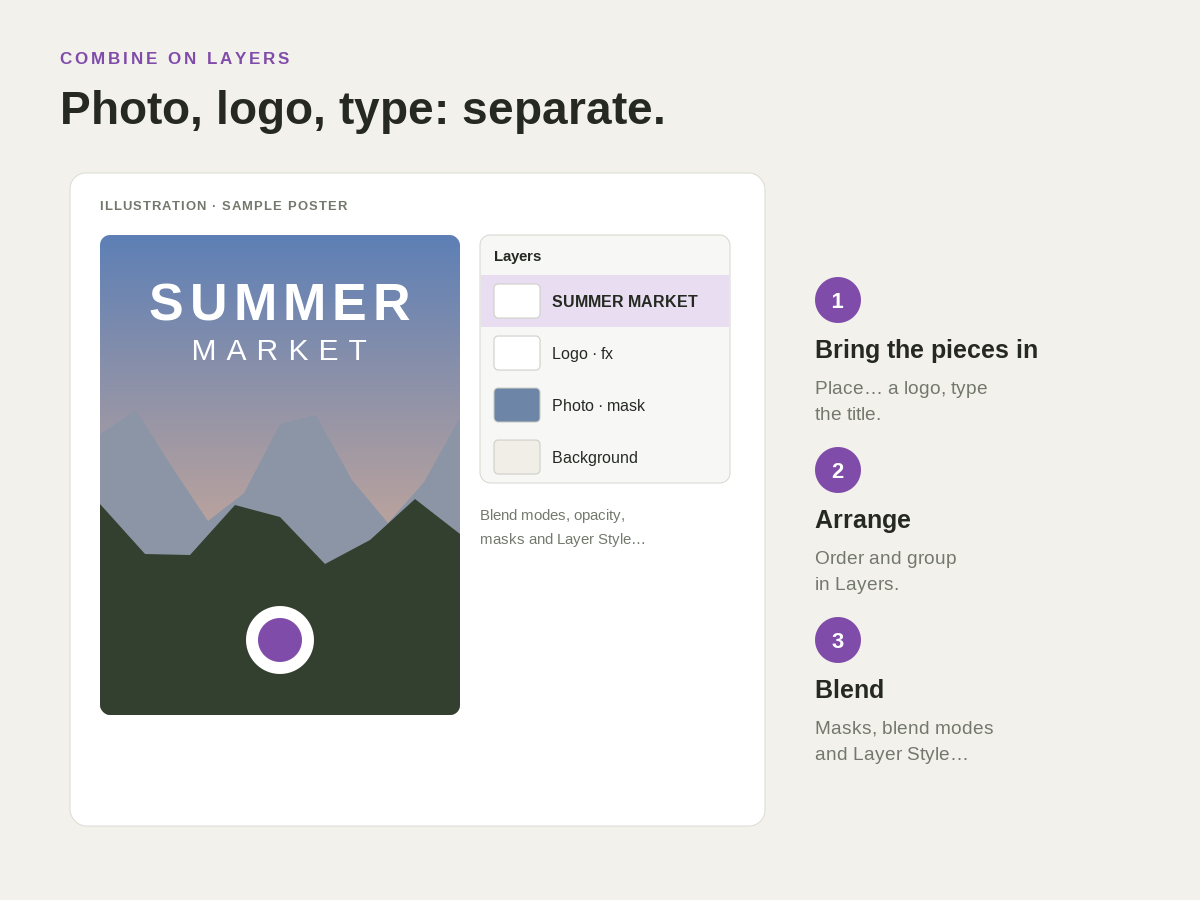 Combine a photo, logo and textLayers, masks, blend modes and Layer Style for a poster.
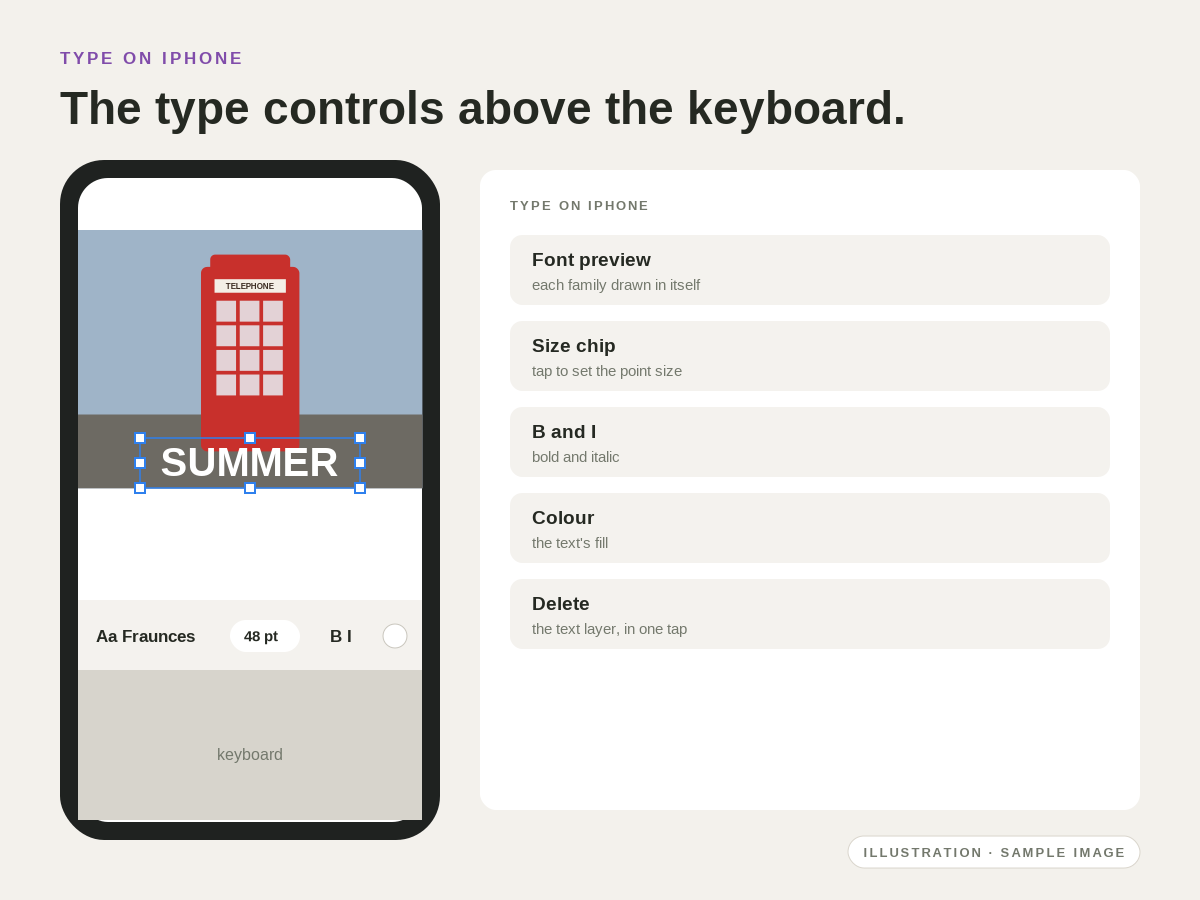 Set type on the iPhone NewFont, size, bold, italic and colour above the keyboard.
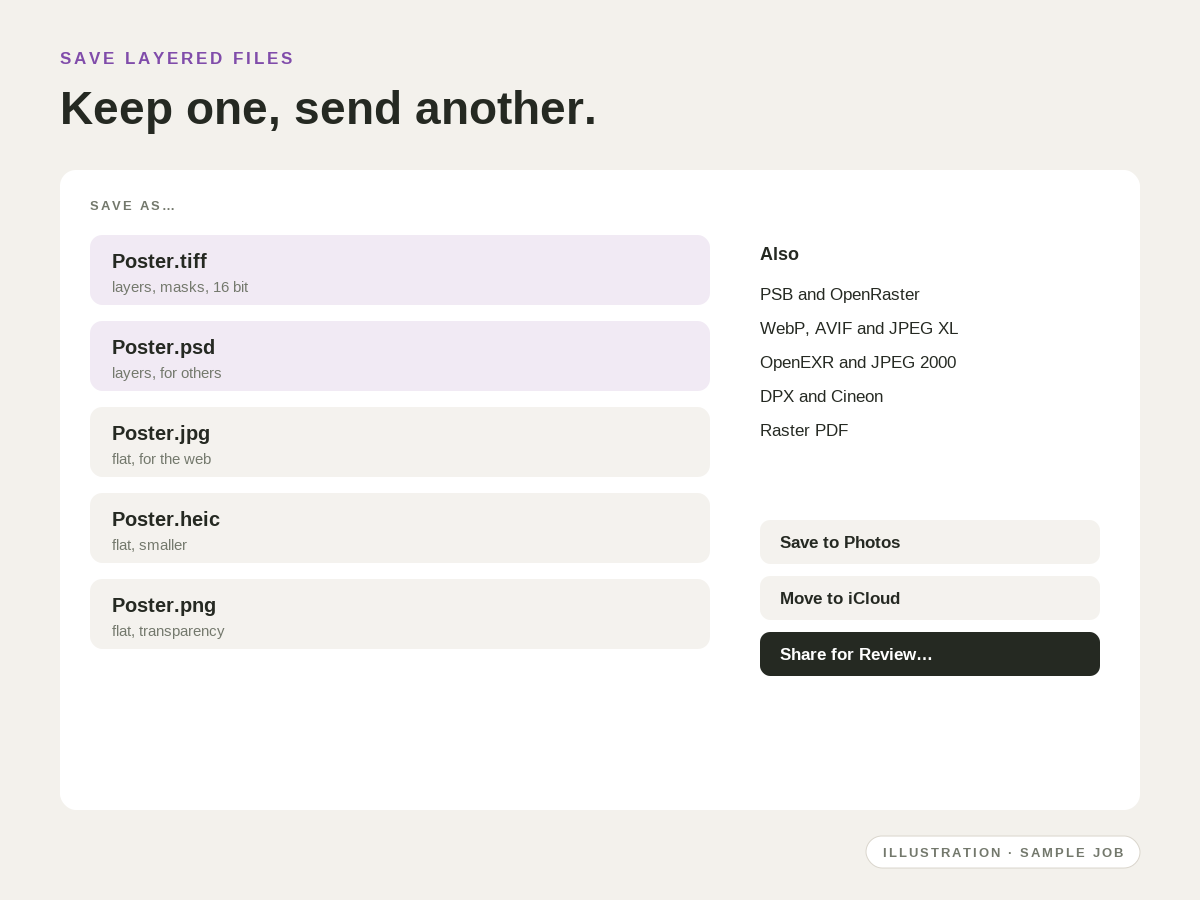 Save layered filesKeep a layered TIFF or PSD, send a JPEG, HEIC or PNG.
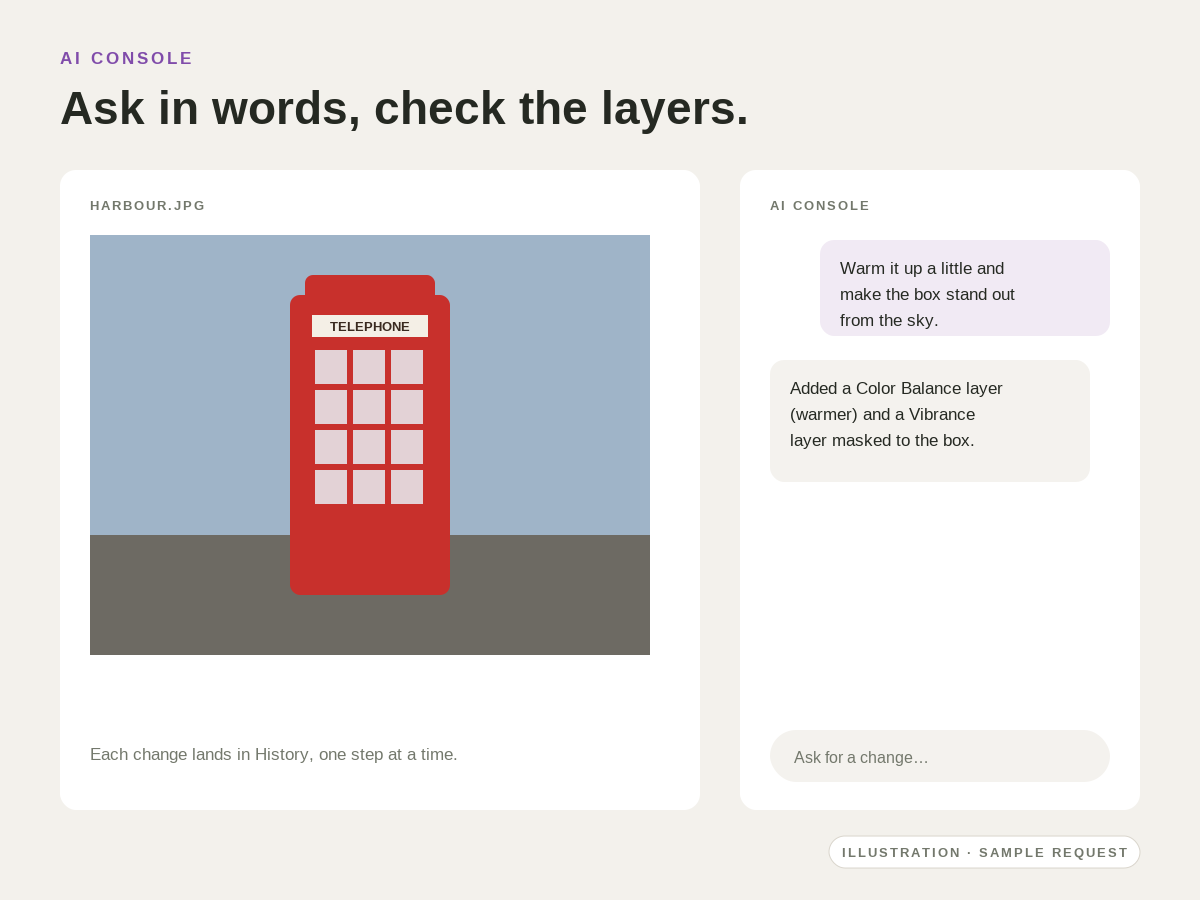 Edit with the AI Console NewAsk in words; the chat edits the open picture, step by step.
Every feature
Everything the app does.
Every tool, command, palette and file format of Flare for iPad & iPhone, grouped by the job it does.
Paint
- Pencil, Paintbrush, Airbrush and Eraser
- Watercolor Brush, Water, Ink Pen and Lift New: live watercolour on the canvas
- Waterbrush options: tip, water, pigment, flow, bleed, edges, grain, dry speed, paper
- Pigments: fifteen named paints, French Ultramarine to Lamp Black
- Wet Brushes: save and apply watercolour set-ups
- Pen Options: size, hardness, opacity and colour follow pressure, speed or tilt
- Brushes palette: stroke previews, Save Brush…, Define Brush from Selection
- Import Brushes… and Export Brushes… (.abr)
- Brush Settings: tip, shape dynamics, transfer, wet edges, smoothing
- Scattering, Texture, Dual Brush and Color Dynamics New
- Stroke blend: Normal, Multiply, Screen, Overlay, Darken, Lighten, Color
- Gradient tool and Gradient palette
- Paint Bucket and Eyedropper
- Swatches palette and Color Wheels picker
- Pattern palette and Define Pattern
- Fill…, Stroke… and Clear
Retouch
- Spot Healing Brush, Healing Brush and Patch
- Clone Stamp and History Brush
- Blur, Sharpen and Smudge
- Dodge, Burn and Sponge
- Remove Object…: paints out a selection from the scene around it
- Frequency Separation…, Skin Smoothing…, Seamless Clone…, Red Eye…
- Liquify… and Pin Warp…: full-screen touch editors
Select & mask
- Rectangular and Elliptical Marquee
- Lasso, Polygonal Lasso and Magnetic Lasso
- Magic Wand
- Select All, None, Reselect, Inverse, All Layers
- Subject: the subject selected on the device
- Color Range…, Grow, Similar, Fringe…, Feather…, Refine Edge…
- Border…, Smooth…, Expand…, Contract…, Transform Selection
- Edit in Quick Mask Mode
- Layer Mask: Reveal All, Hide All, from the selection, Refine Mask…
- Vector Mask
- Remove Background…: as a mask, transparency, selection or layer
- Depth Map: and Create Mask from Depth Map
- Channels palette: Save Selection, Split and Merge Channels…
Layers
- New Layer…, Group…, Layer Via Copy, Layer Via Cut
- Fill layers: Solid Color…, Gradient…, Pattern…
- Adjustment layers: seventeen kinds, Color Lookup and Color Wheels among them
- Layer Style…: shadows, glows, bevel, satin, overlays, stroke, Blend If
- Copy, Paste and Clear Layer Style
- 27 blend modes and Pass Through
- Create Clipping Mask, Group and Ungroup, Arrange
- Merge Down, Merge Visible, Flatten Image, Delete Hidden Layers
- Smart Objects: Convert, Edit Contents, Replace Contents…, Export Contents…
- Convert for Smart Filters: filters stay editable
- Rasterize Smart Object or Layer
- Free Transform, Transform Again, Rotate and Flip
- Align, Transform, Properties and Links palettes
- Delete button under the selected layer
Adjust & grade
- Invert, Auto White Balance, Equalize, Threshold…, Posterize…
- Levels…, Curves…, Brightness/Contrast…, Color Balance…, White Balance…
- Hue/Saturation…, Desaturate, Selective Color…, HSL Curves…
- Color Wheels…, Exposure…, Vibrance…, Channel Mixer…
- Photo Filter…, Gradient Map…, Black & White…
- Live palettes: Levels, HSL Curves, Color Wheels, Histogram, Info
- Scopes: waveform, RGB parade, vectorscope
- Bitmap, Grayscale, Indexed, RGB, CMYK and Lab Color
- 8 or 16 bits per channel
- Assign Profile…, Convert to Profile…, Color Proof, Proof Setup…
- Apply Image… and channel calculations
Filters
- Filter Browser…: favourites and search, with Last Filter
- Local Contrast, Descreen…, Clarity…, Dehaze…, Texture…
- Gaussian, Motion, Box, Surface, Radial, Tilt-Shift and Iris Blur
- Lens Blur…: focus by depth; tap the picture to set it
- Unsharp Mask…, Smart Sharpen…, Deblur…
- Add Noise…, Despeckle, Dust & Scratches…, Median…, Denoise…, Reduce JPEG Artifacts…
- Seventeen Distort filters, Perspective… and Kaleidoscope… among them
- Nine Pixelate filters
- Clouds…, Vignette…, Bloom…, Lens Flare…, Light Leak…, Sunrays…, Lighting Effects…
- Seventeen Stylize filters, Oil Paint…, Cartoon… and Line Art… among them
- Straighten, Auto-Align Layers…, Focus Stacking…, Lens Correction…, Perspective Correction…
Camera Raw
- Import Camera Raw… and Filter ▸ Camera Raw… on any layer
- Opens the developed photo as 16-bit RGB
- Develop: Color, Color Grading, HSL Curves, Curves, Film simulation, LUT
- Crop and straighten, vectorscope and presets
- Denoise and Save HDR
- XMP sidecars, Copy and Paste RAW Settings
Type & shapes
- Text, Type on Path and Area Type
- Character and Paragraph palettes
- Type bar on iPhone New: font preview, size, bold and italic, colour
- Rectangle, Rounded Rectangle, Ellipse, Polygon and Line shape layers
- Path, Add Anchor, Delete Anchor, Convert Anchor, Direct Selection
- Paths palette: Fill Path, Stroke Path, Make Selection, Clipping Path
- Pathfinder palette: Unite, Minus Front, Divide…
- A loupe while you drag an anchor
Files & output
- Open any picture: layered documents, photos and raws, pages and artwork
- Opens about seventy formats, PSD, PSB, TIFF, ORA, XCF, KRA, PDF, .ai, SVG and EPS among them
- Layered TIFF, PSD and PSB saved with layers and 16 bit
- Saves PNG, JPEG, HEIC, WebP, JPEG XL, AVIF, OpenEXR, JPEG 2000, DPX and raster PDF
- New…, Open…, Open Recent…, Save As…, Quick Save, Export As…, Share…, Save to Photos
- Import: Place Image…, from Files, from Photos, PDF, camera or scanner
- Export PNG…, Export Icon…, Export HEIF Sequence…, Export Animation…
- Image Size…, Canvas Size…, Duplicate…, Crop and Straighten tools
- Print…, Page Setup… and separations
- Actions palette: record, play and Batch…
- Scripts…: run .jsx scripts
- History palette
- Share for Review…: a web link for reviewers, pins in the Comments palette
- iCloud Drive and Sync with Your Devices
- Handoff
iPad & iPhone
- Apple Pencil: pressure and tilt, double tap, squeeze, palm rejection
- Brush-size ring when the pencil hovers
- Multiple windows on iPad
- Menu bar, Search Commands… and Keyboard Shortcuts…
- Workspaces: Essentials, Photography, Painting, Graphic and Web
- Navigator palette
- AI Console New: a chat that edits the open picture
- Shortcuts and Siri: new, open, export, Remove Background, Run Script
- Recent Documents widget and Home Screen quick actions
- Share and action extension: Convert to sRGB, to Grayscale, Invert Color
- Quick Look previews and thumbnails
- iPhone Duo: every tool group and the colours on the vertical bar