Ask Claude Code to lay out.
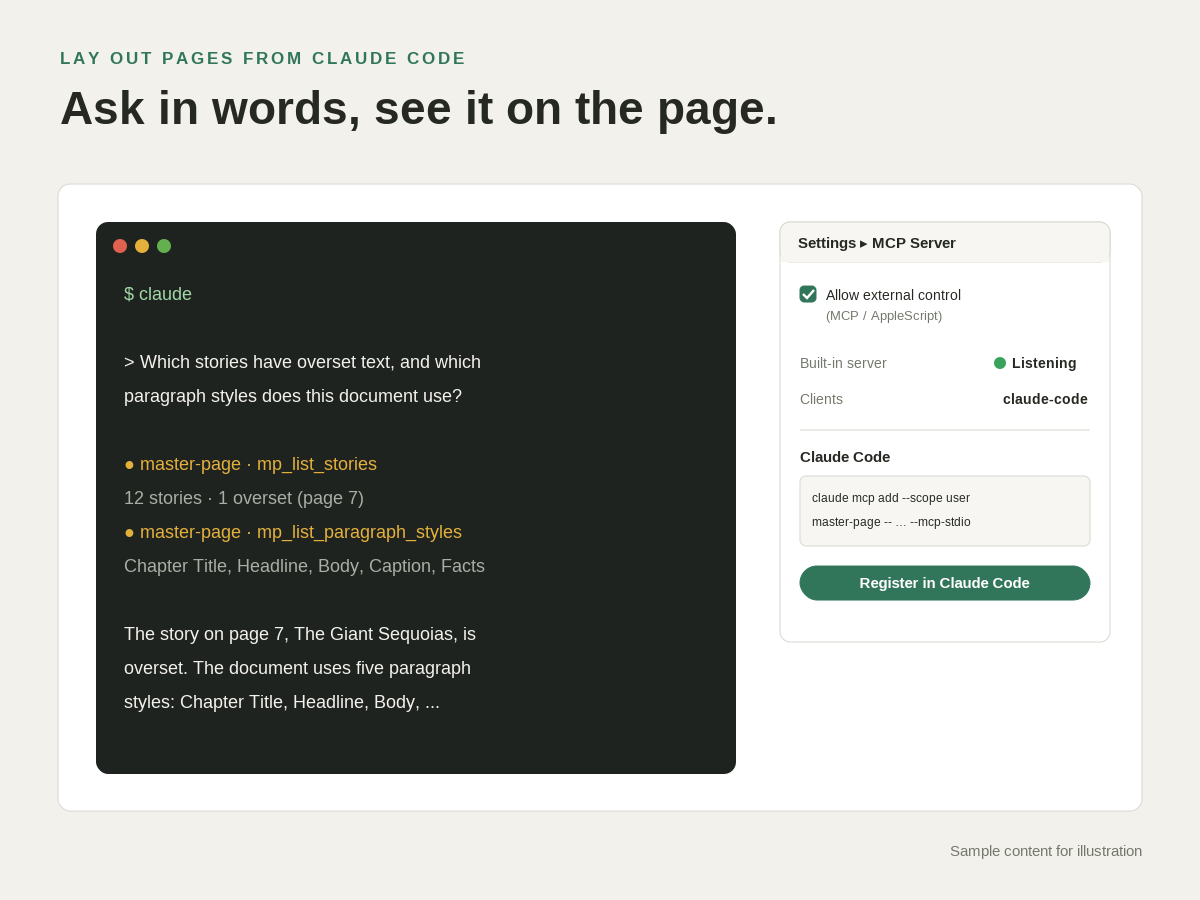
MasterPage is its own MCP server: register it in Claude Code with one command, then ask in words for pages, styles and tables in the open document.
Your words, the app's own commands.
Settings ▸ MCP Server shows the command to register MasterPage in Claude Code, and a Register in Claude Code button that runs it; in the App Store copy, paste the command in Terminal instead. No helper to install: the app itself answers the tool calls.
Every tool call runs in the open app, on the front document, through the same operations as the menus, so each change is an ordinary undo step. With Allow external control off, the tools that change something are refused and the read-only ones still answer.
Since MasterPage 27.1, November 2026. New
Try it with your own document.
- Register
Settings ▸ MCP Server ▸ Register in Claude Code, or copy the command into Terminal. - Keep MasterPage open
Open the document you want to work on; the tools act on the front one. - Ask
“List the pages with overset text”, “apply Heading 1 to every chapter title”. Check the result in the window and undo anything you do not want.
Repetitive layout work done by asking for it, with every change visible and undoable in MasterPage.