Crop and level a photo.
Crop a portrait for a 4:5 post or to exactly 1920 × 1080 pixels, and level a tilted horizon by drawing along it.
What you do
Aspect, angle, done.
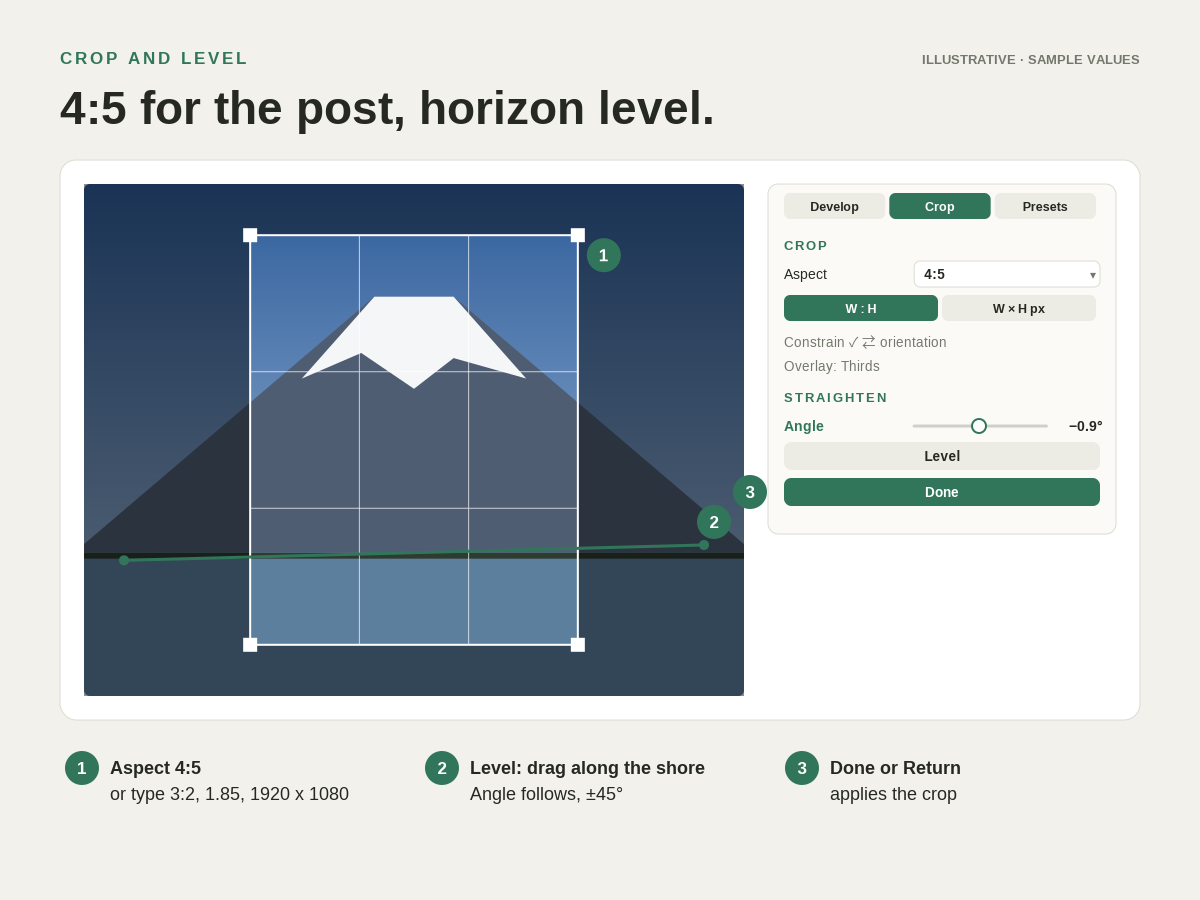
The Inspector's Crop tab holds CROP and STRAIGHTEN. A crop starts from Original with Constrain on, so the handles keep the photo's proportions until you choose otherwise.
Step by step
Try it on your own photos.
- Pick the aspect
Aspect: Used by Camera, Original, 1:1, 4:5, 5:7, 2:3, 4:3 or 16:9; ⇄ turns it. Custom takes a ratio typed as 3:2 or 1.85, or a size in pixels of the original such as 1920 x 1080. - Level the horizon
Click Level beside Angle and drag along the horizon or a vertical: Prism turns the photo by the difference. Angle goes from −45° to +45°. - Apply
Done, Return or a double click applies the crop. The Overlay row switches the guide; ⇧-click turns it.
What you get
The crop you need, the original kept.
The crop is a setting like the others: Reset Crop brings back the full frame at 0°.