From the card to the print, on the iPad.
Shoot tethered in the studio, cull the frames on the train, develop the raws on the sofa: Prism for iPad & iPhone, with the library of your Mac.
All features
Pick the task in front of you.
New marks the main additions of the latest versions.
Shoot & import
 Shoot tethered NewA camera on USB-C or Wi-Fi, with Live View and autofocus.
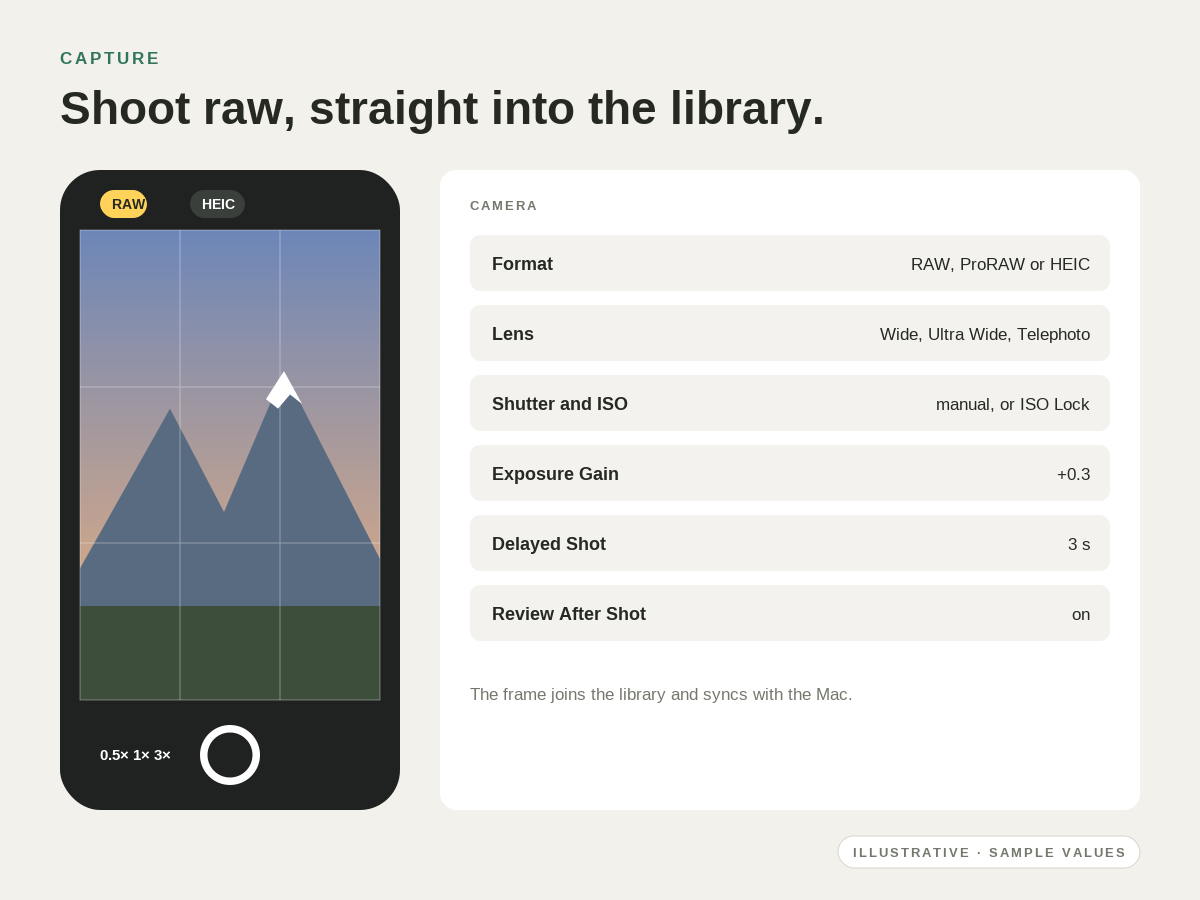 Shoot raw with the built-in camera NewRAW, ProRAW or HEIC, straight into the library.
 Import from a cardPhotos, Files, or a USB drive or SD card, duplicates left out.
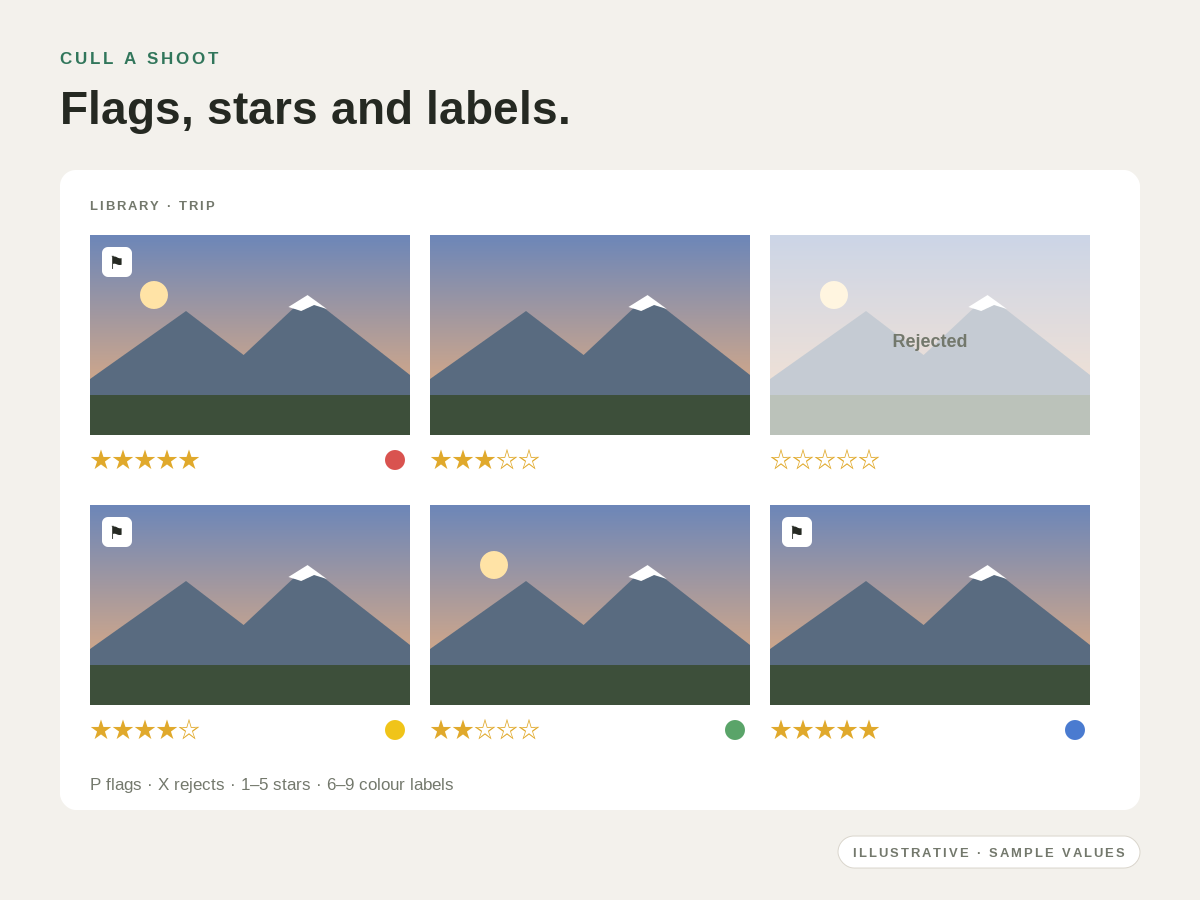 Cull a shootFlags, star ratings and colour labels, then filter by them.
Develop
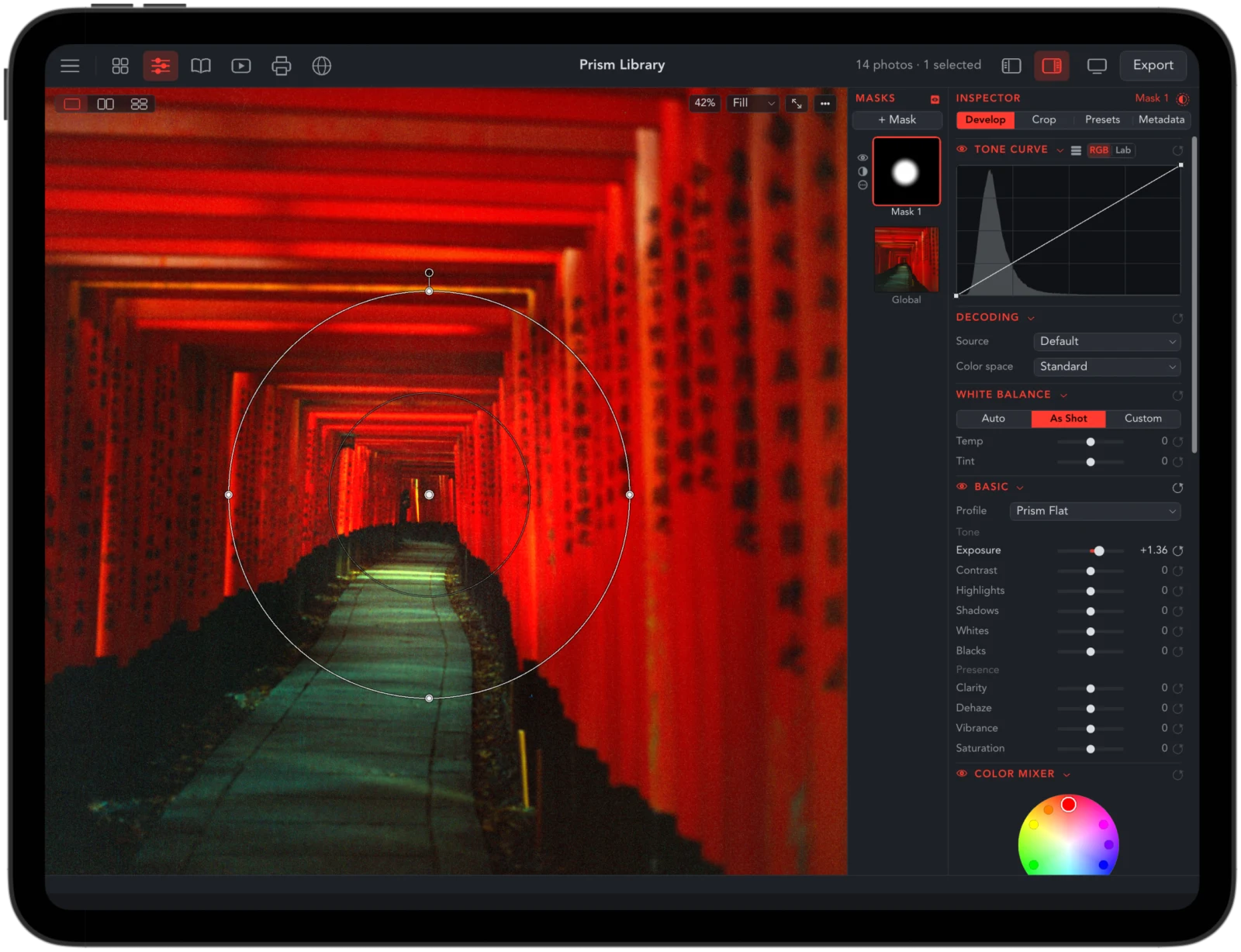 Develop a raw on the iPadThe photo beside its panels: tone curve, colour, detail and masks.
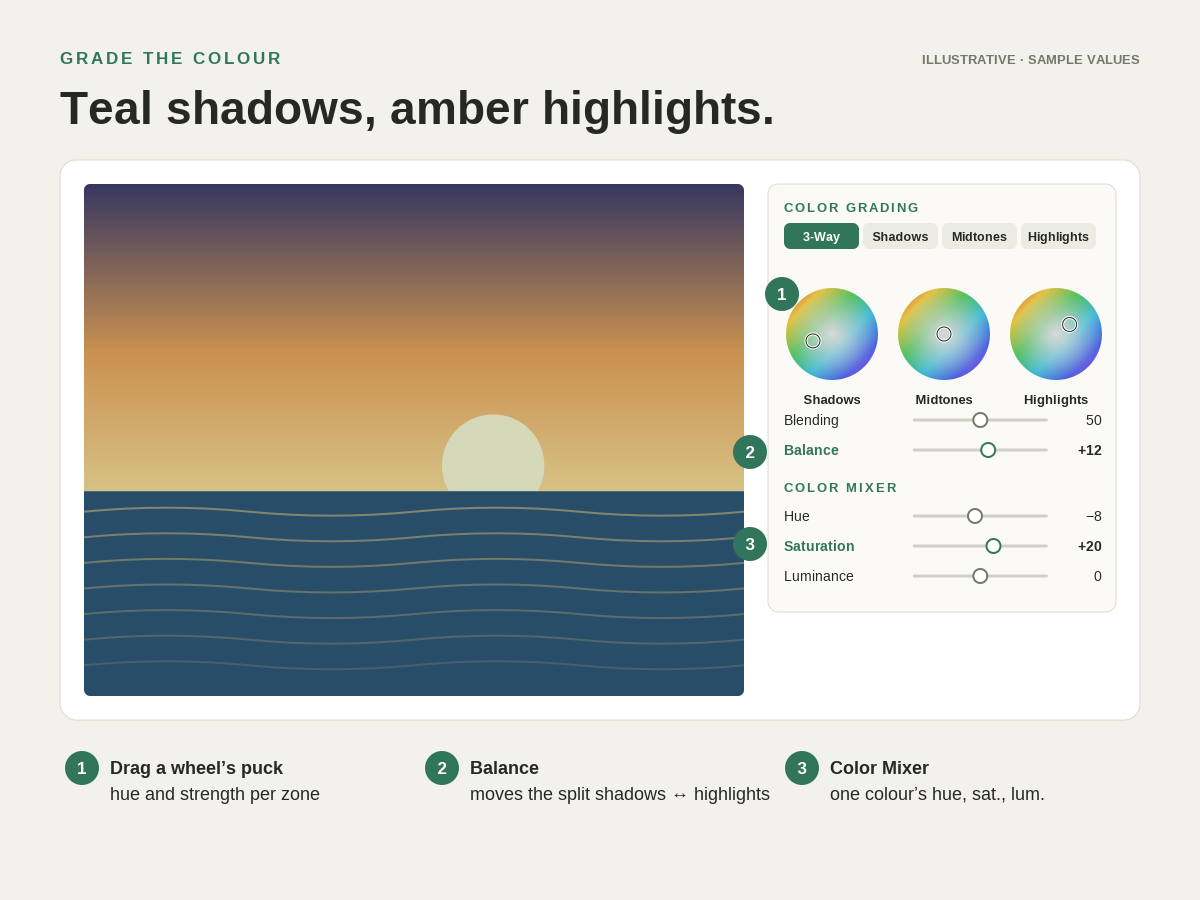 Grade the colourColour Grading wheels per zone, and the Color Mixer per hue.
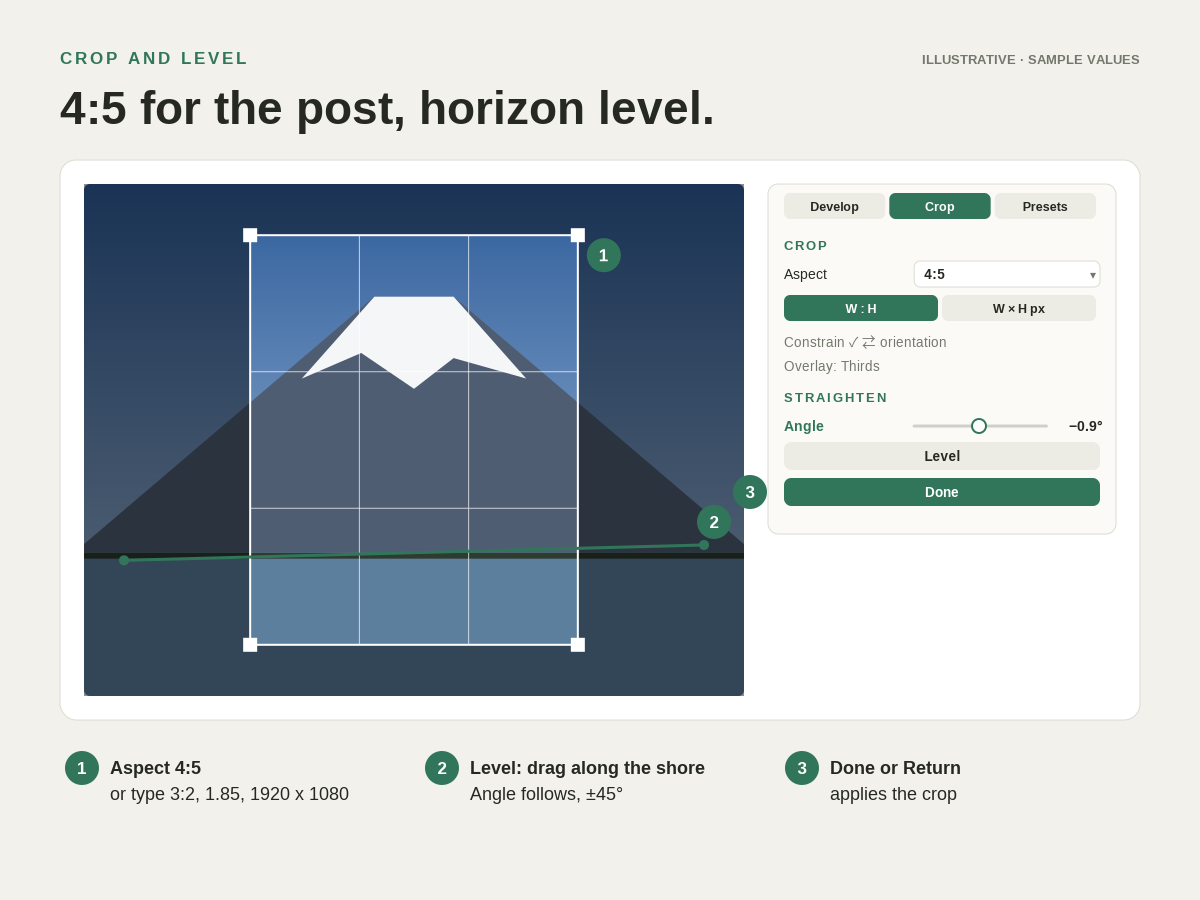 Crop and levelAspect presets and the Level tool along the horizon.
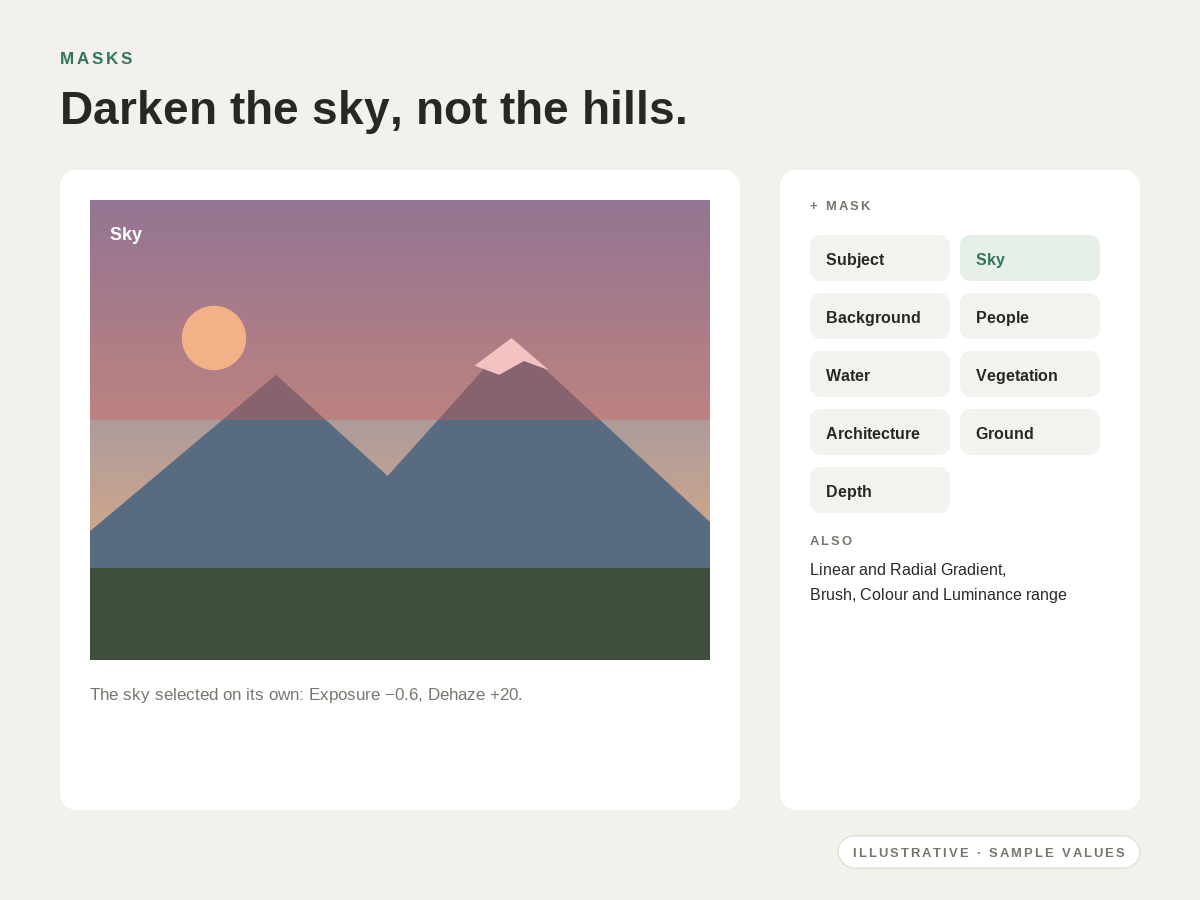 Adjust one part of the photoAI masks for subject, sky or people, gradients and a brush.
 Remove dust and distractions NewHeal or Clone a spot; Find Dust shows the rest.
 Keep two versions of a photoVirtual copies: one raw, a develop for each.
Output
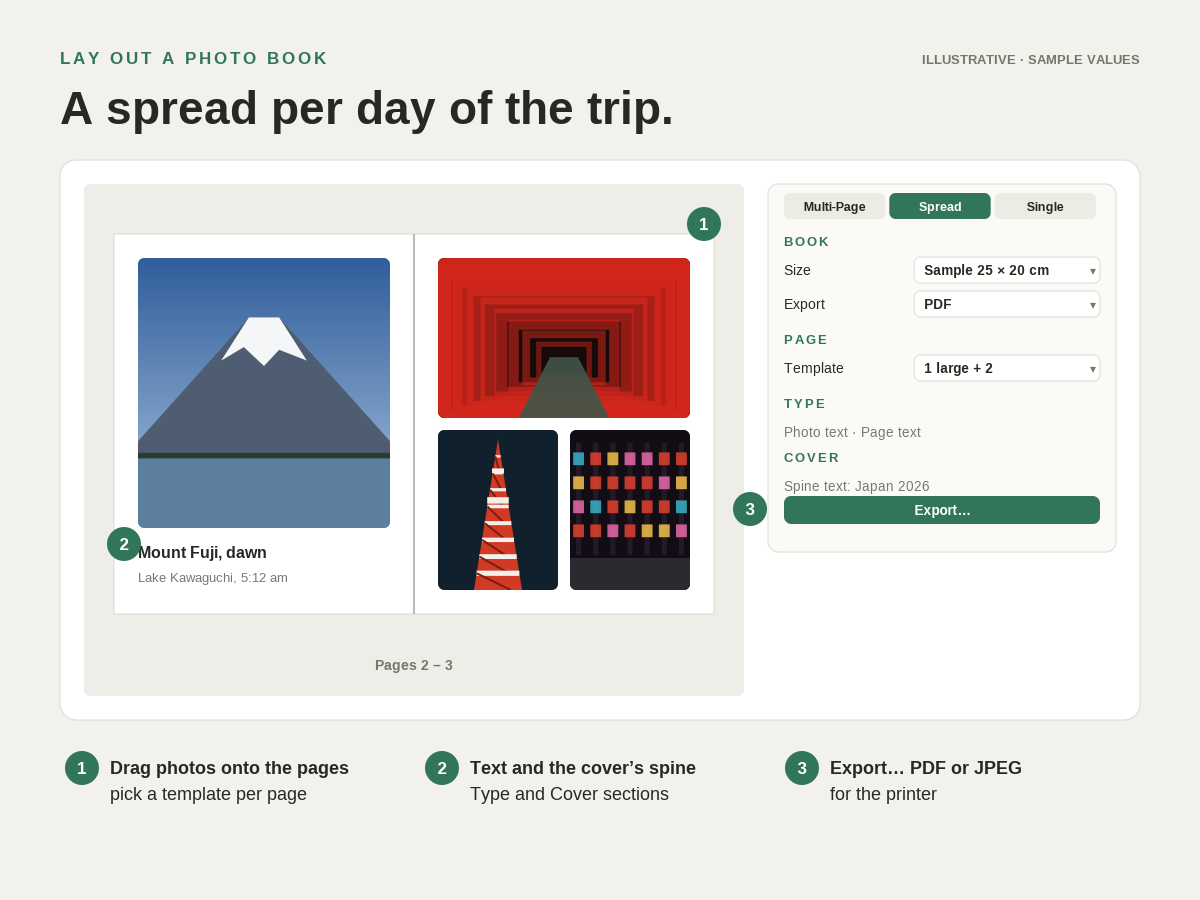 Lay out a photo bookTemplates per page, text, a cover and a PDF for the printer.
 Cut a slideshow to the music NewSlides change on the beat; export it as a video up to 4K.
 Publish a web gallerySeventeen templates, uploaded over FTP or published with a link.
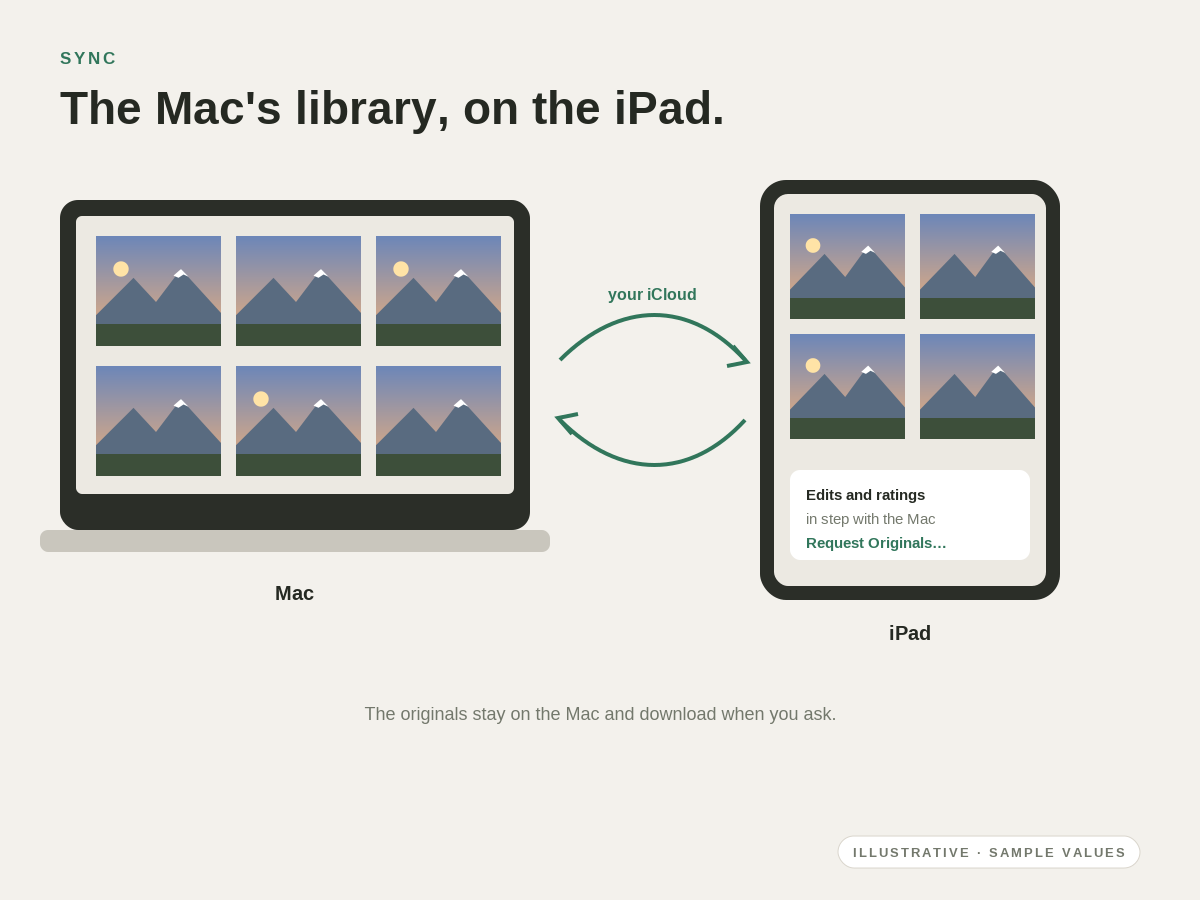 Work on the Mac's libraryEdits and ratings sync through your iCloud; originals on request.
Every feature
Everything the app does.
The modules, panels, menu commands and file formats of Prism for iPad & iPhone, grouped by task.
Import & capture
- Import Photos and Video…: the import window opens on its sources
- Photos albums, Files and iCloud Drive, with Include Subfolders
- USB Drive or SD Card…
- Capture… New: the built-in camera in RAW, ProRAW or HEIC
- Wide, Ultra Wide and Telephoto, manual shutter, ISO Lock, Exposure Gain
- Delayed Shot, Multiple Take Time Lapse, Review After Shot
- Rename Files: template, custom text, shoot name, start number
- Organize By Date, By Original Folders or Into One Folder
- Don't Import Suspected Duplicates
- Keywords, Metadata and Develop Settings during import
- Add to Collection and Import Preset
- RAW + JPEG pairs come in as one photo
- Open Sample Library
Tethered capture
- Start Tethered Capture… New: a camera on USB-C or Wi-Fi
- Capture, Autofocus and Live View
- Network Cameras…: cameras found on the Wi-Fi network
- Session Name, file naming, keywords, metadata and develop settings on arrival
- Show Tethered Capture Window and Auto Advance Selection
Library
- Grid and List views, Thumbnail Size
- Sort by capture time, edit time, rating, flag, label, file name and more
- Filter: flags, stars, labels, edited, master photos, virtual copies
- Search photos and Search Collections
- All Photographs, Previous Import, All Synced Photographs, Missing Photographs
- Collections, collection sets and the Quick Collection
- Viewer: Single, Compare and Multiple, Fit, Fill and 1:1
- Full Screen, pinch to zoom, swipe to the next photo
- Select All, Invert Selection, Select Flagged Photos
Sort & metadata
- Set Flag: Flagged, Unflagged, Rejected
- Set Rating: 0 to 5 stars
- Set Color Label: Red, Yellow, Green, Blue, Purple
- Rotate Right and Rotate Left
- Create Virtual Copy: Set Copy As Master, Delete Virtual Copy…
- Metadata tab: title, caption, copyright, creator, keywords; EXIF
- Remove… and Delete from Disk…
Develop: light & colour
- Tone Curve: RGB, red, green and blue channels, Lab curves
- Decoding: the raw decoder and the colour space, HDR included
- White Balance: Auto, As Shot, Custom, Temp and Tint
- Profile: per-camera profiles, Analog, Color, Vivid, Modern, Vintage, .dcp
- Exposure, Contrast, Highlights, Shadows, Whites, Blacks
- Clarity, Dehaze, Vibrance, Saturation
- Color Mixer: hue, saturation and luminance of eight colours
- Color Grading: 3-Way, Shadows, Midtones, Highlights, Global, Blending, Balance
- Calibration: Shadows Tint and the red, green and blue primaries
- Output on screen: sRGB, Display P3 or Rec. 2020
- Auto Tone and Auto White Balance
Develop: detail & geometry
- Detail: Sharpening and Noise Reduction
- Lens: lens profiles, Distortion, Vignette
- Effects: Vignette and Grain
- Crop: Constrain, Original, 1:1, 4:5, A4, Letter, Golden and more
- Straighten: Angle and the Level tool
- Reset Crop
Masks & retouch
- AI masks: Subject, Sky, Background, People, Water, Vegetation, Architecture, Ground
- Depth: a mask by distance
- Objects: draw a box round the thing to mask
- Radial Gradient, Linear Gradient and Reflected
- Brush and Polygon
- Color range and Luminance range
- Amount, Invert Mask, Feather, Regenerate, Show and Hide
- Each mask with its own adjustments
- Remove New: Heal or Clone, Find Dust, Visualize Spots, Apple Pencil pressure
Presets & settings
- Presets tab: Lab presets, film-look presets, Favorites, Recent
- Save Preset…, Update, Rename, Delete, New Group…
- Import Presets… and Export Preset…
- Copy Settings…, Paste Settings, Paste Settings from Previous, Sync Settings…
- History…, Snapshots…, New Snapshot…, Clear History
- Before/After: side by side, split, top and bottom, Swap
Book
- Book Settings: PDF or JPEG, page sizes, logo page
- Cover: hardcover or softcover, with a spine
- Auto Layout, page templates, Add Page and Add Blank
- Guides and Grid Snap, Photo Border and Zoom
- Photo Text, Page Text, Page Numbers, Type, Background
- Export Book to PDF… or JPEG…, Create Saved Book…
Slideshow
- Options, Layout, Overlays, Backdrop, Titles: text, stars, identity plate, watermark
- Music: fourteen tracks or your own file
- Cut on Downbeats New: Beats per Slide, Fit to Music
- Pan and Zoom, Crossfades, Random Order, Repeat
- Play full screen and Preview
- Export Video…: H.264 or HEVC up to 4K, with the soundtrack
- Export PDF…: one slide per page
- Layout Style: Single Image / Contact Sheet, Picture Package, Custom Package
- Zoom to Fill, Rotate to Fit, Repeat One Photo per Page, Stroke Border
- Margins, cells, guides and rulers
- Identity Plate, Watermark, Photo Info, Page Background Color
- Print Job: a printer or a JPEG file, resolution, sharpening, profile
- Draft Mode Printing
- Page Setup…, Print… and Print to File…
Web
- Seventeen gallery templates: grid, justified rows, mosaic, portfolio, cinema…
- Site Info, Color Palette, Appearance with Auto Dark Mode
- Image Info, Output Settings: quality, sharpening, watermark
- Preview in Browser… and Export…
- Upload…: over FTP, or published by Rainbow Factory with a link
Export & share
- Export…, Export with Previous, Export with Preset, Export Again
- JPEG, TIFF, HEIC, PNG, or the original with an XMP file
- sRGB, Display P3, ProPhoto RGB, Rec. 2020 and Rec. 2020 PQ for HDR
- Bit depth, compression and Limit File Size
- Resize to Fit, Don't Enlarge, Sharpen For Output
- File naming templates, metadata choices, Remove Person and Location Info
- Simple Copyright Watermark
- Share…, Save to Photos, Email…
- Request Originals…: for photos whose original is on the Mac
Sync & app
- Sync with the Mac library: through your own iCloud; originals stay on the Mac
- Photos imported on iPad or iPhone join the shared library
- Interface in twelve languages
- Accent colour, Follow the photo, HDR display
- Send Feedback…
iPad & iPhone
- Library, Develop, Book, Slideshow, Print and Web modules
- Three layouts: wide columns on iPad, a compact one on iPhone
- Long press for the context menu, also from Apple Pencil
- Menu bar and keyboard shortcuts
- Shortcuts actions: set rating, flag, label, keywords, apply a preset, export
- iPhone Duo: a layout tuned for folded and unfolded