RGB or CMYK document mode
Choose the colour mode when creating or setting up a document. The mode is shown in the workspace and affects printing and export.
SVG Editor supports RGB and CMYK documents, process swatches, tints, print setup and press-ready vector PDF export that keeps the CMYK values of a CMYK document.
Choose the colour mode when creating or setting up a document. The mode is shown in the workspace and affects printing and export.
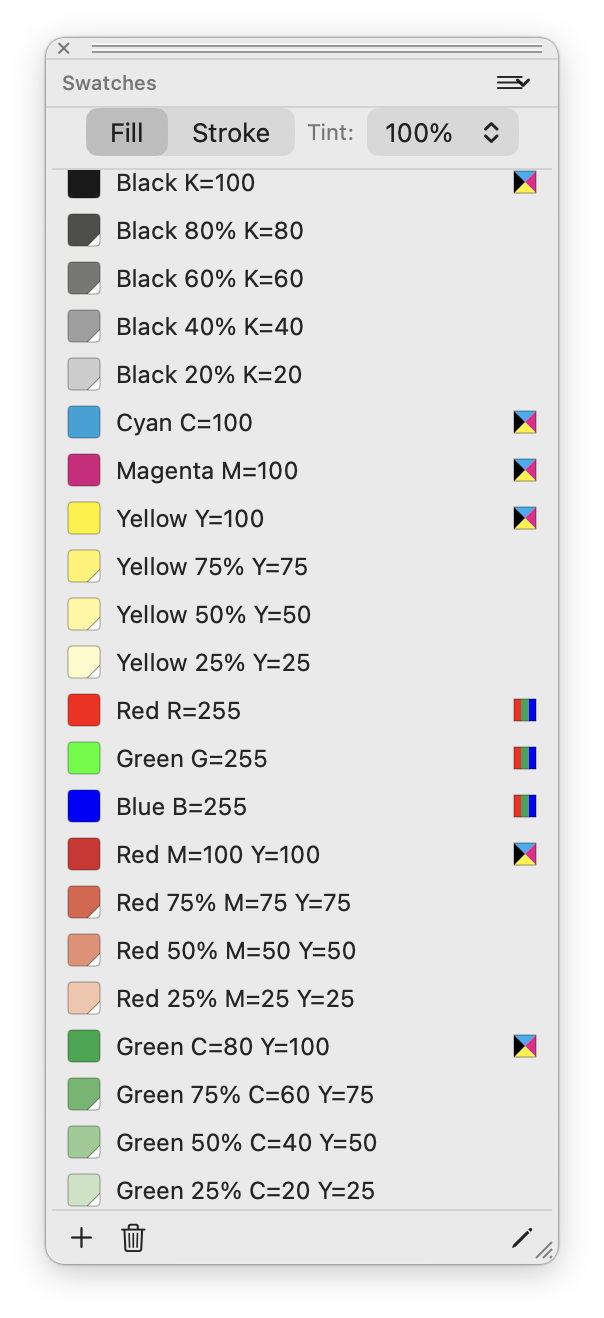
CMYK swatches carry cyan, magenta, yellow and black values. Tints of a swatch keep the same separations, so print colours remain predictable.
When a CMYK document is exported to PDF, CMYK swatch colours are written as CMYK values rather than screen-colour approximations.
Use Page Setup and Print to print from your Mac. The exported PDF and the printed page come from the same vector artwork.
The Swatches palette keeps process colours and their tints together, ready to apply to the artwork before export.