Check the file before print.
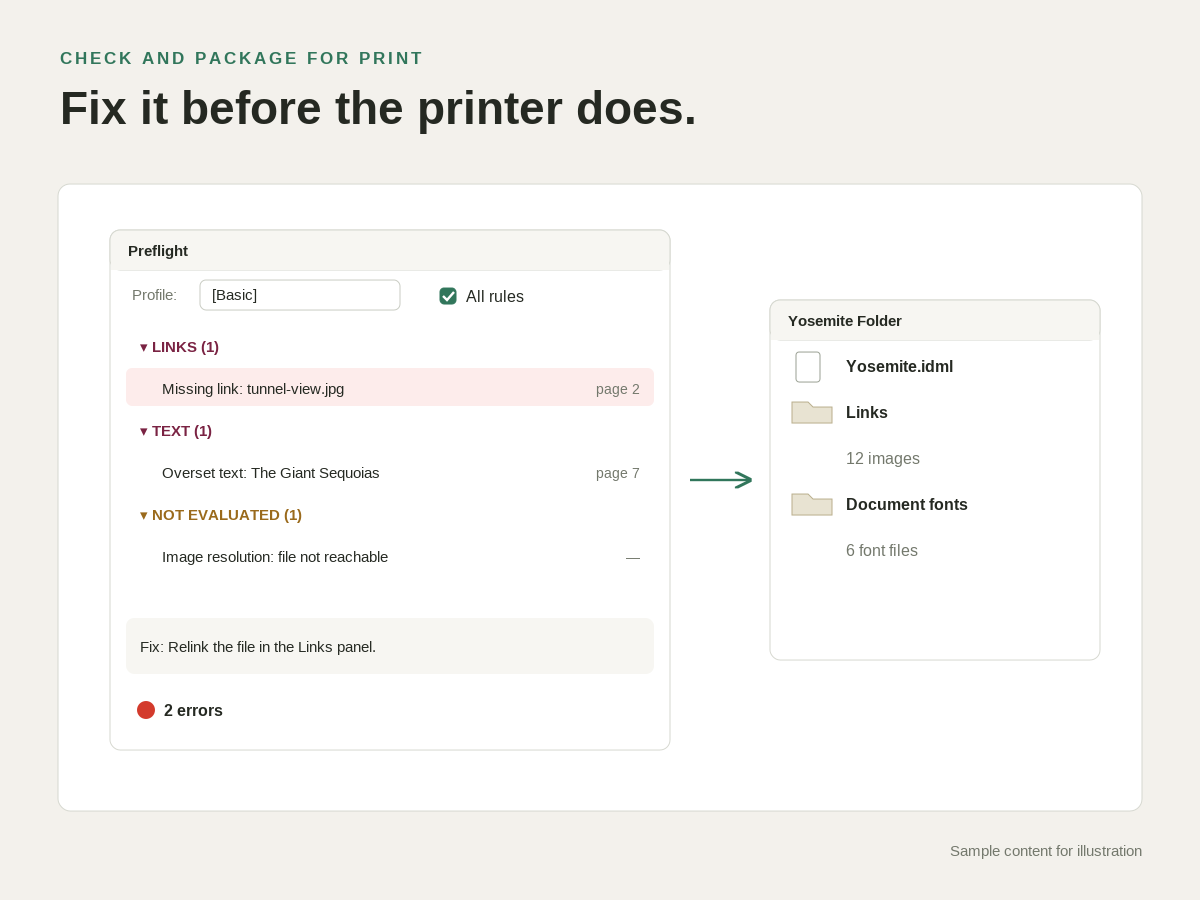
Preflight lists missing links, overset text and other problems object by object, and Package collects the document, its links and fonts in one folder.
Check & package for print
Find the problem before the printer does.
Window ▸ Output ▸ Preflight checks the document against a profile. Every result names the object it is about and says how to fix it; double-click a row to go there.
A rule that could not be checked is listed with the reason and the indicator turns amber instead of green: not checked and passed are different answers. File ▸ Package… then collects the document, its linked files and its fonts in a folder.
Since MasterPage 26.0, September 2026.
Step by step
Try it with your own document.
- Run preflight
Window ▸ Output ▸ Preflight; choose a profile, or Define… your own rules. - Fix each row
Double-click a result to go to the object; relink, enlarge the frame, run the check again. - Package
File ▸ Package…: the folder holds the document, a Links folder and the document fonts.
What you get
A folder the printer can open without asking for a missing photograph or font.