Join chapters into a book.
Keep each chapter as its own document, collect them in a book, and let page numbers run on from one chapter to the next.
Join chapters into a book
Chapters stay separate, numbers do not.
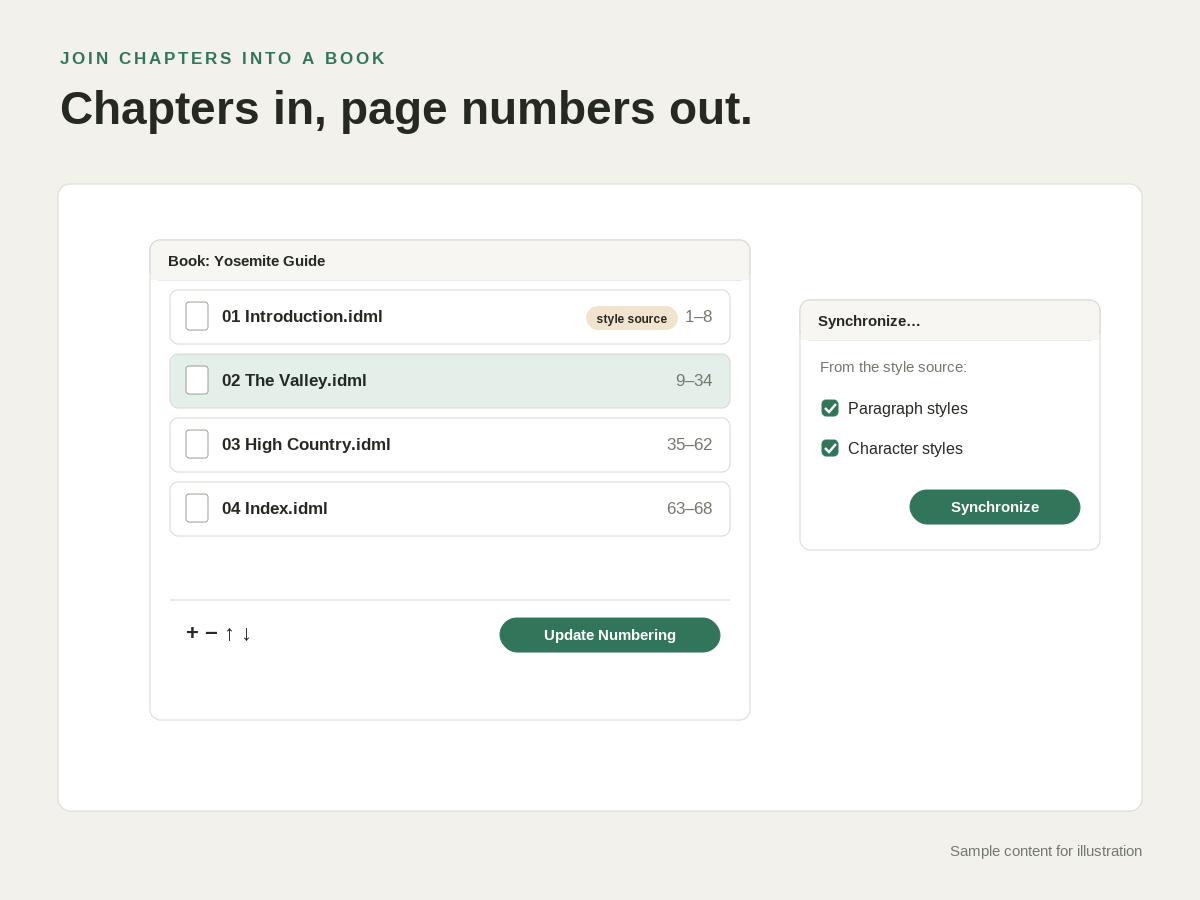
File ▸ New ▸ Book… creates a book and opens the Book panel. Add documents with “+” and drag them or use the arrows to change their order.
Page numbers run on from one document to the next; Update Numbering writes them into the documents. Use as Style Source and Synchronize… copy the paragraph and character styles of one chapter to the others.
Since MasterPage 26.3, September 2026.
Step by step
Try it with your own document.
- Add the chapters
File ▸ New ▸ Book…, then “+” for each document; drag to put them in reading order. - Number and synchronise
Update Numbering, then mark the style source and Synchronize… so every chapter uses the same paragraph and character styles.
What you get
A long publication split into chapters that different people can edit, numbered as one book.