Ready for a screen reader.
Before publishing a report or a guide, describe its pictures and check how a screen reader will read it.
What you do
The reading structure, editable.
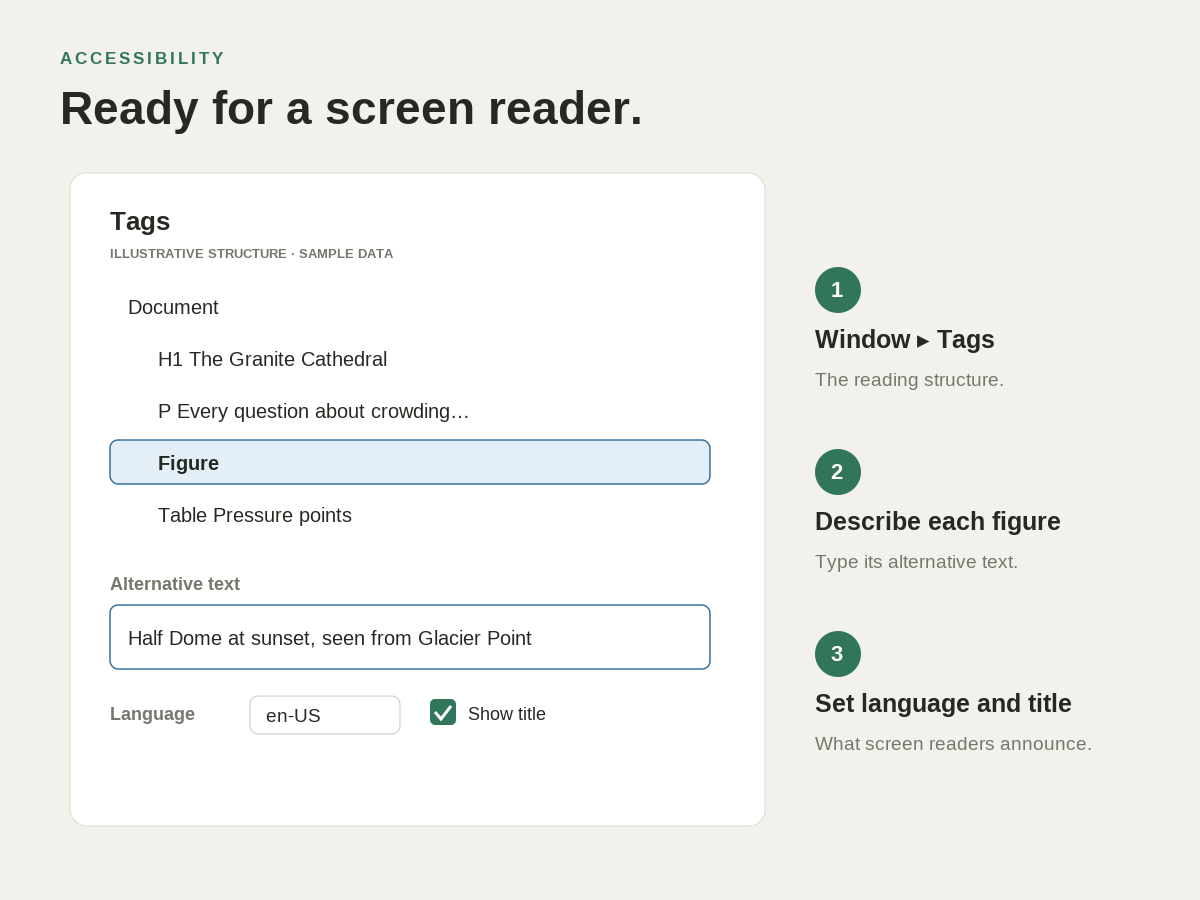
The Tags palette shows the document’s structure for screen readers. Select an element to edit its alternative text, and set the document language and whether viewers show its title.
The Document Info palette lists PDF version, page sizes, title, author and dates, encryption, fonts (embedded or not) and colour spaces, all copyable.
Step by step
Try it on your own PDF.
- Open Window ▸ Tags
Find each Figure in the tree. - Write its alternative text
Describe what the picture shows. - Set language and title
So the reader announces it correctly.
What you get
A tagged PDF whose pictures are described in words.