Edit with Claude Code.
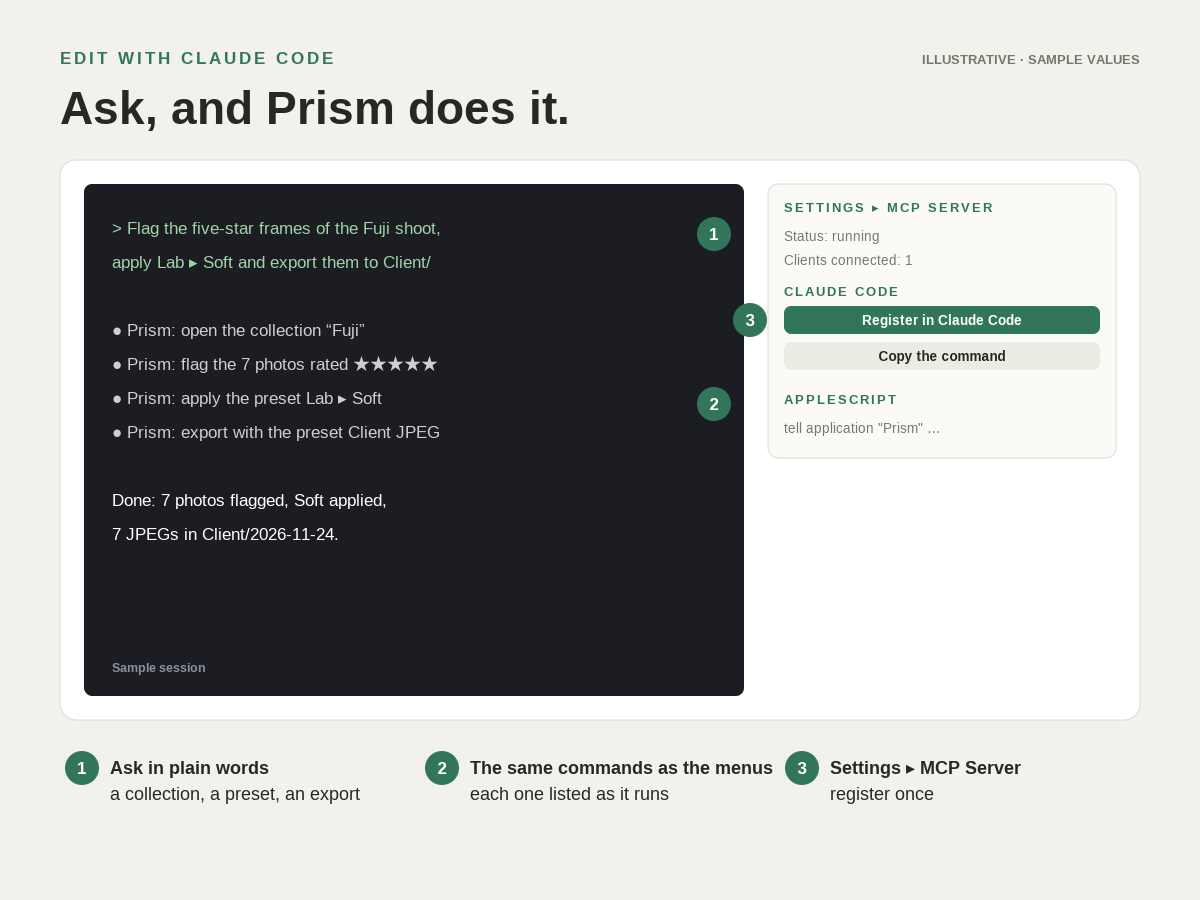
Ask Claude Code to flag the five-star frames, apply a preset to a collection or export the picks: Prism's MCP server gives it the commands of the menus.
What you do
Ask, and Prism does it.
Prism includes an MCP server. Settings ▸ MCP Server shows whether it is running and which clients are connected; the Claude Code section connects it.
Step by step
Try it on your own photos.
- Connect Claude Code
Settings ▸ MCP Server ▸ Claude Code: in the direct download, Register in Claude Code does it in one click; in the App Store copy, copy the line it shows and paste it into the client. - Ask in plain words
«Flag the five-star frames of the Fuji collection and export them with the Client preset»: Claude Code calls Prism's commands, the same as the menus. - Script it
The same commands answer AppleScript, for scripts of your own.
What you get
Repetitive work done for you.
Each command Claude Code calls is listed in the session as it runs, so you can see what it changed.