Apply a look in one click.
See each preset on your own photo, set how strong it is with Amount, and bring your .xmp and .lrtemplate presets along.
What you do
Your photo in every tile.
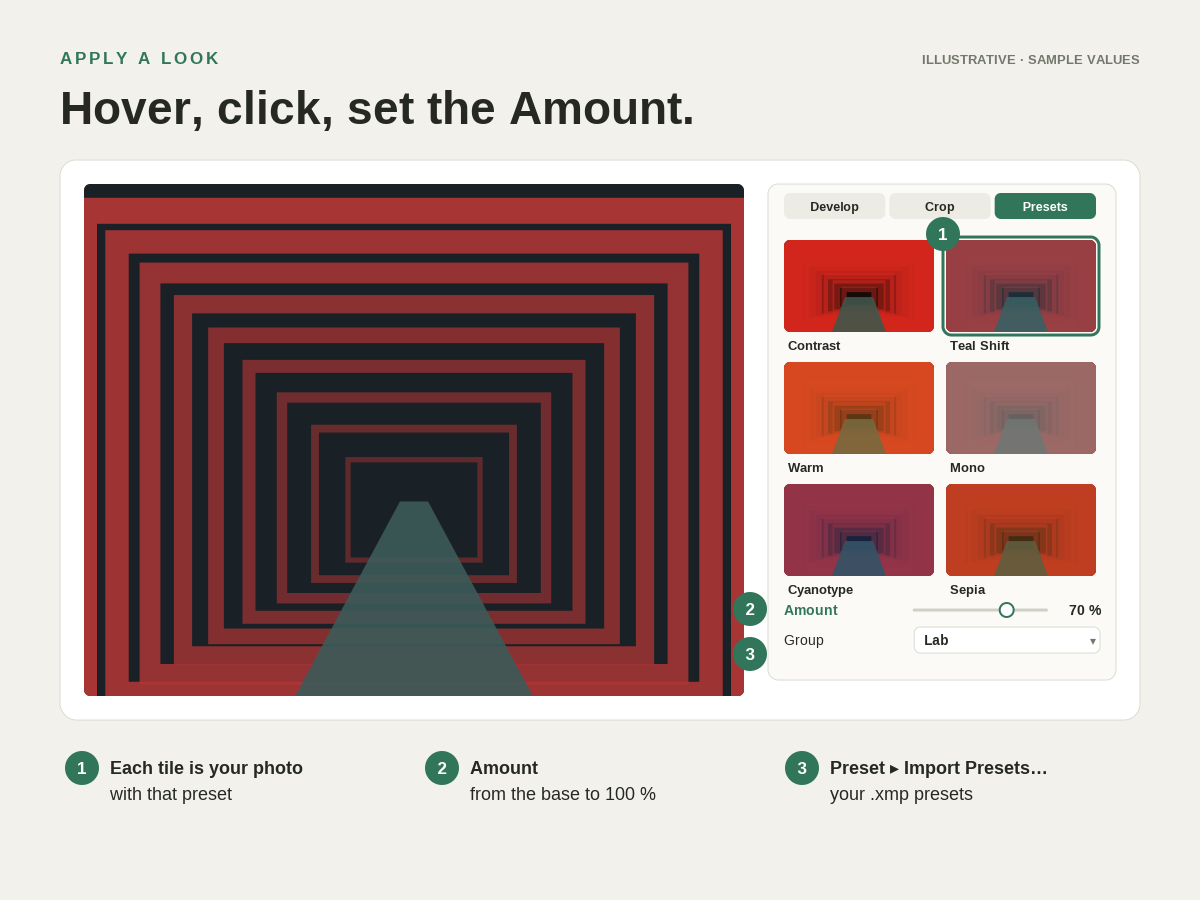
The Inspector's Presets tab shows each preset as a tile rendered on the photo you are editing. The Lab group has 25 looks: Contrast, Soft, Pop, Muted, Warm, Cool, Mono and Film, creative ones such as Cross Process, Teal Shift, Cyanotype or Solarize, and tints from Gold to Slate.
Step by step
Try it on your own photos.
- Click a tile
The preset applies to the photo; click another to compare. - Set the Amount
Amount fades from the photo as it was to the full preset: sliders move in proportion, the other settings switch at 50 %. - Keep your own
Preset ▸ Save Preset… stores the current settings; Update, Rename and Delete are in the same menu. - Bring your presets
Preset ▸ Import Presets… reads .xmp and .lrtemplate presets, whatever their encoding; Export Preset… writes one out.
What you get
A look in one click, at the strength you want.
A preset is a starting point: every slider it set stays editable afterwards.