See the page as a tree.
Read the page as a tree of elements with their ids and classes, jump to any of them, and always know where the cursor sits in the markup.
Navigate the page structure
Every element in its place.
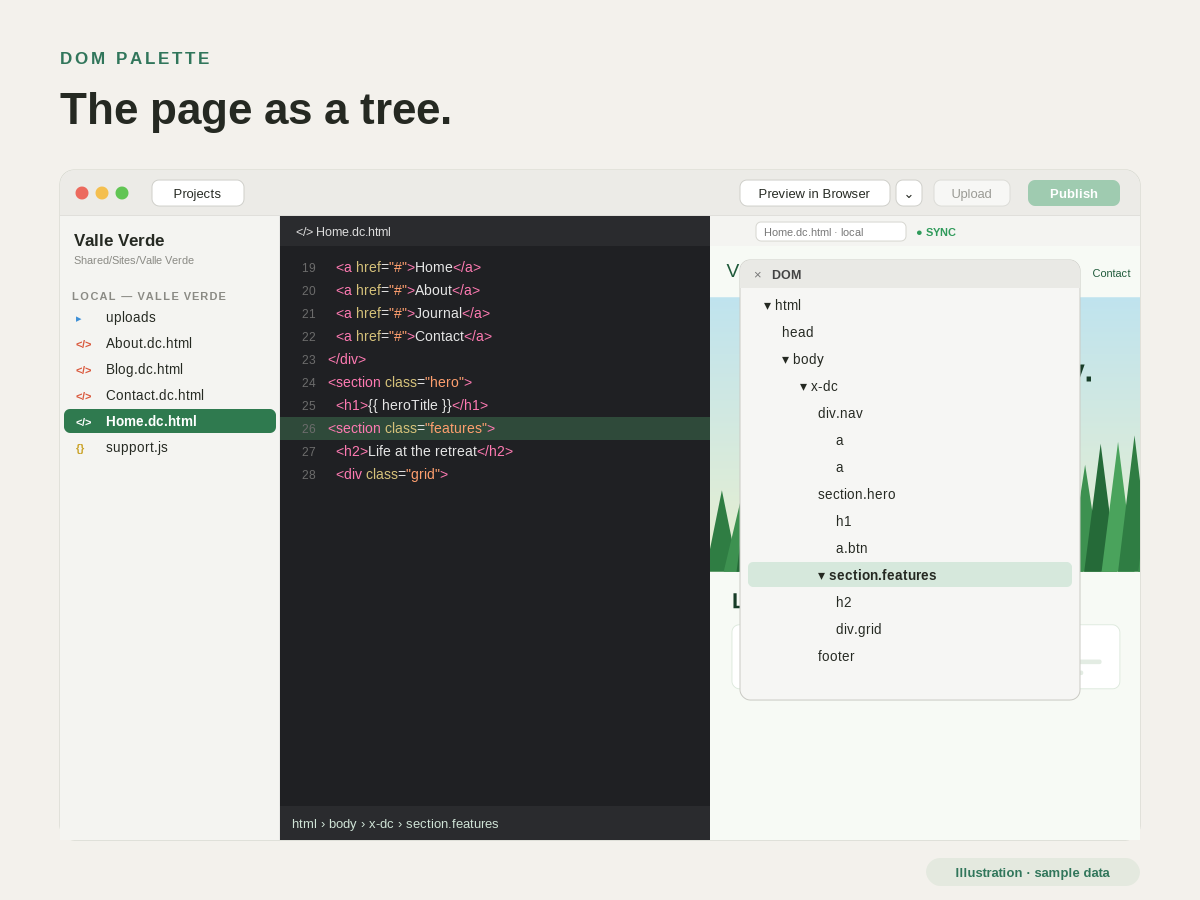
The DOM palette (⌘3) lists the elements of the open page as tag#id.class, nested as in the markup; a click puts the cursor on the opening tag. Under the editor, a breadcrumb bar shows the path of the element around the cursor.
Step by step
Reach a deep section.
- Open the DOM palette
Press ⌘3 with the page open. - Find the element
Expand the tree down to the section or card you want. - Jump
Click it: the editor shows its opening tag and the breadcrumb its path.
What you get
Long pages, short trips.
On a page with hundreds of lines you move by structure instead of scrolling.