Open and save PSD files.
Open the layered PSD a designer sent, retouch the photo inside it and send it back with the type, masks and smart objects still editable.
The layers arrive as layers.
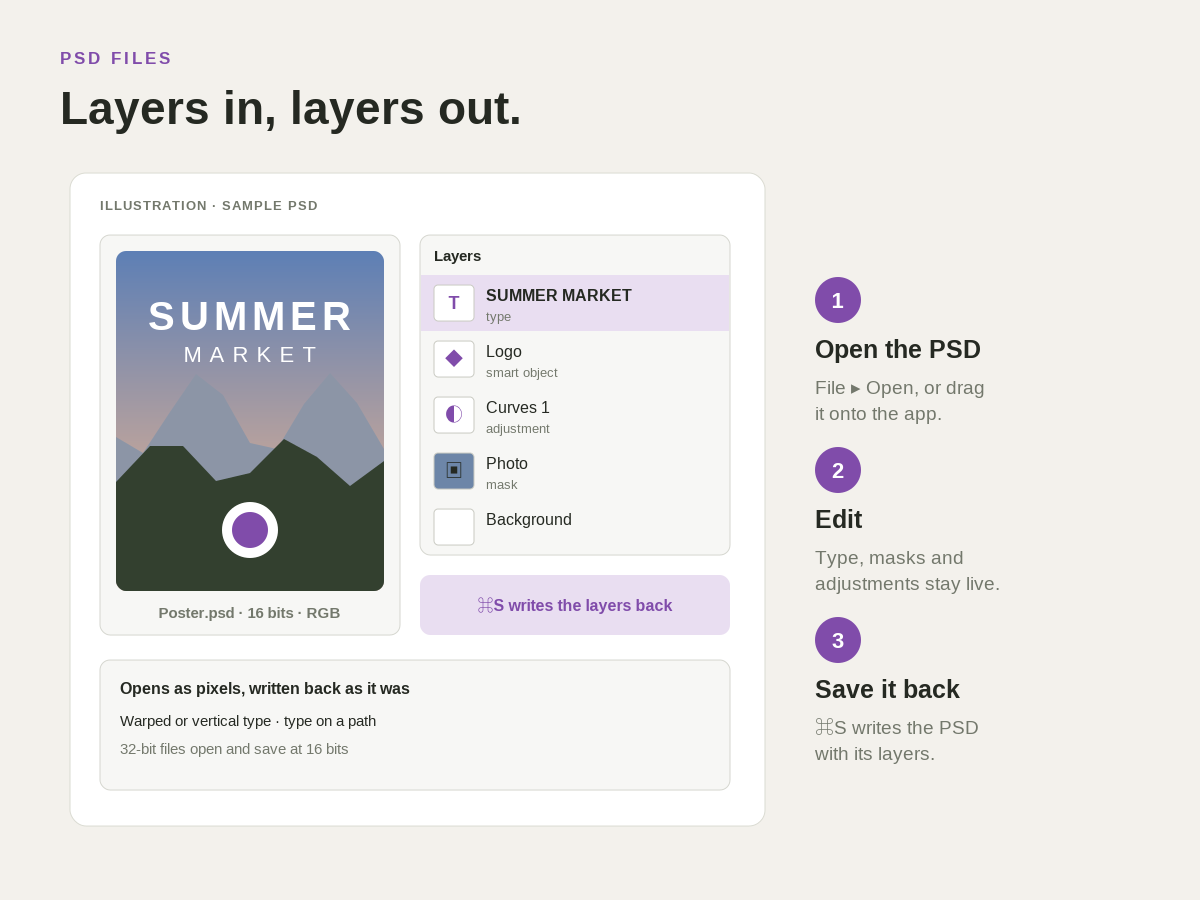
File ▸ Open reads a PSD or a PSB layer by layer: groups, layer and vector masks, opacity, blend modes, clipping, Blend If, colour labels, Layer Style effects, adjustment and fill layers, smart objects with their smart filters, and horizontal type as editable type.
⌘S saves back into the same PSD, and Save As offers PSD for every document. 8-bit and 16-bit files keep their depth, RGB, CMYK, Lab and Grayscale documents keep their layers, and whatever in the file Flare does not edit is written back unchanged.
Try it on your own photo.
- Open the PSD
File ▸ Open, or drag the file onto the app. - Edit
Retouch, retype the title, change the adjustment layer; the other layers keep what they were. - Save it back
⌘S writes the PSD with its layers; Save As makes a copy in TIFF or a flat format.
Warped or vertical type and type on a path open as pixel layers, with their type data written back as it was. A 32-bit RGB or Grayscale file opens at 16 bits and saves at 16; Duotone opens as Grayscale and keeps its inks; Indexed and Bitmap files open as one layer. Of the smart filters, twelve open as Flare's filters, among them Gaussian Blur, Unsharp Mask and Add Noise; the others are kept as they are.
The same PSD with your changes, still in layers, for the next person who opens it.