Merge shapes in one drag.
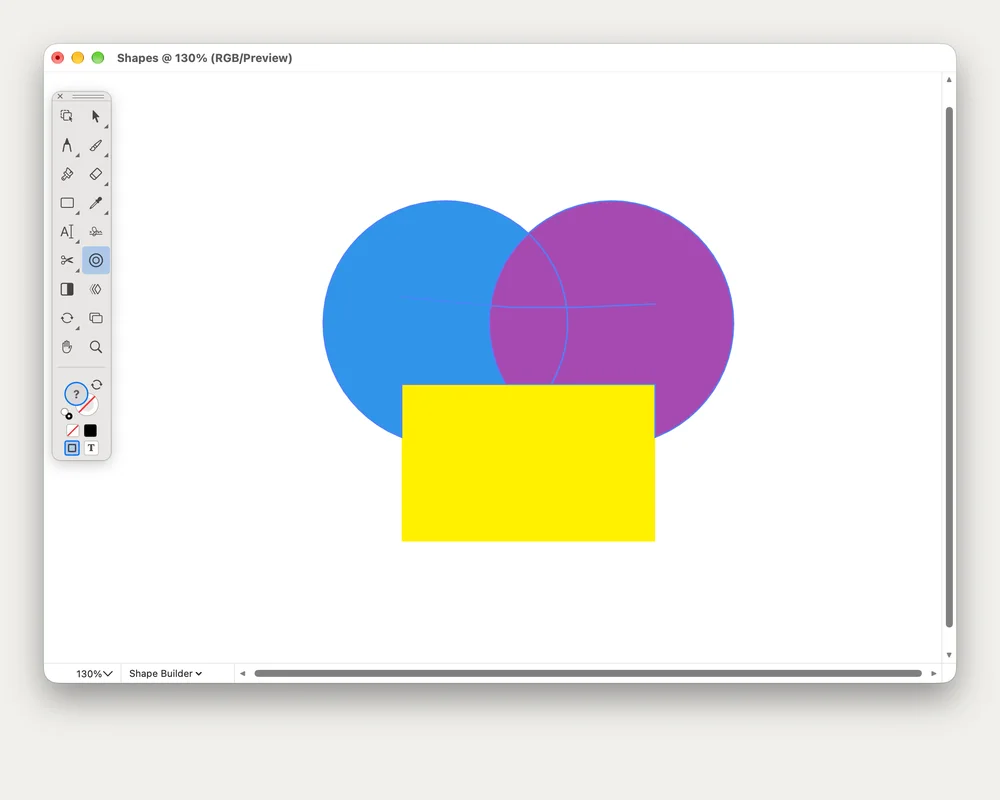
Overlap a few circles and rectangles, then drag across the regions you want to keep as one shape.
Shape Builder
Build a logo from overlaps.
Select the overlapping shapes and pick the Shape Builder (⇧M). The region under the pointer lights up; a drag across several regions merges them into one shape with the current fill when you release, and an ⌥-drag deletes them. Open paths and outlined shapes take part in the regions too.
Step by step
Merge shapes in one drag, in 3 steps.
- Overlap the pieces
Draw the circles, rectangles or paths that outline the mark and select them all. - Drag across the regions
With the Shape Builder, drag through the regions that make one facet; release to merge them in a single undo step. - Remove the leftovers
⌥-drag over the regions you do not need. The Pathfinder palette has Unite, Minus Front, Intersect, Exclude, Divide, Trim, Merge, Crop, Outline and Minus Back for the same job by command.
What you get
Clean shapes, no hidden overlaps.
Each merged region is one path, so the logo recolours facet by facet and exports without stacked pieces.