Round the corners.
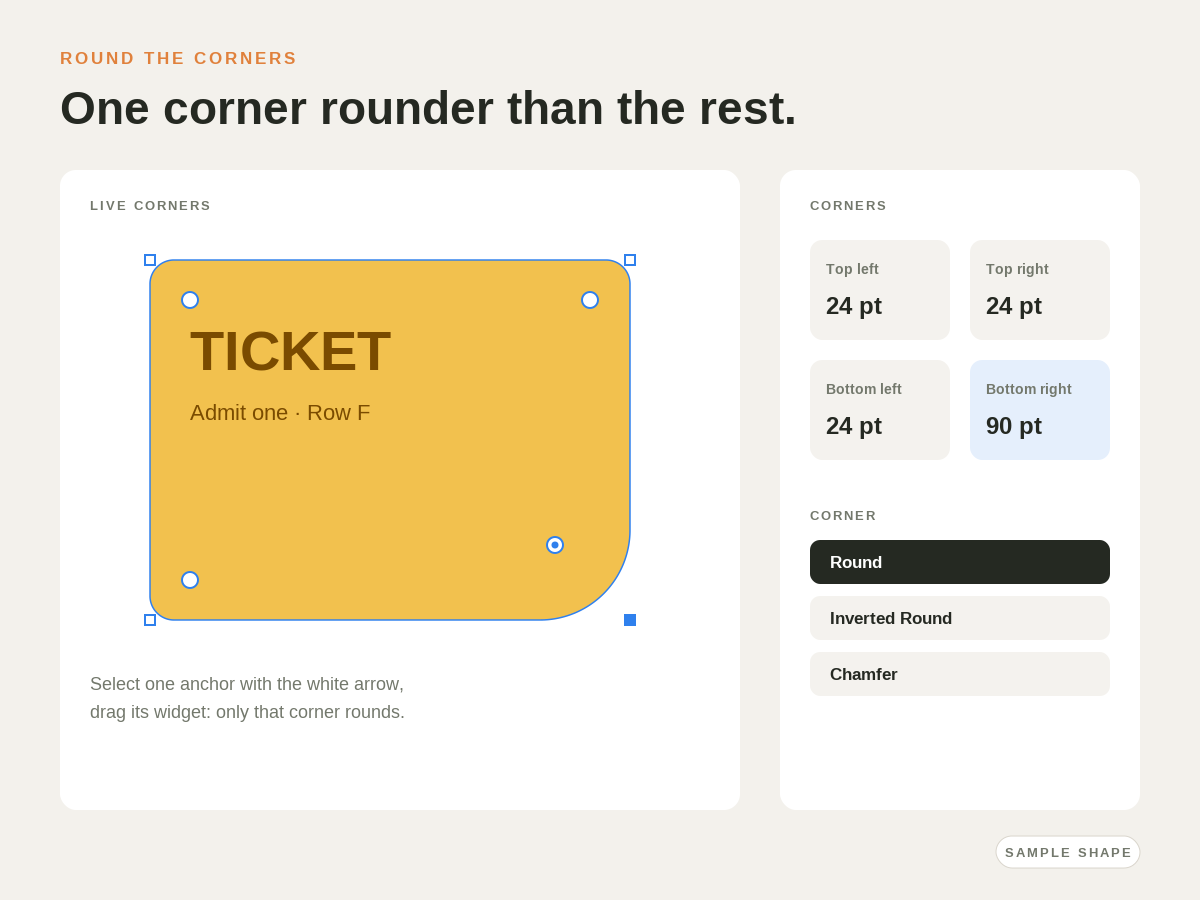
Round every corner of a shape at once or only the one you select, and change the radius later without redrawing.
Live Corners
The sharp shape stays underneath.
Rounded corners are live: the app keeps the sharp outline and the radius, so a corner can go back to sharp or change radius at any time. Other apps open the saved SVG with the corners already rounded.
Step by step
Round the corners, in 3 steps.
- Drag a widget
Select a shape and drag one of the round widgets inside its corners: every corner follows. - Pick one corner
Select one anchor with the white arrow and drag its widget to round only that corner; ⌥-drag rounds one corner from the black arrow. - Type the radius
Window ▸ Corners shows each corner’s radius and type (Round, Inverted Round, Chamfer); the Control palette edits the radius inline, as one R field or four.
What you get
Radii you can still change.
Expand or a Pathfinder operation bakes the corners into the path when you need a plain outline.