Your PDFs, from Claude Code.
Ask Claude Code, in any of your projects, to export a contract’s pages as images, sign it with your digital ID or describe its figures for screen readers.
One click to connect.
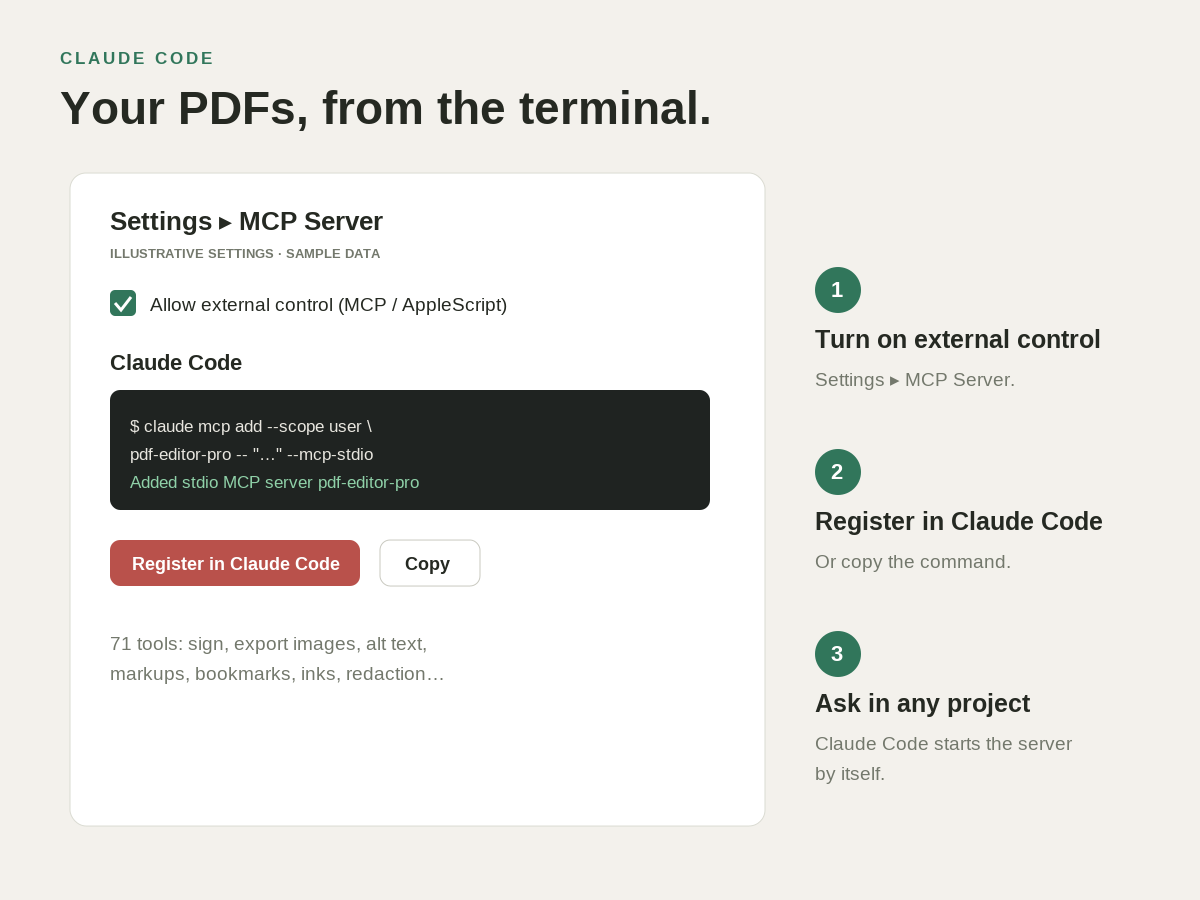
Settings ▸ MCP Server has a Claude Code section: Register in Claude Code adds the app’s server for every project of yours, and Claude Code then starts it by itself, over stdio, with nothing to keep running. The Mac App Store copy shows the command to paste into Terminal instead.
The server has 71 tools. The latest add exporting pages as PNG, JPEG or TIFF, signing with a digital ID and signing every spot, sound notes, restyling and arranging markups, the tags tree, language, title and alternative text, notes, bookmark moves, the document’s inks and redaction by text.
Try it on your own PDF.
- Turn on external control
Settings ▸ MCP Server ▸ Allow external control. - Register in Claude Code
Or Copy the claude mcp add command and run it. - Ask in any project
Name the PDF and the change; check it in the app.
Pdf Editor’s PDF tools in Claude Code, listed with their live state and the connected clients in Settings. Remove from Claude Code undoes the registration.